Best Mods for Minecraft PE & Bedrock
Browse and download Mods for Minecraft Pocket Edition & Bedrock on iOS, Android, and PC, or customize with MCPE Studio.
 .mcpack
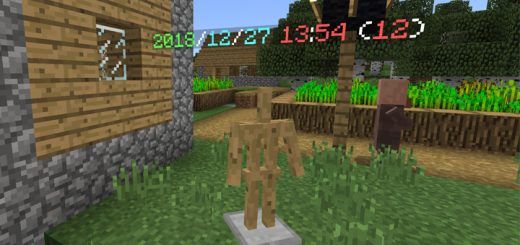
Armor Stand Clock Script (1.9.0.3+)
This script will turn the armor stands into a clock. It displays the time which is set on your device. The text is displayed above the armor stand. The script does not interfere with other entities except for the armor stand. Creator: momiyama, Twitter AccountHow does it work?Place down an armor stand on the ground and it will display the current time as a floating text above the armor stand. It's really useful if you want a quick and easy way to keep track of the current time in-game.
 .mcpack
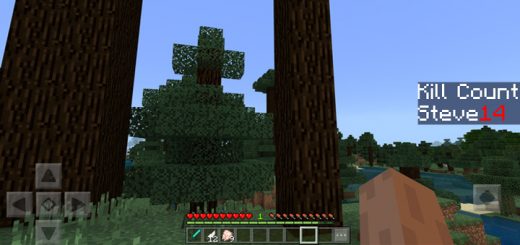
Kill/Death Counter Script (1.9.0.3 +)
This Script will set up 2 Scoreboard Objectives. One of them is named "DeathCount" and the other is named "KillCount". The Script will automatically update them as needed.To display either of them type this into the chat:Death Counter: /scoreboard objectives setdisplay sidebar DeathCountKill Counter : /scoreboard objectives setdisplay sidebar KillCountReminder: Only one objective can be displayed at once normally. They'll still get updated even while not displayedThe Death Counter works exactly like in the Java Edition. When a player dies, the score will be raised by 1 point.The Kill Counter however, due to some limitations with the current Scripting API, is only functional when the entity is killed through melee combat.
 .mcaddon
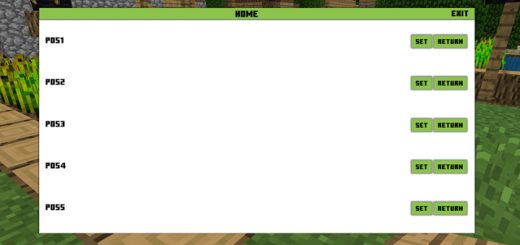
Home Script (1.9.0.3+ Only)
This script is useful for anyone who easily get lost or just want an easier way to return back home. By using this script you will be able to set 5 different home locations. All of it is managed through an easy to use user interface. You can set 5 different home locations and return to them at any time.How does it work?Throw a wooden plank on the ground to open the user interface. Press the SET button to save your current position. Press RETURN to teleport home to your home. You can set a maximum of 5 home locations in a world.Important note: When you leave the world, all of the home positions will be lost. This is a bug and a fix is being worked on!
 .mcpack
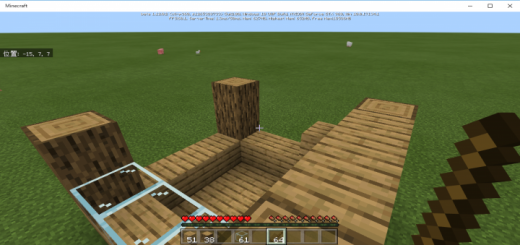
WorldEdit (Script/Addon)
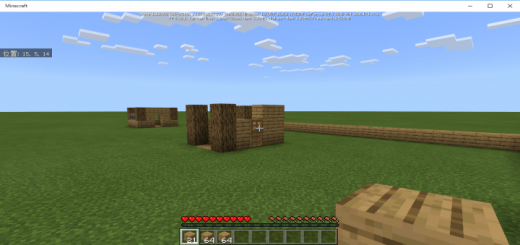
This is a World Edit Script. You are no longer bothered by annoying block placement! As long as you have the necessary materials, it will be very easy to build a house and clean up!This script only works in survival mode.To start the installation, place the material block on the left end of the hot bar and tap the block you want to start installation with the Stick.Then, when you tap the block you want to finish installation, the material block is consumed and the block is installed.If the item is not a block, of course, installation fails.The log will be displayed in chat regardless of success or failure, so please read it.
 .mcpack
Left Stack Script
When you are laying blocks in survival, isn't it bothersome to reselect in the hot bar because it's used up?This script automatically moves the items left justified, so you can spread the blocks very smoothly!There is nothing in particular that you should be aware of after installing this script, but there is one thing that you should be aware of.This script is stocked to the left regardless of block items, so sometimes it can be difficult to use.I'm working on the problem now!
 .mcaddon
WITS - What Is That Stuff
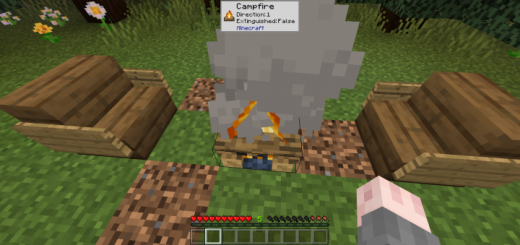
This add-on is a recreation of a popular Java Edition mod that introduces a small window which tells you all the information on the block you are currently looking at. InfoEver wanted to see all the information about the block you are currently looking at? This add-on is for you! Whenever you point at a block, a small pop-up window will appear telling you what block it is, all of its blockstates, and what add-on it is from.For Addon CreatorsIf you want WITS to display icons of your custom blocks, you have to follow these steps:1. Add this snippet to your resource pack's manifest file: "capabilities": ["experimental_custom_ui"]2. Create a folder named experimental_ui, and inside it, create a folder named blocks.3. Take any picture you want of your block (recommended resolution: 32x32) and drop it into experimental_ui/blocks
 .mcaddon
Porter (Survival Friendly) (Multi-Player Friendly) (Scripts)
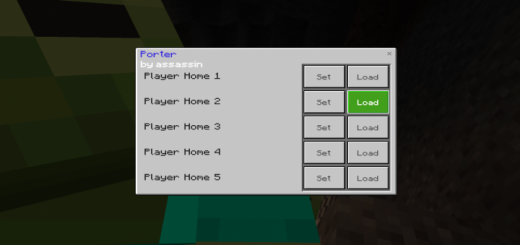
This add-on lets you swiftly switch between locations in your world. You can save and load up to 5 locations, and your they'll still be saved even after you restart the game!To craft a Porter, you must first craft a Compressed Ender Pearl by putting 9 regular Ender Pearls into a crafting table in the shape of a 3x3 square. Then using two stick and the Compressed Ender Pearl, you can craft your Porter like how you'd craft a shovel in a crafting table.Important Note: Each players' Home slot is different. For example your 'Home 2' won't be the same as your friends'.To open the UI, right click on any block while holding the Porter. Here's an example of when you probably should use it:
 .mcpack
WorldEdit for Bedrock Edition
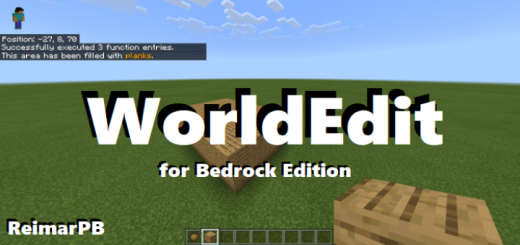
This is a Bedrock port of the popular WorldEdit Minecraft mod. This lets you quickly fill out areas with blocks without having to place them all or remember your coordinates to use /fill.This addon works similiarly to the original Java version.How to use:First, get a Fire charge. You can pull it straight from your creative inventory or type out "/function worldedit/wand" to have it put in your hand.Now, you have to select two points where you want to fill all the blocks in between. To do this, right-click with your fire charge on the two blocks. If you mess up, just do it again. It is always the last two positions you selected that count.Now it's time to fill the area. Grab the block you want to fill it with, and type one of the following commands:/function worldedit/fill - This is the most basic one and fills out all blocks between the two points./function worldedit/fill-walls - This creates four walls./function worldedit/fill-borders - This filla out all borders, making a hollow box.If you are holding an invalid block, while you're typing it, nothing will happen.To copy-paste an area, select it using the fire charge, go to where you want to paste it and then type /function worldedit/cloneThis was last tested on version 1.14.1 so if you are playing a later version, bugs might appear. If you have any feedback, please leave it in the comments or send it to [My username]@gmail.com (Avoiding web crawlers from finding and spamming my email :] )NOTE: This addon does not yet support multiplyer, however I am considering supporting it in the future.
 .mcaddon
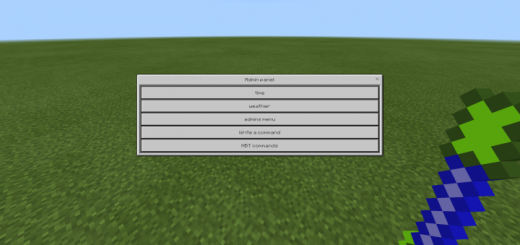
Admin Panel V4 NBT Commands (1.13+) (Script) (Removed Ads)
This script adds an admin panel to the game which can be accessed by players who have permission. Admins can control the world using a custom user interface with fast settings or by typing any command and some basic NBT commands. You can use it if world owner gave you permission.Creator: Drag0nD, Twitter Account Other Credits: thanks reimarPB for CSS fileHow to use the admin panel?First off you must have permission from the owner.If you are the owner and you want to give someone permission from admin panel press on admins menuthen UI will appear with list of players press on players who you want to give permission until their names become green (in the UI).Now after you got the permission you can open admin panel by crafting other item (see the screenshots for recipes) and use it by right clicking at any block.The admin panel includes options for controlling the time, weather and for writing any command.
 .mcaddon
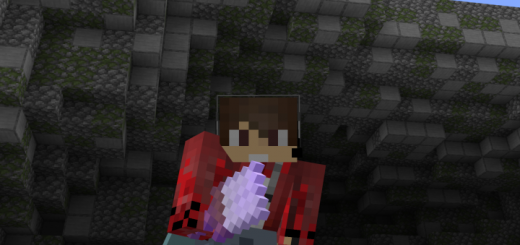
World Edit Paint Brush
Create a mountain in minutes with this one addon! Super helpful for any terrain related projects! This addon adds a little brush, which will give you super scultping powers! - It's super easy to understand and get the hang of!This scripted addon allows you to sculpt almost any form of terrain! All you need to do, is hold the paint brush & click!How to setup :Step 1: Install the pack, and put both the behaviour, and resource pack onto an existing or new world.Step 2: Give yourself the paint brush.Step 3: Setup your hotbar like so :... with the paintbrush in the first slot, and the building materials in the last 3 slots. If you only want to use two different block variants, place them in the last 2 slots, and if you only want to build out of one block, place it in the last slot. If you want to build with air, leave all 3 of the last slots empty.Step 4: Look anywhere near you (must be looking at a block), and right click/long-tap. You can also hold right click to build a lot of land at once. Don't spam this too much, as it may cause lag.Extra notes : Make sure to enable experimental gameplay!
 .mcpack
Mobile Jukebox
With this script, you can play your favorite Minecraft music anywhere. Just run a command, and music will automatically play while you're playing Minecraft. Currently supports shuffling, looping and playing any music disc of your choice.With this script, you can play your favorite Minecraft music anywhere. Just run a command, and music will automatically play while you're playing Minecraft. Currently supports shuffling, looping and playing any music disc of your choice.Commands/function jukebox/shuffle - Automatically plays random songs/function jukebox/play - Type this command while holding a music disc to play it/function jukebox/loop - Loop the song you are currently hearing/function jukebox/skip - Skip the song you are currently hearing/function jukebox/status - See in the chat how far you're into the song/function jukebox/progress - Toggle the progress bar that shows up when you're playing a song (on by default)/function jukebox/particles - Toggle the note particles that show up above your head while playing a song (on by default)
 .mcaddon
Damage Indicators Script (Updated)
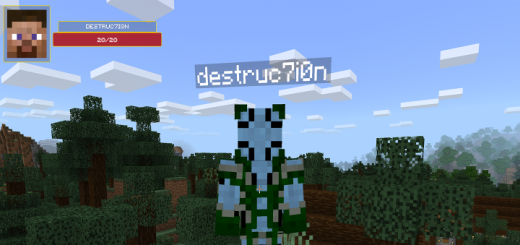
An addon which takes advantage of the new Scripting API to provide damage indicators for mobs, presented at the top left of your screen. It is fully multiplayer compatible, and will not intrude on your Minecraft experience.What?This script will show a health bar for mobs/players you aim/hover on.FeaturesWill show the name of the entity if available, otherwise the entity's identifierWorks on Multiplayer servers with the behaviour pack installedAutomatically resizes to fit multiple screen sizesWill work on versions 1.10+ on Windows 10 (Once BlockLauncher supports unlocking scripting again, Android should be supported)How?This is using the new Scripting functionality available in the latest bedrock versions, and specifically takes advantage of those added in the 1.10 update.NotesIf you see a picture of my Minecraft skin face in the preview area, that means that the entity you're looking at isn't one that I added to my list, and you'll see my wonderful face instead! :)This will not show the image of the faces of other players.Developer? Take a look at the server script for some details about the code (scroll down a bit)...Custom Entity SupportStarting with addon v1.1.0 you can add images for your own entities.In the resource pack folder for this addon, go into the folder experimental_ui/custom and place .png files in there which are the id of the entity you wish to add. For example, with an entity of the id dinosaurs:trex (this is the id used in the summon command) the file would be trex.png.The Scripting API is still an experimental feature. I do not recommend using it in your primary survival world.
 .mcpack
Real Life Time
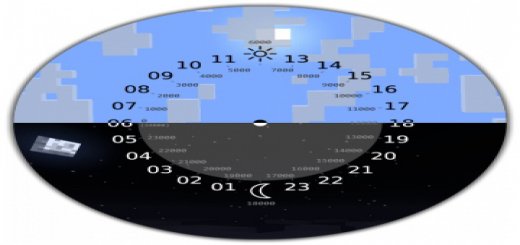
This little addon (script) allows you to synchronize the time between the real world and the Minecraft world. Works on Windows 10 only, experimental mode must be enabled. Enjoy it.I think it's better to see something once than to hear about it a thousand times.Before entering the game world, you will see this window (see screenshot), you must press "Enter world" (depending on your localization).The current time data is taken from your computer, so if necessary, you can change the time on your computer and the time in your world will also change.Time is synchronized every 10 seconds to reduce the load on the computer.Attention! Don't put past dates on your computer, you might lose the world! This is not an addon bug, this is a minecraft bedrock bug
 .mcpack
Speed Run Timer (Script)
This script is simple but very useful, thinking of people who do speed runs, I made a counter that measures the time since you enter it will count seconds minutes and hoursSpeed run timer:It is quite simple, I would take it as a test but for anyone who wants to try it here is enjoyLately I've been experimenting a bit with scripts and that, well thank you very much, I hope I can do better things in the futureHow to put a custom ui to make it look better, but from what I understand that would make it stop working on a cell phone, finally a mess, thank you very much for reading if you are interested, just download it As it is a script, you have to check this box here and it could just work ^^Currently with what I played with the script I managed to reach the nether in 15 minutes I think there will be a photo of what I realize is that it is something annoying that is repeated every time, soon I will see a way to put it as if they were coordinates a number static that is changing if someone knows how to do something like this please contact me uwu
 .mcpack
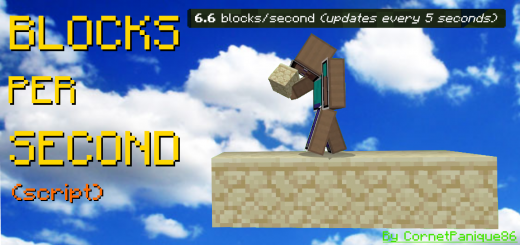
Blocks Per Second Calculator (Script/Windows 10 Only)
This script let's you calculate how many blocks you place every second! You can customise the time between every update: 1, 3, 5, 30 or 60 seconds! Singleplayer and Windows 10 only.This addon/script is useful for knowing the average speed of bridging techniques, as it tells you how many blocks you place per second(s). This addon only works for Windows 10 and in singleplayer with the "additional modding capabilities" feature enabled!To choose how many seconds you want between every update, click on the gear icon when the addon is applied to your world:
 .mcaddon
Emote+ v1.1 Update! (1.17.x)
Have you ever wanted to fully Role Play, but lacked the current player animations and downloaded addons? This addon will help you solve your problem! Thanks to this addon, any player on the server can play any animation, even without operator rights.This addon works quite simply. You need to write to the chat ".emote", to see a list of available animations that you want to play.Some of these animations were made by hand, and therefore they require MANDATORY inclusion of the texture pack for the addon.
 .mcpack
EasyWarp
EasyWarp is an addon/script made to make it easier for you to load your warp with certain commands. EasyWarp still has bugs that cannot be fixed and if you find a new bug please report it immediately.EasyWarp is an addon/script made to make it easier for you to load your warp with certain commands. EasyWarp still has bugs that cannot be fixed and if you find a new bug please report it immediately.Get Permission:/tag @s add mc:AdminCommandPerfix : -Admin Commands:-addwarp <warpName> : make a new warp.-delwarp <warpName> : remove warp.-warp <warpName> : teleported to warp.-listwarps : list all warps.-help : list all commands.Player Commands:-warp <warpName> : teleported to warp.-listwarps : list all warps.-help : list all commands.
 .mcpack
More Enchantment Add-On (+2 NEW Enchantments)
More Enchantment Addon.Add dozens Different type of enchanted diamond tools into your world that you can play around with it.These Enchantments can only be obtain by using its own Enchantment TableIngredients :• 1 sealantern• 2 Emerald Blocks• 2 Dark Prismarine• 1 Enchantment table• 3 quartz bricks (not quartz block) this is the table that you'll need to get the Enchantment.After crafting it.you must activate it firstPut the Table on top of the diamond block.after that the table becomes active. click it and then put what you want to enchant in the crafting recipes.Hold the Enchant Items and you'll get random Enchantment.And Yes,it cost 3 levels for Enchanting.items that can only be enchant are :Diamond SwordDiamond AxeDiamond PickaxeDiamond ShovelBookothers will be updated in the futureTo Upgrade your Enchantment.You need to Craft the Enhanced Anvil.he item that next to the anvil is called Enhanced Iron ingot.You can get it from Wandering Villager Trades or Blacksmith house.NOTE : Upgraded Enchantment Table and Enhanced Anvil can be remove by break it with your hand. Sword Enchantments 1.Boost HarvestHold the sword while standing on a crop and then long press and the crop will grow INSTANTLY.2.Frost Bladeslows the target.Max Level : 43.lifestealthe enchantment that grant you the ability of stealing your target's life.4.Lightning Callersummon a lightning whenever you hits something with it.Max Level : 45.Venomoushit an entity with this sword and they will get poison effect.Max level : 46.Explosive TouchChance of Summon tnt everytime an entity get hit by this sword.7.TeleportationFunction just like an ender pearl.aim at a place that you want to go and then sneak.(Use Durability)Max Level : 48.Withered EdgeGives Wither Effect to the Target.Max Level : 49.Disordered LuckSummon random Destruction like Lightning,Wither skull,arrow,snowball,fireball.and fireworks for celebrating the defeat of your enemies. 10.Bane Of WeaknessGives Weakness effect.Max Level : 411.Sweeping Edgecreate a sweep attack that damage to nearby mobs.Max Level : 312.Penetrating SharpnessDeals Damage that Ignores Armor.Max Level : 413.Rewarded BladeChance of dropping Random Mineral.(netherite not included)Max Level : 314.ButcheringDeals more damage to Animals.Max Level : 315.Assasin's FavorEverytime you hit an entity,they will leave an Assasin's mark.The mark can be stacked to 5.Each Stack will give you 1 Strength effect which only last for 1 second.Max Level : 216.DisarmHitting an armored target will have a chance to break their armor.17.Randomized BuffGives you random Buff and Debuff.18.Undead CurseDeals more damage to Undead.19.Endless SpiritGives the holder Absorption and Saturation when Fighting.20.Blood Collectorevery 10 Blood will be converted to 10 damage to the sword.blood can be dropped by hitting a target.Max stack of blood is 100.the blood will reset if the holder dies.NEW2 NEW SWORD ENCHANTMENTS21.ImperceptibleHitting an entity will give the wielder speed & jump boost effect.It also makes the wielder invisible for a while and leave a trail of smoke along the way.Max level : 422.Dread BladeDeals more damage to monstersMax level : 4Tool Enchantments1.RapidityFaster than efficiency 42.ExpansionCreate a 3x3 area.3.Auto SmelterSmelt Minerals and blocks.4.Vein Minermine Vein of blocks that has the same type.Pickaxe = OresAxe = TreesShovel = Clay5.Xp GiverMining a block has a chance to generate random XP6.Magnetpull items within 7 blocks away.
 .mcpack
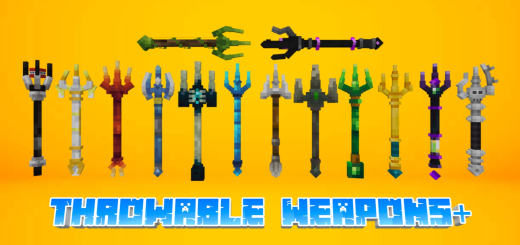
Throwable Weapons+ || Update! Fixes, improvements & 4 new Tridents
If in vanilla minecraft we can only throw the vanilla trident as a weapon... Then in this addon I added 30 more weapons that you can throw like a vanilla trident or even more interesting that have special abilities and effects.Weaponslet me tell you what weapons here you can throw.Spears:There are 6 spears of 6 different materials like the other tools.Not too much on thisDaggers:There are 6 daggers of 6 different materials like the other tools.Daggers can hit multiple targets lined up behind, except for the brown ones because they will immediately break when they hit the mob.Daggers can be stacked up to 16Shurikens:There are 6 shurikens of 6 different materials like the other tools.Shuriken will still be thrown when you hit a mob or hit a block.Shuriken gives effect to players when thrown, except for the brown and gray ones because they aren't very useful.All shurikens can hit multiple targets lined up behind, except for the brown ones because they will immediately break when they hit the mob.Shurikens can be stacked up to 16Tridents:All tridents has the same damage whether it's a melee or range attack.Melee damage: 9Range damage: 8Tridents has its own distinct abilities that do more damage than just hitting or throwing them.All trident abilities will also hurt players, so dont throw it at yourself.Tridents gives the player an effect speed for 10 sec every time it is thrown, for the poison ones it will give a 20 sec effect speed to the player every time it is thrown.NotesThis addon use player.json not recommended to be combined with other addons that use player.json as well.
 .mcpack
Artifacts Plus+ v1.0.5! Infinite Food Update! 1.19.51+ << Part I >>
Artifacts Plus, add special and magical powers to your Minecraft world. Give more variety to your world with magical artifacts, get them in the dungeons and villages and become the king of the village!This add-on is compatible with other add-ons! The artifacts at the moment are 11, the "Night Vision Goggles", the "Snorkel" the "High Jump Boots", the "Speed Boots", the "Lava Boots", the "Heart Necklace" and the "Pickaxe Necklace", and much more...INFINITE FOOD UPDATE!!Beef, pork chop, chicken, mutton and raw INFINITE rabbit. Obviously their cooked variants are also available!!!But don't worry, more will be added little by little! Bringing spectacular artifacts with abilities and special effects that you and your friends can use in your Minecraft world or server!Keep in mind that artifacts, being very valuable, cannot be crafted, so take a risk and investigate your world and find them in villages, or... Dungeons!
 .mcpack
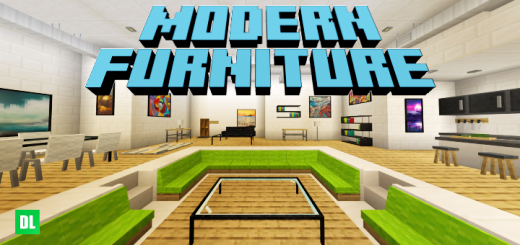
Modern Furniture | New Update | 5.2 | 1.19.51
Modern Furniture is a decoration add-on prepared both for a survival world and for a creative game.The addon brings more than 530 furniture with color variants and much more!What is it about?The addon is about a collection of modern furniture to decorate your home, the addon has the purpose of not being so modern (not going beyond the parameters such as complex electronic devices or mechanics that break the game) or wanting to saturate your house with polygons, which be at the end of everything simple and beautiful.How is it acquired?It is mainly acquired by putting clay balls in the stone cutter, with absolutely all the furniture.What types of furniture The addon is ready to start with a single click, little by little it will be updated to put more contentRemember to delete addon cache to fix any errors.
 .mcaddon
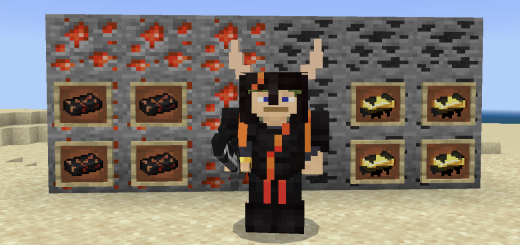
DarkFlame’s Simple Backroom Ores
This is a simple mod that adds some backrooms materials as ores. It is half finished, and will be done eventually. This mod adds two ores that spawn basically as soon as you can see stone. The two ores are Firesalt Ore and Bacterium Ore. I hope you enjoy(This is, again, pretty unfinished, and missing a lot of things. Expect updates soon!)I made the entire description in the brief description my badincludesFire salt oreBacterium orenew armor setnew tool setThese sets of armor and tools are to be created about as soon as you get access to nether, so you will get it there. Hopefully its not too broken.
 .mcpack
Dehydration (V1.1) [Works with any Add-on!]
Ever wanted Vanilla Minecraft just that little more challenging, nothing to crazy just another step in Survival? Dehydration gives you that. now you will need to keep yourself Hydrated as well as feed. The player.json has not been used so fully compatible with other add-onsDehydration adds a Hydration counter to your world, you must keep an eye on your level otherwise you will become dehydrated and become pretty much unable to play your gameYou will see a Dehydration bar when you start your world, every time a player joins your world they will be added to the Dehydration SystemStand in water to get your Dehydration back to 0, keep a Bucket of Water with you to keep yourself Hydrated.If your Dehdration levels gets higher then 90 you will become weak and nauseous The player.son has not been used so fully compatible with other add-ons
 .mcaddon
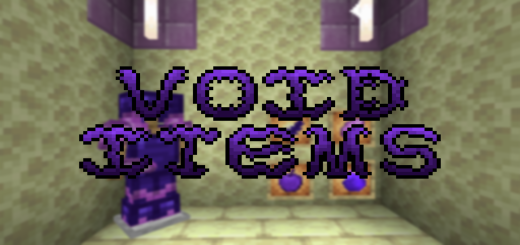
Void Items V1.1
Did you ever think that you can make some stuff which have power of void? This addon is for you! You can craft some useful things such as Void Totem, Void Dagger, Void Bread and more to help you in survival mode.