Best Mods for Minecraft PE & Bedrock
Browse and download Mods for Minecraft Pocket Edition & Bedrock on iOS, Android, and PC, or customize with MCPE Studio.
 .modpkg
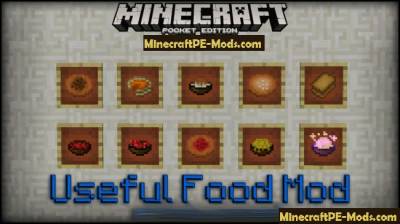
Useful Food MCPE Mod Android 1.12.0, 1.11.1, 1.10.0
Useful Food mod — this modification adds in the world of Minecraft PE more than 80 types of food. Every food has its own special recipe as in real life. All the recipes for food you can find further in this publication.Some kinds of food, in addition to restoring hunger, adds to Your character a variety of effects. This may be the effect of instantaneous regeneration, and other effects of "potions".Useful Food MCPE Mod Android 1.12.0, 1.11.1, 1.10.0How does it work?Below are the crafting recipes of food. Use these recipes for cooking. Then eat it as normal food in MCPE.Useful Food MCPE Mod Android 1.12.0, 1.11.1, 1.10.0RecipesUseful Food MCPE Mod Android 1.12.0, 1.11.1, 1.10.0How to install Useful FoodAddons for BlockLauncher Pro - these mods are more progressive scripts that have ".Zip", ".JS" and ".Modpkg" extension. It also has full integration with all the functionality up to Minecraft PE 1.12.2 version (Temporarily). Mainly used Java features for iOS and Android.To get started, you will need BlockLauncher, which is an application for Android or iOS. Please note that the application version may have functionality for an incompatible Java version inside the game. For each version of the game, a separate BlockLauncher application was developed.Download and install BlockLauncher Pro apk, then use FX File Explorer, ES File Explorer or other file managers to find the apk file in the Downloads folder.After installation, use Blocklauncher Pro to launch the game.After starting the game, you should see the wrench icon at the top of the screen. It also serves as a guideline that you did everything right.Click on "Startup Options".Next, scroll down the list and click on "Manage Scripts".In this menu, you can manage the installed scripts and import them. Here you can also specify the path to the downloaded script.It is worth noting that some modifications have both script and texture packs. You will need to import this separately. In newer versions, BlockLauncher has a feature to recognize a folder with texture packs and a folder with scripts inside a zip archive, which slightly simplifies the import process.This has some pros but also cons because mods work for all single and multiplayer (which work on the client side) game worlds automatically. You can activate or deactivate this in the scripts settings menu.Launch one of the game worlds and check if everything is working correctly. It is also worth noting that this has an extremely low chance of conflict with other scripts, the exception is the same names of items or mobs.Done! Enjoy the new gameplay.
 .modpkg
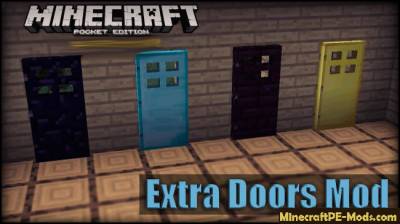
Extra Doors Minecraft PE Mod 1.12.0, 1.11.1, 1.10.0
Extra Doors — this modification will allow You to brighten the world of Minecraft PE with the help of a large number of varieties of doors. Now when you install mod Extra Doors you will have set with twenty different doors including standard types of doors.With help 20 doors you will be easier to pick up under design of the room doors because the new set of doors have are many different color characteristics: from light to dark. Example, there is a glass door which will allow you to brighten up Your balcony.How to get the door?Each door has its own unique recipe, so you can use the below are the crafting recipes of the doors to make new types of doors and use them in the world of Minecraft Pocket Edition. You can also get these doors in the inventory in creative mode, or using the mod Toolbox to master them in survival mode.How does it work?Initially develop a certain type of a door in a workbench. You can create several types of doors, and then press on the block on which you want to put your door. Each door looks different. It all depends on environment ie color of walls, floor and ceiling. For example, we put several types of doors on the background of the birch walls. As you can see, not all doors fit under this light style.Extra Doors Minecraft PE Mod 1.12.0, 1.11.1, 1.10.0Extra Doors Minecraft PE Mod 1.12.0, 1.11.1, 1.10.0Recipes:A door made of cobblestone (id - 427)Extra Doors Minecraft PE Mod 1.12.0, 1.11.1, 1.10.0Diamond door (id - 428)Extra Doors Minecraft PE Mod 1.12.0, 1.11.1, 1.10.0Glass door (id - 429)Extra Doors Minecraft PE Mod 1.12.0, 1.11.1, 1.10.0The Golden door (id - 430)The door of metal rods (id - 431)Extra Doors Minecraft PE Mod 1.12.0, 1.11.1, 1.10.0The door from hell bricks (id 432)The obsidian door (id - 433)Quartz door (id - 434)Sand the door (id - 435)Sand the door (id - 436)Stone door (id - 437)The door of stone bricks (id - 438)Door of cracked stone bricks (id - 439)How to install Extra DoorsAddons for BlockLauncher Pro - these mods are more progressive scripts that have ".Zip", ".JS" and ".Modpkg" extension. It also has full integration with all the functionality up to Minecraft PE 1.12.2 version (Temporarily). Mainly used Java features for iOS and Android.To get started, you will need BlockLauncher, which is an application for Android or iOS. Please note that the application version may have functionality for an incompatible Java version inside the game. For each version of the game, a separate BlockLauncher application was developed.Download and install BlockLauncher Pro apk, then use FX File Explorer, ES File Explorer or other file managers to find the apk file in the Downloads folder.After installation, use Blocklauncher Pro to launch the game.After starting the game, you should see the wrench icon at the top of the screen. It also serves as a guideline that you did everything right.Click on "Startup Options".Next, scroll down the list and click on "Manage Scripts".In this menu, you can manage the installed scripts and import them. Here you can also specify the path to the downloaded script.It is worth noting that some modifications have both script and texture packs. You will need to import this separately. In newer versions, BlockLauncher has a feature to recognize a folder with texture packs and a folder with scripts inside a zip archive, which slightly simplifies the import process.This has some pros but also cons because mods work for all single and multiplayer (which work on the client side) game worlds automatically. You can activate or deactivate this in the scripts settings menu.Launch one of the game worlds and check if everything is working correctly. It is also worth noting that this has an extremely low chance of conflict with other scripts, the exception is the same names of items or mobs.Done! Enjoy the new gameplay.
 .modpkg
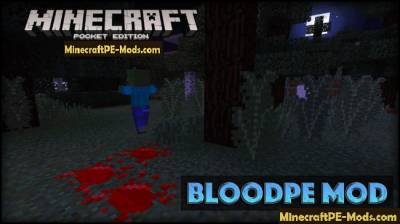
BloodPE Mod For Minecraft PE 1.12.0, 1.11.1, 1.10.0
BloodPE mod — this modification adds a little blood effect for zombies and other creatures in the world of Minecraft PE. When you attack mobs and animals — on your screen will show blood sprite. Besides the effect of splashes of blood on the ground will still be puddles of blood, which do not disappear and remain forever.How does it work?Let's say you went on a night walk at night, you are surrounded by the crowd of zombies and the creeper. You, as an experienced player, will take my sword (I had diamond), and will "hack" of hostile mobs. Initially in the battle you may not notice the pools of blood that remain after the attacks of mobs, but if you go to the battlefield the morning, you will see the consequences of the battle.BloodPE Mod For Minecraft PE 1.12.0, 1.11.1, 1.10.0BloodPE Mod For Minecraft PE 1.12.0, 1.11.1, 1.10.0Each hit on the mob causing the blood spatter, which manifests itself in the form of particles. Then gradually the blood settles to the ground.BloodPE Mod For Minecraft PE 1.12.0, 1.11.1, 1.10.0BloodPE Mod For Minecraft PE 1.12.0, 1.11.1, 1.10.0How to install BloodPEAddons for BlockLauncher Pro - these mods are more progressive scripts that have ".Zip", ".JS" and ".Modpkg" extension. It also has full integration with all the functionality up to Minecraft PE 1.12.2 version (Temporarily). Mainly used Java features for iOS and Android.To get started, you will need BlockLauncher, which is an application for Android or iOS. Please note that the application version may have functionality for an incompatible Java version inside the game. For each version of the game, a separate BlockLauncher application was developed.Download and install BlockLauncher Pro apk, then use FX File Explorer, ES File Explorer or other file managers to find the apk file in the Downloads folder.After installation, use Blocklauncher Pro to launch the game.After starting the game, you should see the wrench icon at the top of the screen. It also serves as a guideline that you did everything right.Click on "Startup Options".Next, scroll down the list and click on "Manage Scripts".In this menu, you can manage the installed scripts and import them. Here you can also specify the path to the downloaded script.It is worth noting that some modifications have both script and texture packs. You will need to import this separately. In newer versions, BlockLauncher has a feature to recognize a folder with texture packs and a folder with scripts inside a zip archive, which slightly simplifies the import process.This has some pros but also cons because mods work for all single and multiplayer (which work on the client side) game worlds automatically. You can activate or deactivate this in the scripts settings menu.Launch one of the game worlds and check if everything is working correctly. It is also worth noting that this has an extremely low chance of conflict with other scripts, the exception is the same names of items or mobs.Done! Enjoy the new gameplay.
 .modpkg
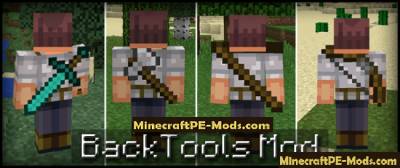
BackTools Mod For Minecraft PE 1.12.0, 1.11.1, 1.10.0
Mod BackTools is a very useful Minecraft PE modification that allows you to keep another place in your main inventory for some much-needed subject matter, while one of the elements will be located behind you.Work mod BackTools is very simple. You take a certain item in hand, then easy click on the block move it back. When you hold something in the hand — one slot usually occupied, and after the element will be behind the slot is freed. It's very simple and convenient!How does it work?In order to place the object behind your back — take it in your hand (all the available items that you can wear behind — see below), and then click the object on the block of land. To again the item appeared in your hand — click on the button "In", which is located on the right side of the screen.BackTools Mod For Minecraft PE 1.12.0, 1.11.1, 1.10.0Here is a list of tools that you can carry behind your back (maybe in the future the list of instruments will be increased):Swords.Picks.Axes.Bow.Sticks.I want to note that this is an early version of the mod, so the mod is not completely perfect. But of course, mod BackTools in the region are useful and necessary in some cases because it will free one slot in the inventory while preserving the subject. Besides, it looks cool.How to install BackToolsAddons for BlockLauncher Pro - these mods are more progressive scripts that have ".Zip", ".JS" and ".Modpkg" extension. It also has full integration with all the functionality up to Minecraft PE 1.12.2 version (Temporarily). Mainly used Java features for iOS and Android.To get started, you will need BlockLauncher, which is an application for Android or iOS. Please note that the application version may have functionality for an incompatible Java version inside the game. For each version of the game, a separate BlockLauncher application was developed.Download and install BlockLauncher Pro apk, then use FX File Explorer, ES File Explorer or other file managers to find the apk file in the Downloads folder.After installation, use Blocklauncher Pro to launch the game.After starting the game, you should see the wrench icon at the top of the screen. It also serves as a guideline that you did everything right.Click on "Startup Options".Next, scroll down the list and click on "Manage Scripts".In this menu, you can manage the installed scripts and import them. Here you can also specify the path to the downloaded script.It is worth noting that some modifications have both script and texture packs. You will need to import this separately. In newer versions, BlockLauncher has a feature to recognize a folder with texture packs and a folder with scripts inside a zip archive, which slightly simplifies the import process.This has some pros but also cons because mods work for all single and multiplayer (which work on the client side) game worlds automatically. You can activate or deactivate this in the scripts settings menu.Launch one of the game worlds and check if everything is working correctly. It is also worth noting that this has an extremely low chance of conflict with other scripts, the exception is the same names of items or mobs.Done! Enjoy the new gameplay.
 .modpkg
Tardis Mod For Minecraft PE 1.12.0, 1.11.1, 1.10.0
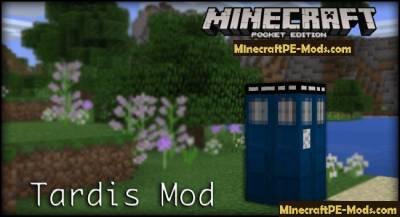
Tardis mod adds in the world Minecraft PE time machine, it is called: "the TARDIS". With this time machine you can travel back in time and for a fraction of a second to navigate through the world MCPE.The TARDIS is a time machine and spacecraft from the British television series Doctor Who, which, being a living creature, grew up on the home planet of the time lords, Gallifrey, to move it in a parallel Universe in the Time War.How does it work?First You need to get the TARDIS. It can be developed independently at the bench with recipe crafting. You can also get TARDIS using the Toolbox or Simple Commands. Then place it in a convenient place.Then click on the "TARDIS" with your hand, where is the handle (it is clearly expressed by the white texture). You will be then taken to Central control room by time and space.Tardis Mod For Minecraft PE 1.12.0, 1.11.1, 1.10.0Tardis Mod For Minecraft PE 1.12.0, 1.11.1, 1.10.0Management:Block description will go clockwise (from the block opposite the entrance)Block 1 — this block is used to run teleport, click on it as select [ x / y / z ].2 block is saved. Click on it and the plates will be cell preservation. Top plate — loading, bottom — preserving.3 the block is the issue of a screwdriver. If you don't have the screwdriver, push on it. A screwdriver in this version only want to remove savegames (to do this activate the save menu (block 2). Next, click on the upper plate of the desired cells.Block 4 - this block is used to set the TARDIS. Click on it and on the plates to appear 2 settings: Themes and lighting Levels.5 a block is a block radar. Click on it and you will see information about the position and status of the TARDIS.6 is a block configuration [ x / z ]. Click on the block and on the plates to receive the setting of the Coordinate axis [x / z]. The GUI is intuitive.7 is a block configuration coordinate [ y ]. Click on it and you can adjust the height (minimum 1, maximum 250).8 a block in development.How to get out of the main room?If you want to leave the main room, then click on the gray door. She is behind You relative to your location as soon as you moved into the main room with the TARDIS.Tardis Mod For Minecraft PE 1.12.0, 1.11.1, 1.10.0The modification is still in development. If You like mod — please leave a comment what you think about it, what it lacks (something like that). I think the author would be interested to know your opinion!How to install TardisAddons for BlockLauncher Pro - these mods are more progressive scripts that have ".Zip", ".JS" and ".Modpkg" extension. It also has full integration with all the functionality up to Minecraft PE 1.12.2 version (Temporarily). Mainly used Java features for iOS and Android.To get started, you will need BlockLauncher, which is an application for Android or iOS. Please note that the application version may have functionality for an incompatible Java version inside the game. For each version of the game, a separate BlockLauncher application was developed.Download and install BlockLauncher Pro apk, then use FX File Explorer, ES File Explorer or other file managers to find the apk file in the Downloads folder.After installation, use Blocklauncher Pro to launch the game.After starting the game, you should see the wrench icon at the top of the screen. It also serves as a guideline that you did everything right.Click on "Startup Options".Next, scroll down the list and click on "Manage Scripts".In this menu, you can manage the installed scripts and import them. Here you can also specify the path to the downloaded script.It is worth noting that some modifications have both script and texture packs. You will need to import this separately. In newer versions, BlockLauncher has a feature to recognize a folder with texture packs and a folder with scripts inside a zip archive, which slightly simplifies the import process.This has some pros but also cons because mods work for all single and multiplayer (which work on the client side) game worlds automatically. You can activate or deactivate this in the scripts settings menu.Launch one of the game worlds and check if everything is working correctly. It is also worth noting that this has an extremely low chance of conflict with other scripts, the exception is the same names of items or mobs.Done! Enjoy the new gameplay
 .modpkg
Handguns Minecraft PE Mod 1.12.0, 1.11.1, 1.10.0
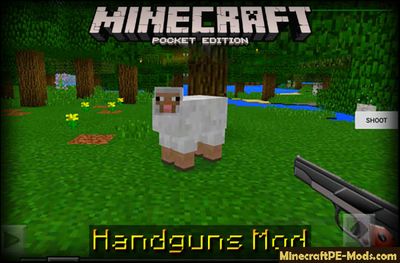
Handguns mod — this mod adds two types of weapons in Minecraft Pocket Edition and 1 clip of ammunition for these guns. These weapons are much more powerful than those that are already in the world of Minecraft PE. Mod Handguns will allow you to feel safe. To be more secure when in the game the night comes.How to use guns?Pick up one of the weapons, and make sure your inventory has at least one clip of ammunition. If on the right side of the screen is the "reload" button, then click on it to reload your weapon. Then you can press the "shoot" button to shoot with the selected weapon.Craft recipesHandguns Minecraft PE Mod 1.12.0, 1.11.1, 1.10.0Both weapons are in the cage of the 12 rounds. Most mobs die after the first shot. You can adjust the cross in the center of the screen as on the PC version of Minecraft, to make it easier to aim and kill the animals, or their sense define the axis of the sight and shoot at animals and mobs.Handguns Minecraft PE Mod 1.12.0, 1.11.1, 1.10.0How to install HandgunsAddons for BlockLauncher Pro - these mods are more progressive scripts that have ".Zip", ".JS" and ".Modpkg" extension. It also has full integration with all the functionality up to Minecraft PE 1.12.2 version (Temporarily). Mainly used Java features for iOS and Android.To get started, you will need BlockLauncher, which is an application for Android or iOS. Please note that the application version may have functionality for an incompatible Java version inside the game. For each version of the game, a separate BlockLauncher application was developed.Download and install BlockLauncher Pro apk, then use FX File Explorer, ES File Explorer or other file managers to find the apk file in the Downloads folder.After installation, use Blocklauncher Pro to launch the game.After starting the game, you should see the wrench icon at the top of the screen. It also serves as a guideline that you did everything right.Click on "Startup Options".Next, scroll down the list and click on "Manage Scripts".In this menu, you can manage the installed scripts and import them. Here you can also specify the path to the downloaded script.It is worth noting that some modifications have both script and texture packs. You will need to import this separately. In newer versions, BlockLauncher has a feature to recognize a folder with texture packs and a folder with scripts inside a zip archive, which slightly simplifies the import process.This has some pros but also cons because mods work for all single and multiplayer (which work on the client side) game worlds automatically. You can activate or deactivate this in the scripts settings menu.Launch one of the game worlds and check if everything is working correctly. It is also worth noting that this has an extremely low chance of conflict with other scripts, the exception is the same names of items or mobs.Done! Enjoy the new gameplay.
 .modpkg
All In One Minecraft PE Mod iOS/Android 1.12.0, 1.11.1, 1.10.0
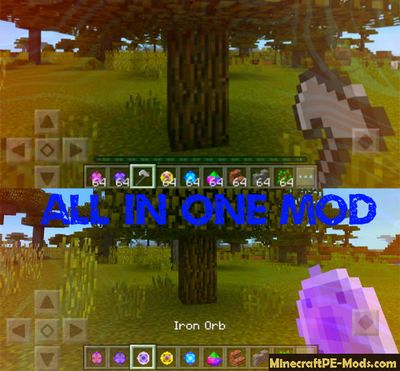
The mod will add in Minecraft PE several magic spheres that are able to accommodate all the tools and weapons of a particular type. For example, if you hold one of these magic spheres in hand and want to break a block of stone, then the sphere will automatically become a pickaxe, etc.Crafting recipes:All In One Minecraft PE Mod iOS/Android 1.12.0, 1.11.1, 1.10.0All In One Minecraft PE Mod iOS/Android 1.12.0, 1.11.1, 1.10.0All In One Minecraft PE Mod iOS/Android 1.12.0, 1.11.1, 1.10.0It tremendously speed up the rate of gathering resources, since you no longer need to switch tools. In addition, the manufacture of such magic spheres doesn't require a lot of precious materials.All In One Minecraft PE Mod iOS/Android 1.12.0, 1.11.1, 1.10.0The author also took care to present a balance as the amount of use. Each sphere has a strength which is equal to 500 times.How to install All In OneAddons for BlockLauncher Pro - these mods are more progressive scripts that have ".Zip", ".JS" and ".Modpkg" extension. It also has full integration with all the functionality up to Minecraft PE 1.12.2 version (Temporarily). Mainly used Java features for iOS and Android.To get started, you will need BlockLauncher, which is an application for Android or iOS. Please note that the application version may have functionality for an incompatible Java version inside the game. For each version of the game, a separate BlockLauncher application was developed.Download and install BlockLauncher Pro apk, then use FX File Explorer, ES File Explorer or other file managers to find the apk file in the Downloads folder.After installation, use Blocklauncher Pro to launch the game.After starting the game, you should see the wrench icon at the top of the screen. It also serves as a guideline that you did everything right.Click on "Startup Options".Next, scroll down the list and click on "Manage Scripts".In this menu, you can manage the installed scripts and import them. Here you can also specify the path to the downloaded script.It is worth noting that some modifications have both script and texture packs. You will need to import this separately. In newer versions, BlockLauncher has a feature to recognize a folder with texture packs and a folder with scripts inside a zip archive, which slightly simplifies the import process.This has some pros but also cons because mods work for all single and multiplayer (which work on the client side) game worlds automatically. You can activate or deactivate this in the scripts settings menu.Launch one of the game worlds and check if everything is working correctly. It is also worth noting that this has an extremely low chance of conflict with other scripts, the exception is the same names of items or mobs.Done! Enjoy the new gameplay.
 .modpkg
Health & Damage Indicator Minecraft PE Mod 1.12.0, 1.11.1, 1.10.0
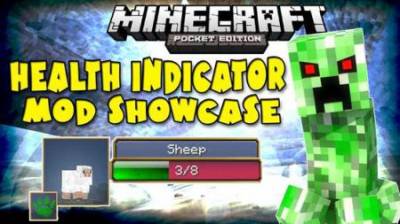
Very useful mod called the Health & Damage Indicator, which adds to the game Minecraft PE two very useful indicator that will show health and damage any of the existing in-game mobs.With its help in the game interface, in the left part will appear colored indicator, showing health, damage and the name of the mob. Now you don't have to guess how much health has mob. Playing in Minecraft PE this information will allow us to predict how smooth a chance to win versus one or the other mob.The indicator is updated in real time. After applying any damage to the mob, you can see the green stripe of lives will gradually decrease.In addition, it will automatically find the enemy, even if you don't see him and he approaches you from behind, so the mod Health & Damage Indicator will save you from unexpected trouble in MCPE.Health & Damage Indicator Minecraft PE Mod 1.12.0, 1.11.1, 1.10.0FeatureMost importantly, this modification for Pocket Edition supports all currently available in-game mobs and does not require additional action and enter special commands to find out how much health mobs.How to install Health & Damage IndicatorAddons for BlockLauncher Pro - these mods are more progressive scripts that have ".Zip", ".JS" and ".Modpkg" extension. It also has full integration with all the functionality up to Minecraft PE 1.12.2 version (Temporarily). Mainly used Java features for iOS and Android.To get started, you will need BlockLauncher, which is an application for Android or iOS. Please note that the application version may have functionality for an incompatible Java version inside the game. For each version of the game, a separate BlockLauncher application was developed.Download and install BlockLauncher Pro apk, then use FX File Explorer, ES File Explorer or other file managers to find the apk file in the Downloads folder.After installation, use Blocklauncher Pro to launch the game.After starting the game, you should see the wrench icon at the top of the screen. It also serves as a guideline that you did everything right.Click on "Startup Options".Next, scroll down the list and click on "Manage Scripts".In this menu, you can manage the installed scripts and import them. Here you can also specify the path to the downloaded script.It is worth noting that some modifications have both script and texture packs. You will need to import this separately. In newer versions, BlockLauncher has a feature to recognize a folder with texture packs and a folder with scripts inside a zip archive, which slightly simplifies the import process.This has some pros but also cons because mods work for all single and multiplayer (which work on the client side) game worlds automatically. You can activate or deactivate this in the scripts settings menu.Launch one of the game worlds and check if everything is working correctly. It is also worth noting that this has an extremely low chance of conflict with other scripts, the exception is the same names of items or mobs.Done! Enjoy the new gameplay.
 .modpkg
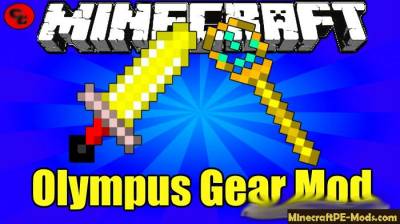
Olympus Gears Mod For Minecraft PE 1.12.0, 1.11.1, 1.10.0
Mod Olympus Gears PE creates weapons for the gods – hammer of Zeus, the Trident of Poseidon and other. To play with such a set new items it will be very interesting, because each weapon has its unique ability and texture — we recommend you to try every axe, scepter or hammer. There are weapons of Zeus, Cronus and Poseidon is the ancient mythical gods, and now you can use their weapons in Minecraft PE.Get a new weapon in the inventory of Creativity, or through the Toolbox in Survival.Olympus Gears Mod For Minecraft PE 1.12.0, 1.11.1, 1.10.0Items:Fire wand (ID 1500)Ice scepter (ID 1501)Wand of lightning (ID 1502)Wind wand (ID 1503)Bloody wand (ID 1504)Sickle of Cronus (ID 1505)Hammer of Zeus (ID 1506)The Trident of Poseidon (ID 1507)Wooden Trident (ID 1508)A stone Trident (ID 1509)Iron Trident (ID 1510)Golden trio (ID 1511)Diamond Trident (ID 1512)Axe Cronus (ID 1513)Olympus Gears Mod For Minecraft PE 1.12.0, 1.11.1, 1.10.0Updated: modification compatible with 1.12, 1.11.x versionsHow to install Olympus GearsAddons for BlockLauncher Pro - these mods are more progressive scripts that have ".Zip", ".JS" and ".Modpkg" extension. It also has full integration with all the functionality up to Minecraft PE 1.12.2 version (Temporarily). Mainly used Java features for iOS and Android.To get started, you will need BlockLauncher, which is an application for Android or iOS. Please note that the application version may have functionality for an incompatible Java version inside the game. For each version of the game, a separate BlockLauncher application was developed.Download and install BlockLauncher Pro apk, then use FX File Explorer, ES File Explorer or other file managers to find the apk file in the Downloads folder.After installation, use Blocklauncher Pro to launch the game.After starting the game, you should see the wrench icon at the top of the screen. It also serves as a guideline that you did everything right.Click on "Startup Options".Next, scroll down the list and click on "Manage Scripts".In this menu, you can manage the installed scripts and import them. Here you can also specify the path to the downloaded script.It is worth noting that some modifications have both script and texture packs. You will need to import this separately. In newer versions, BlockLauncher has a feature to recognize a folder with texture packs and a folder with scripts inside a zip archive, which slightly simplifies the import process.This has some pros but also cons because mods work for all single and multiplayer (which work on the client side) game worlds automatically. You can activate or deactivate this in the scripts settings menu.Launch one of the game worlds and check if everything is working correctly. It is also worth noting that this has an extremely low chance of conflict with other scripts, the exception is the same names of items or mobs.Done! Enjoy the new gameplay.
 .modpkg
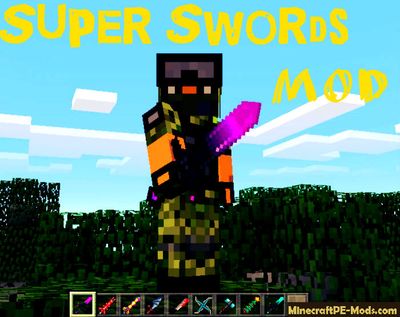
Super Swords Minecraft PE Mod 1.12.0, 1.11.1, 1.10.0
Super Sword is a fun mod with which you will get 26 new swords in Minecraft PE. They are all very attractive and frightening to enemies. There are short swords that deal a little damage, but there is a legendary swords that can kill enemy in just one hit.For convenience, a new Arsenal of weapons you can get just by typing in chat /swords. In this present Arsenal of knives, long and short swords, hammers, weapons of good and evil gods, and fantasy weapons.In General, a good mod for survival mode and playing with friends. Always nice to have in the hands of something similar, and use it against the evil monsters.Super SwordsID: 800 Red swordSuper Swords Minecraft PE Mod 1.12.0, 1.11.1, 1.10.0Are stories that this blade struck by the huge number of monsters, for this reason its color became red forever.ID: 801 Legendary swordSuper Swords Minecraft PE Mod 1.12.0, 1.11.1, 1.10.0Legendary weapon of the same God who has mastered all elements of nature. This allows the carrier of this blade to hit any target with one hit.ID: 802 Star batSuper Swords Minecraft PE Mod 1.12.0, 1.11.1, 1.10.0Once upon a time, vampire were surrounded. When duced the light of day, he could not use his super powers that made with magic to construct this small dagger from his wings. In consequence of which, he fought and won.ID: 803 KnifeSuper Swords Minecraft PE Mod 1.12.0, 1.11.1, 1.10.0This chef's knife is perfect for the destruction of any zombies.ID: 804 CosmosSuper Swords Minecraft PE Mod 1.12.0, 1.11.1, 1.10.0ID: 805 Hammer DiamondSuper Swords Minecraft PE Mod 1.12.0, 1.11.1, 1.10.0ID: 806 CgantagSuper Swords Minecraft PE Mod 1.12.0, 1.11.1, 1.10.0ID: 807 Steel HammerSuper Swords Minecraft PE Mod 1.12.0, 1.11.1, 1.10.0ID: 808 Sword candySuper Swords Minecraft PE Mod 1.12.0, 1.11.1, 1.10.0...How to install Super SwordsAddons for BlockLauncher Pro - these mods are more progressive scripts that have ".Zip", ".JS" and ".Modpkg" extension. It also has full integration with all the functionality up to Minecraft PE 1.12.2 version (Temporarily). Mainly used Java features for iOS and Android.To get started, you will need BlockLauncher, which is an application for Android or iOS. Please note that the application version may have functionality for an incompatible Java version inside the game. For each version of the game, a separate BlockLauncher application was developed.Download and install BlockLauncher Pro apk, then use FX File Explorer, ES File Explorer or other file managers to find the apk file in the Downloads folder.After installation, use Blocklauncher Pro to launch the game.After starting the game, you should see the wrench icon at the top of the screen. It also serves as a guideline that you did everything right.Click on "Startup Options".Next, scroll down the list and click on "Manage Scripts".In this menu, you can manage the installed scripts and import them. Here you can also specify the path to the downloaded script.It is worth noting that some modifications have both script and texture packs. You will need to import this separately. In newer versions, BlockLauncher has a feature to recognize a folder with texture packs and a folder with scripts inside a zip archive, which slightly simplifies the import process.This has some pros but also cons because mods work for all single and multiplayer (which work on the client side) game worlds automatically. You can activate or deactivate this in the scripts settings menu.Launch one of the game worlds and check if everything is working correctly. It is also worth noting that this has an extremely low chance of conflict with other scripts, the exception is the same names of items or mobs.Done! Enjoy the new gameplay.
 .modpkg
Food Mod for Minecraft PE iOS, Android 1.12.0, 1.11.1, 1.10.0
More Food mod — this mod adds in Minecraft PE over 30 new types of food you can cook. Some of the food is prepared using the usual workbench and some are amenable to heat treatment. Mod More Food MOD adds in various soups, which are prepared in the style of Minecraft, as well as hamburgers, cheeseburgers, and other flour products for human consumption. Mod More Food an excellent variety to the world Minecraft PE new types of write, and play with a huge assortment of food will be much more fun.Hold your finger on the screen to eat cooked food. Full list of crafting recipes the new food you can find in this page below. Bon appetit!How to install FoodAddons for BlockLauncher Pro - these mods are more progressive scripts that have ".Zip", ".JS" and ".Modpkg" extension. It also has full integration with all the functionality up to Minecraft PE 1.12.2 version (Temporarily). Mainly used Java features for iOS and Android.To get started, you will need BlockLauncher, which is an application for Android or iOS. Please note that the application version may have functionality for an incompatible Java version inside the game. For each version of the game, a separate BlockLauncher application was developed.Download and install BlockLauncher Pro apk, then use FX File Explorer, ES File Explorer or other file managers to find the apk file in the Downloads folder.After installation, use Blocklauncher Pro to launch the game.After starting the game, you should see the wrench icon at the top of the screen. It also serves as a guideline that you did everything right.Click on "Startup Options".Next, scroll down the list and click on "Manage Scripts".In this menu, you can manage the installed scripts and import them. Here you can also specify the path to the downloaded script.It is worth noting that some modifications have both script and texture packs. You will need to import this separately. In newer versions, BlockLauncher has a feature to recognize a folder with texture packs and a folder with scripts inside a zip archive, which slightly simplifies the import process.This has some pros but also cons because mods work for all single and multiplayer (which work on the client side) game worlds automatically. You can activate or deactivate this in the scripts settings menu.Launch one of the game worlds and check if everything is working correctly. It is also worth noting that this has an extremely low chance of conflict with other scripts, the exception is the same names of items or mobs.Done! Enjoy the new gameplay.
 .apk
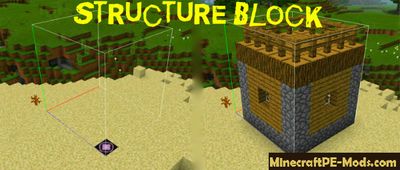
Structure Block Mod / Addon For MCPE 1.12.0, 1.11.1, 1.10.0
Structure Block is a mod that adds a new block in Minecraft PE. It is designed for fast transfer of objects from one map to another, or within one map. All he need is the X, Y coordinates and, in some cases, Z ( In our case positions).Mod will facilitate you a huge amount of work, because now at Minecraft PE you can add to your world anything from another map, e.g. a city, or its individual components.The developer wrote this modification in C++, which makes it multifunction and more practical (Especially installation), than mod written in javascript.How to work with the Structure Block?After the installation of the mod / addon in the lower right corner, you will have a new icon that is responsible for spawn this block.Click on it near the building you want to move. Next, open the block and give the name. This will be our first X-coordinate or in other words, the first positionStructure Block Mod / Addon For MCPE 1.12.0, 1.11.1, 1.10.0Generated second the Y-coordinate ( Second position) on the opposite corner of the building so that if you draw a line through these two points, we get the following:Structure Block Mod / Addon For MCPE 1.12.0, 1.11.1, 1.10.0Okay, okay - it's just a joke. We need something like this:Structure Block Mod / Addon For MCPE 1.12.0, 1.11.1, 1.10.0The main thing is to enter the same name of the positions:Structure Block Mod / Addon For MCPE 1.12.0, 1.11.1, 1.10.0After all this process, the mod will show contour the entire area, which he will transfer. If everything is OK, then press Load, next, open the same unit and placed in the right place.Structure Block Mod / Addon For MCPE 1.12.0, 1.11.1, 1.10.0How to install StructureAddons for BlockLauncher Pro - these mods are more progressive scripts that have ".Zip", ".JS" and ".Modpkg" extension. It also has full integration with all the functionality up to Minecraft PE 1.12.2 version (Temporarily). Mainly used Java features for iOS and Android.To get started, you will need BlockLauncher, which is an application for Android or iOS. Please note that the application version may have functionality for an incompatible Java version inside the game. For each version of the game, a separate BlockLauncher application was developed.Download and install BlockLauncher Pro apk, then use FX File Explorer, ES File Explorer or other file managers to find the apk file in the Downloads folder.After installation, use Blocklauncher Pro to launch the game.After starting the game, you should see the wrench icon at the top of the screen. It also serves as a guideline that you did everything right.Click on "Startup Options".Next, scroll down the list and click on "Manage Scripts".In this menu, you can manage the installed scripts and import them. Here you can also specify the path to the downloaded script.It is worth noting that some modifications have both script and texture packs. You will need to import this separately. In newer versions, BlockLauncher has a feature to recognize a folder with texture packs and a folder with scripts inside a zip archive, which slightly simplifies the import process.This has some pros but also cons because mods work for all single and multiplayer (which work on the client side) game worlds automatically. You can activate or deactivate this in the scripts settings menu.Launch one of the game worlds and check if everything is working correctly. It is also worth noting that this has an extremely low chance of conflict with other scripts, the exception is the same names of items or mobs.Done! Enjoy the new gameplay
 .modpkg
Core Engine API Mod For Minecraft PE 1.12.0, 1.11.1, 1.10.0
Core Engine API is a mod that is designed to install other mods, such as IndustrialCraft and block launcher Addons. Core Engine is a library containing over a thousand additional methods and modules that can be used for complicated modifications.You can directly in Minecraft PE create your mods for BlockLauncher Pro in format js or modpkg, and then share them with other players. All you need is to create some new themed blocks, items or mobs, then add textures and you're done!How does it work?This is the most convenient library to work with ModPEIt has a convenient and intuitive interfaceThe ability to automatically download mods from the specified directoryFast creation of new blocks, items and mobsConvenience for showing the crafting recipes of itemsHas its own settings, and also new cells for themIf you are a developer, mods or want to become one, then this API will be the best choice. Other APIs are still far behind. You can save many time and energy to create your new project.How to install Core Engine APIAddons for BlockLauncher Pro - these mods are more progressive scripts that have ".Zip", ".JS" and ".Modpkg" extension. It also has full integration with all the functionality up to Minecraft PE 1.12.2 version (Temporarily). Mainly used Java features for iOS and Android.To get started, you will need BlockLauncher, which is an application for Android or iOS. Please note that the application version may have functionality for an incompatible Java version inside the game. For each version of the game, a separate BlockLauncher application was developed.Download and install BlockLauncher Pro apk, then use FX File Explorer, ES File Explorer or other file managers to find the apk file in the Downloads folder.After installation, use Blocklauncher Pro to launch the game.After starting the game, you should see the wrench icon at the top of the screen. It also serves as a guideline that you did everything right.Click on "Startup Options".Next, scroll down the list and click on "Manage Scripts".In this menu, you can manage the installed scripts and import them. Here you can also specify the path to the downloaded script.It is worth noting that some modifications have both script and texture packs. You will need to import this separately. In newer versions, BlockLauncher has a feature to recognize a folder with texture packs and a folder with scripts inside a zip archive, which slightly simplifies the import process.This has some pros but also cons because mods work for all single and multiplayer (which work on the client side) game worlds automatically. You can activate or deactivate this in the scripts settings menu.Launch one of the game worlds and check if everything is working correctly. It is also worth noting that this has an extremely low chance of conflict with other scripts, the exception is the same names of items or mobs.Done! Enjoy the new gameplay.
 .modpkg
Simple Commands Buttons MCPE Mod 1.12.0, 1.11.1, 1.10.0
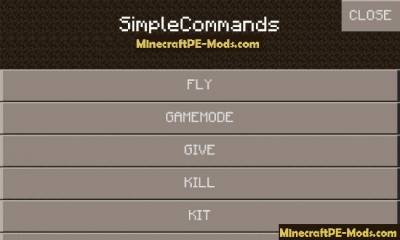
The Simple Buttons Commands — this modification adds simple set of commands in Minecraft PE. All the commands were based on Simple cheats. Simply click on the new buttons to use them.Thanks to Simple Commands Buttons mod use simple commands in MCPE will be much easier. You will no longer need to write text commands in chat to change the game mode, change the time of day, or perform some other action. Now You just need open the command menu, and click on the desired command to activate in the world of MCPE.Features:Enable/disable airplane modeChange the game mode of the gameTo get things/the items/blocksStarter set of things (in process)Time setting (day/noon/midnight/night)To get the coordinatesTo increase (restore) healthHow to use?When You enter the world of Minecraft Pocket Edition, in the lower right corner of the screen You will see a new button — "SC". Click on the button "SC", then you will see a graphical interface where You are presented with a menu list. In the main menu You can choose: "team", "player information" and "other ..."How to install Simple Commands ButtonsAddons for BlockLauncher Pro - these mods are more progressive scripts that have ".Zip", ".JS" and ".Modpkg" extension. It also has full integration with all the functionality up to Minecraft PE 1.12.2 version (Temporarily). Mainly used Java features for iOS and Android.To get started, you will need BlockLauncher, which is an application for Android or iOS. Please note that the application version may have functionality for an incompatible Java version inside the game. For each version of the game, a separate BlockLauncher application was developed.Download and install BlockLauncher Pro apk, then use FX File Explorer, ES File Explorer or other file managers to find the apk file in the Downloads folder.After installation, use Blocklauncher Pro to launch the game.After starting the game, you should see the wrench icon at the top of the screen. It also serves as a guideline that you did everything right.Click on "Startup Options".Next, scroll down the list and click on "Manage Scripts".In this menu, you can manage the installed scripts and import them. Here you can also specify the path to the downloaded script.It is worth noting that some modifications have both script and texture packs. You will need to import this separately. In newer versions, BlockLauncher has a feature to recognize a folder with texture packs and a folder with scripts inside a zip archive, which slightly simplifies the import process.This has some pros but also cons because mods work for all single and multiplayer (which work on the client side) game worlds automatically. You can activate or deactivate this in the scripts settings menu.Launch one of the game worlds and check if everything is working correctly. It is also worth noting that this has an extremely low chance of conflict with other scripts, the exception is the same names of items or mobs.Done! Enjoy the new gameplay.
 .modpkg
Legendary Beast Mod For Minecraft PE 1.12.0, 1.11.1, 1.10.0
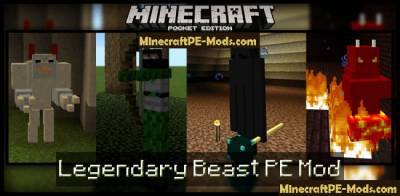
The Legendary Beast PE mod — this modification adds in the world Minecraft PE new bosses, against whom You will need to fight. Each boss has their own unique skin, unique abilities and weapons, which you can get after his death. Some weapons need bosses to fight other bosses because the standard weapons MCPE is not in force to resist the powerful bosses that have adds mod Legendary Beast PE.When you call the boss, will be generated a unique structure, is the arena on which the battle will take place.Fire demonThis boss is one of the most heavy, which is not so easy to kill. Whenever you'll touch in the boss — You'll be ignited. This is not a good feeling, but to kill him You will need in some cases to touch him.Fire Demon (id 605)Legendary Beast Mod For Minecraft PE 1.12.0, 1.11.1, 1.10.0Legendary Beast Mod For Minecraft PE 1.12.0, 1.11.1, 1.10.0If You manage to defeat the boss — it will fall to fire wand (Fire Staff). Hold "Fire" in the lower right corner of the screen to use the fire bomb.Legendary Beast Mod For Minecraft PE 1.12.0, 1.11.1, 1.10.0Ender LordEnder Lord has a tendency to teleport. So every time you think his attack, he can teleport in space to any point, with the result that Your shot will be cancelled.Ender Lord (id - 606)Legendary Beast Mod For Minecraft PE 1.12.0, 1.11.1, 1.10.0Legendary Beast Mod For Minecraft PE 1.12.0, 1.11.1, 1.10.0If VM manage to kill this boss, he will drop the wand Ender (Ender Staff). If you pick up the stick, and then press the buttons — Ender Pearl (in the lower right corner of the screen), you will shoot small balls. The feature of these balls is that when you shots them in what ever direction where it will land, and there you are teleported.Legendary Beast Mod For Minecraft PE 1.12.0, 1.11.1, 1.10.0Lightning spiritThis boss has an immunity to weapons, including a diamond sword. However, You have the fire wand (Fire Staff), which you can get after killing the Fire Demon. Fire wand you can use against this boss to defeat it.Lightning Spirit (id - 607) - prescription is unknown, use the Toolbox or Simple Commands to get it!Legendary Beast Mod For Minecraft PE 1.12.0, 1.11.1, 1.10.0You into a God of Thunder. The wand will allow You to summon lightning at any time, at Your request. Just send a lightning wand at the ground and then click on the button in the bottom right of the screen to trigger it.Legendary Beast Mod For Minecraft PE 1.12.0, 1.11.1, 1.10.0Elf assassin is a high and terrible creature with a bow and arrow. It is very fast, so make sure that You will be able quickly to finish with it before he'll do it first You (have Your mind murder).Eld Hunter (id - 609)Legendary Beast Mod For Minecraft PE 1.12.0, 1.11.1, 1.10.0Legendary Beast Mod For Minecraft PE 1.12.0, 1.11.1, 1.10.0After his FR, he leaves behind a toxic gun that shoots poisonous arrows.Legendary Beast Mod For Minecraft PE 1.12.0, 1.11.1, 1.10.0Snow beastOnce you have created the beast of the snow, for it will generate most of the snow structure. The structure is an arena with which no benefit — You are in isolation. At this stage You have two options: kill the snow beast and stay alive, then get off the stage or to die, to leave the stage.Snow Beast (id - 608)Legendary Beast Mod For Minecraft PE 1.12.0, 1.11.1, 1.10.0Legendary Beast Mod For Minecraft PE 1.12.0, 1.11.1, 1.10.0If You manage to kill the boss snow it will fall to ice stick (Ice Staff). Ice stick can be used for throwing snowballs at Your enemies. Snowballs have the effect of slowness, because when you will get them over the mobs they will slow down.How to install Legendary BeastAddons for BlockLauncher Pro - these mods are more progressive scripts that have ".Zip", ".JS" and ".Modpkg" extension. It also has full integration with all the functionality up to Minecraft PE 1.12.2 version (Temporarily). Mainly used Java features for iOS and Android.To get started, you will need BlockLauncher, which is an application for Android or iOS. Please note that the application version may have functionality for an incompatible Java version inside the game. For each version of the game, a separate BlockLauncher application was developed.Download and install BlockLauncher Pro apk, then use FX File Explorer, ES File Explorer or other file managers to find the apk file in the Downloads folder.After installation, use Blocklauncher Pro to launch the game.After starting the game, you should see the wrench icon at the top of the screen. It also serves as a guideline that you did everything right.Click on "Startup Options".Next, scroll down the list and click on "Manage Scripts".In this menu, you can manage the installed scripts and import them. Here you can also specify the path to the downloaded script.It is worth noting that some modifications have both script and texture packs. You will need to import this separately. In newer versions, BlockLauncher has a feature to recognize a folder with texture packs and a folder with scripts inside a zip archive, which slightly simplifies the import process.This has some pros but also cons because mods work for all single and multiplayer (which work on the client side) game worlds automatically. You can activate or deactivate this in the scripts settings menu.Launch one of the game worlds and check if everything is working correctly. It is also worth noting that this has an extremely low chance of conflict with other scripts, the exception is the same names of items or mobs.Done! Enjoy the new gameplay.
 .modpkg
Bosscraft Mod For Minecraft PE 1.12.0, 1.11.1, 1.10.0
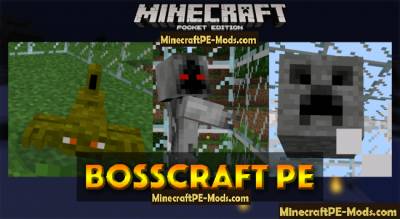
Bosscraft PE mod — this modification adds in the world Minecraft PE five different bosses and a few new monsters which are minions of the main boss. Also the mod includes new items and elements with which you can summon bosses and crafting new weapons for enhanced protection.If you are looking for a mod that will increase the difficulty of survival in the world of Minecraft Pocket Edition, this mod definitely what You need!IntroductionThere are five bosses that will be added to the world of Minecraft PE. Unfortunately bosses are unable to be generated in the world, so You will have to create with the help of special element. In addition to the bosses in the game will be added and other characters. New characters or mobs will be expected to be generated in the game. You have to kill these characters in order to get special elements with which you will be able to call their leader — the Boss!BossesLet's look a little review on each of the bosses.Fire warriorFire warrior millet is an ancient master and Lord of the Void. If you intend to fight this boss — we highly recommend You to use the most powerful equipment. This boss has 600 HP of health.This boss have: Sword of Fire (id - 910)To summon a boss you will need the following items:To get Nether Orbs — You have to kill fire spiders. When you have 20 balls hit on the ground element of the Nether Scroll to spawn mob.Bosscraft Mod For Minecraft PE 1.12.0, 1.11.1, 1.10.0Rogue-masterThis boss has the ability to multiply and summon minions, which will come to his aid in the fight against you. This is certainly one of the most difficult bosses, which are present in the mod Bosscraft PE.This boss leaves behind: thief Knife (id - 915)You will need the following items to spawn the boss:Nether Orbs fall from the assassins who are born in the world of Minecraft PE in a random order. When you collect twenty balls — you can click the Scroll element of the Forest on the ground to spawn the Boss.Bosscraft Mod For Minecraft PE 1.12.0, 1.11.1, 1.10.0The grim ReaperBoss "Reaper of Death" is personified force of death. Not only that, the boss looks pretty weird, he would still encourage his assistants, who will help him fight against You.From boss you can get: Midnight scythe (id 911)To spawn the boss You will need the following items:To get twenty-Necro Orbs — You have to kill ghosts to catch yourself in the world of MCPE.Bosscraft Mod For Minecraft PE 1.12.0, 1.11.1, 1.10.0The Scorpion kingThis boss is the king of all Scorpions. It is much more Scorpions, and more vicious.Leave behind after: the Rod of Pharaoh (id - 914)To spawn the boss You will need the following items:To get twenty items Desert Orbs — kill the Scorpions.Bosscraft Mod For Minecraft PE 1.12.0, 1.11.1, 1.10.0Mega BlockThis boss is a giant block that has the face of a creeper. This boss is highly to jump up in the air and when you land on will — he will do explosions. At the same time, he will throw TNT at You that will explode.From boss you can get: sky hammer (id - 912)To spawn the boss You will need the following items:To get the balls, look terrible blocks mobs and kill them.Bosscraft Mod For Minecraft PE 1.12.0, 1.11.1, 1.10.0About Items & SoulsAfter you killed a few bosses, it's time to craft new items with obtained things you got by killing bosses and minionsThe subjects of the soul can be used for hold new abilities, for example, fire.How to install BosscraftAddons for BlockLauncher Pro - these mods are more progressive scripts that have ".Zip", ".JS" and ".Modpkg" extension. It also has full integration with all the functionality up to Minecraft PE 1.12.2 version (Temporarily). Mainly used Java features for iOS and Android.To get started, you will need BlockLauncher, which is an application for Android or iOS. Please note that the application version may have functionality for an incompatible Java version inside the game. For each version of the game, a separate BlockLauncher application was developed.Download and install BlockLauncher Pro apk, then use FX File Explorer, ES File Explorer or other file managers to find the apk file in the Downloads folder.After installation, use Blocklauncher Pro to launch the game.After starting the game, you should see the wrench icon at the top of the screen. It also serves as a guideline that you did everything right.Click on "Startup Options".Next, scroll down the list and click on "Manage Scripts".In this menu, you can manage the installed scripts and import them. Here you can also specify the path to the downloaded script.It is worth noting that some modifications have both script and texture packs. You will need to import this separately. In newer versions, BlockLauncher has a feature to recognize a folder with texture packs and a folder with scripts inside a zip archive, which slightly simplifies the import process.This has some pros but also cons because mods work for all single and multiplayer (which work on the client side) game worlds automatically. You can activate or deactivate this in the scripts settings menu.Launch one of the game worlds and check if everything is working correctly. It is also worth noting that this has an extremely low chance of conflict with other scripts, the exception is the same names of items or mobs.Done! Enjoy the new gameplay.
 .modpkg
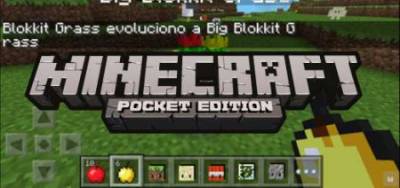
Blokkit Mod For Minecraft PE 1.12.0, 1.11.1, 1.10.0
If you wanted to create your army in Minecraft PE and then Blokkit mod you will love it. It allows you to create beings that will have unique abilities and control them. They are created from different materials, so that the field for creativity is quite extensive. The mod will create new friends and they will always help you in battles with your opponents.This is a mod for Pocket Edition allows you to make true friends and comrades called Blokkits and they will always be faithful to only you. With their help you can not be afraid of any enemy, how strong, he would not have been.Blokkit Mod For Minecraft PE 1.12.0, 1.11.1, 1.10.0Blokkit Mod For Minecraft PE 1.12.0, 1.11.1, 1.10.0Blokkit Mod For Minecraft PE 1.12.0, 1.11.1, 1.10.0Blokkit Mod For Minecraft PE 1.12.0, 1.11.1, 1.10.0How to install BlokkitAddons for BlockLauncher Pro - these mods are more progressive scripts that have ".Zip", ".JS" and ".Modpkg" extension. It also has full integration with all the functionality up to Minecraft PE 1.12.2 version (Temporarily). Mainly used Java features for iOS and Android.To get started, you will need BlockLauncher, which is an application for Android or iOS. Please note that the application version may have functionality for an incompatible Java version inside the game. For each version of the game, a separate BlockLauncher application was developed.Download and install BlockLauncher Pro apk, then use FX File Explorer, ES File Explorer or other file managers to find the apk file in the Downloads folder.After installation, use Blocklauncher Pro to launch the game.After starting the game, you should see the wrench icon at the top of the screen. It also serves as a guideline that you did everything right.Click on "Startup Options".Next, scroll down the list and click on "Manage Scripts".In this menu, you can manage the installed scripts and import them. Here you can also specify the path to the downloaded script.It is worth noting that some modifications have both script and texture packs. You will need to import this separately. In newer versions, BlockLauncher has a feature to recognize a folder with texture packs and a folder with scripts inside a zip archive, which slightly simplifies the import process.This has some pros but also cons because mods work for all single and multiplayer (which work on the client side) game worlds automatically. You can activate or deactivate this in the scripts settings menu.Launch one of the game worlds and check if everything is working correctly. It is also worth noting that this has an extremely low chance of conflict with other scripts, the exception is the same names of items or mobs.Done! Enjoy the new gameplay.
 .modpkg
Pocket Piston (Redstone +) Mod for Minecraft PE 1.12.0, 1.11.1, 1.10.0
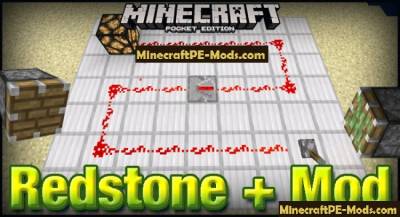
Redstone + Mod adds in the world Minecraft PE a few missing items and elements associated with Redstone. Redstone + has been designed specifically for the pocket version of the game. Redstone was officially introduced in version 0.14, but not in full. Redstone + implements those missing blocks in the game, some Redstone blocks is still in development and soon they will be available in the game.ID Items:The piston (id - 33)Sticky piston (id - 127)Repeater (id - 700)The command block (id - 227)The comparator (id - 701)A dispenser (id - 239)Pipette (id - 240)Block mucus (id - 241)Red RepeaterRepeaters are used to extend the signal which is fed through the red wire, that electricity came in full prior to the designated purpose.Let's say you are using too long types of wires that stretch over a length of several tens of units, the electricity which will be fed to the wire will not reach the goal. Suppose we use the wire that we took the lamp and when you turn the lever, electricity will go to the lamp but it will happen.Pocket Piston (Redstone +) Mod for Minecraft PE 1.12.0, 1.11.1, 1.10.0To avoid this problem you can use Repeaters (repeaters), which will continue the signal along the red wire. And as you can see in the image with the use of a repeater the signal reach the lamp.Pocket Piston (Redstone +) Mod for Minecraft PE 1.12.0, 1.11.1, 1.10.0PistonsThere are two types of pistons. This is one normal piston, which will only push the block forward. And finally, a sticky piston can push the blocks and again to return them to their original positions.Pocket Piston (Redstone +) Mod for Minecraft PE 1.12.0, 1.11.1, 1.10.0Pocket Piston (Redstone +) Mod for Minecraft PE 1.12.0, 1.11.1, 1.10.0Pocket Piston (Redstone +) Mod for Minecraft PE 1.12.0, 1.11.1, 1.10.0Pocket Piston (Redstone +) Mod for Minecraft PE 1.12.0, 1.11.1, 1.10.0Command blockThe command block is the perfect solution to combine the game text commands and red stone. In this example, we will show you how you can control the weather in Minecraft Pocket Edition easy to use command line of Redstone.Put the command block in a convenient place and connect it with the red wire to the lever. Click on the command block with an empty hand and then type /rain in the text box to set a command for the command block, and then click “Done” (Ready). You can see a full list of available commands entered in the command line /help, and then choose a good team. This command does not work in the command block.Pocket Piston (Redstone +) Mod for Minecraft PE 1.12.0, 1.11.1, 1.10.0Now we have in the game is great Sunny weather.Pocket Piston (Redstone +) Mod for Minecraft PE 1.12.0, 1.11.1, 1.10.0But as soon as you switch the position of the lever, it will give a signal through the red wire in the control box, which will perform the action that was specified at the command line. And as you can see in the image, the game began to rain.Currently the command block has a command line that will allow users to turn off the rain. But I hope that in a future update of the mod, this feature will be present.Pocket Piston (Redstone +) Mod for Minecraft PE 1.12.0, 1.11.1, 1.10.0The slime blockEvery time when you will stand on the slime block you will flash up, then again and again, landing again on the block of mucus. This means that the block of mucus can be used to create designs, such as the trampoline. And the trampoline we decided to make this review.Look at next image to understand how to build this structure that is the result of construction was positive.Pocket Piston (Redstone +) Mod for Minecraft PE 1.12.0, 1.11.1, 1.10.0DistributorDistributors in this mod work a bit differently than distributors on the PC version of Minecraft. The feeder on the ground as shown in the figure below.Then place it into the trunk any further these things:ArrowsSnow ballsEggsFlasks with experiencePocket Piston (Redstone +) Mod for Minecraft PE 1.12.0, 1.11.1, 1.10.0You can adjust the distributor to create an iron Golem.Pocket Piston (Redstone +) Mod for Minecraft PE 1.12.0, 1.11.1, 1.10.0ReviewHow to install Pocket PistonAddons for BlockLauncher Pro - these mods are more progressive scripts that have ".Zip", ".JS" and ".Modpkg" extension. It also has full integration with all the functionality up to Minecraft PE 1.12.2 version (Temporarily). Mainly used Java features for iOS and Android.To get started, you will need BlockLauncher, which is an application for Android or iOS. Please note that the application version may have functionality for an incompatible Java version inside the game. For each version of the game, a separate BlockLauncher application was developed.Download and install BlockLauncher Pro apk, then use FX File Explorer, ES File Explorer or other file managers to find the apk file in the Downloads folder.After installation, use Blocklauncher Pro to launch the game.After starting the game, you should see the wrench icon at the top of the screen. It also serves as a guideline that you did everything right.Click on "Startup Options".Next, scroll down the list and click on "Manage Scripts".In this menu, you can manage the installed scripts and import them. Here you can also specify the path to the downloaded script.It is worth noting that some modifications have both script and texture packs. You will need to import this separately. In newer versions, BlockLauncher has a feature to recognize a folder with texture packs and a folder with scripts inside a zip archive, which slightly simplifies the import process.This has some pros but also cons because mods work for all single and multiplayer (which work on the client side) game worlds automatically. You can activate or deactivate this in the scripts settings menu.Launch one of the game worlds and check if everything is working correctly. It is also worth noting that this has an extremely low chance of conflict with other scripts, the exception is the same names of items or mobs.Done! Enjoy the new gameplay.
 .modpkg
Machine Guns Mod For Minecraft PE 1.12.0, 1.11.1, 1.10.0
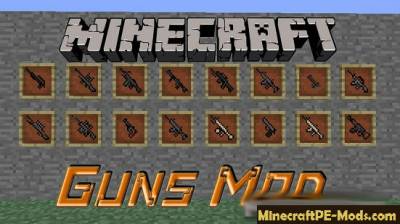
Mod Machine Guns will create in Minecraft PE not just guns, but other items and weapons, such as grenade launcher, rifle, grenade and first aid kit! Each subject can be taken in the inventory of creative mode, but there is one feature, which we describe below.Items are bought for money in the NPS, including rural residents. In General, the modification is quite good, and might even replace you DesnoGuns!Every guns has its own icon and 3D model. If you throw such a weapon on the floor, then it will have realistic dimensions, as in any 3D shooter.New items & GunsM16RevolverGrenade launcherMoneyFirst aid kitPomegranateThrowing knifeGolden knifeMachine Guns Mod For Minecraft PE 1.12.0, 1.11.1, 1.10.0Machine Guns Mod For Minecraft PE 1.12.0, 1.11.1, 1.10.0How to install Machine GunsAddons for BlockLauncher Pro - these mods are more progressive scripts that have ".Zip", ".JS" and ".Modpkg" extension. It also has full integration with all the functionality up to Minecraft PE 1.12.2 version (Temporarily). Mainly used Java features for iOS and Android.To get started, you will need BlockLauncher, which is an application for Android or iOS. Please note that the application version may have functionality for an incompatible Java version inside the game. For each version of the game, a separate BlockLauncher application was developed.Download and install BlockLauncher Pro apk, then use FX File Explorer, ES File Explorer or other file managers to find the apk file in the Downloads folder.After installation, use Blocklauncher Pro to launch the game.After starting the game, you should see the wrench icon at the top of the screen. It also serves as a guideline that you did everything right.Click on "Startup Options".Next, scroll down the list and click on "Manage Scripts".In this menu, you can manage the installed scripts and import them. Here you can also specify the path to the downloaded script.It is worth noting that some modifications have both script and texture packs. You will need to import this separately. In newer versions, BlockLauncher has a feature to recognize a folder with texture packs and a folder with scripts inside a zip archive, which slightly simplifies the import process.This has some pros but also cons because mods work for all single and multiplayer (which work on the client side) game worlds automatically. You can activate or deactivate this in the scripts settings menu.Launch one of the game worlds and check if everything is working correctly. It is also worth noting that this has an extremely low chance of conflict with other scripts, the exception is the same names of items or mobs.Done! Enjoy the new gameplay.
 .modpkg
More Mutant Creatures Minecraft PE Mod 1.12.0, 1.11.1, 1.10.0
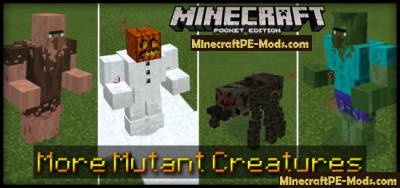
The More Mutant Creatures mod — adds in the world of Minecraft PE a 8 various mutant creatures. All the mutated monsters got their own unique textures of the body and individual Constitution. All the monsters look more intimidating compared to their mentors. All mobs are spawned using eggs to spawn, which you can find in your inventory creative regime.Where do I find them?Monsters-mutants can be derived independently using one single egg to spawn, which you will find in your inventory creative regime. If you want to generate monsters in survival mode, then use the mod Toolbox (or SimpleCommands) in order to receive spawn eggs. We specified the id of the monsters below in the publication. Also don't forget to set the difficulty to maximum, otherwise they will not be derived.In fashion there are two types of mutated villagers. One of these residents have turned into zombies and the second is regenerating. Second citizen has practically become a "Hulk" — muscular and strong.More Mutant Creatures Minecraft PE Mod 1.12.0, 1.11.1, 1.10.0Mutant spider looks much more scarier than a normal spider. He has much longer legs and more scary looking - his eyes. The only drawback is that the legs do not move (are not animations) when it is moved.More Mutant Creatures Minecraft PE Mod 1.12.0, 1.11.1, 1.10.0Skeleton mutant is more beefed up version of the normal skeleton — he looks more serious than ever. But there is clearly unfinished bow, so now he looks very funny because of the disproportionality ratios of the bow and body of the mutant.More Mutant Creatures Minecraft PE Mod 1.12.0, 1.11.1, 1.10.0Mutant snow Golem uses almost the same body model, and the villagers, but the texture is completely different. The mutant snow Golem will also leave behind remnants of snow on the ground where he walked.More Mutant Creatures Minecraft PE Mod 1.12.0, 1.11.1, 1.10.0And here is the mutant child. He's only a few pixels higher than chicken.More Mutant Creatures Minecraft PE Mod 1.12.0, 1.11.1, 1.10.0The giant zombie is actually not mutated, as other creatures, he just has a very huge body.More Mutant Creatures Minecraft PE Mod 1.12.0, 1.11.1, 1.10.0Fighting MutantsIn More Mutant Creatures is a very nice thing very nice to watch is how fighting monsters-mutants. Currently the battle takes only a mutant snow Golem. But of course, it adds a silent pleasure from the seen.(The speech bubble actually does not exist in the game, one of the foreign author could not resist on the screenshot and added some text to have some fun. The text in the bubble: Waaaaaah, help!! Maaaaaan!More Mutant Creatures Minecraft PE Mod 1.12.0, 1.11.1, 1.10.0More Mutant Creatures Minecraft PE Mod 1.12.0, 1.11.1, 1.10.0ID EggsMutant Zombie Villager (id - 441)Mutant Zombie (id - 442)Mutant Villager (id 443)Mutant Spider (id - 32)Giant (id - 445)Mutant Skeleton (id - 446)Mutant Snow Golem (id - 447)Baby Mutant Zombie Villager (id - 448)Baby Mutant Zombie (id - 449How to install More Mutant CreaturesAddons for BlockLauncher Pro - these mods are more progressive scripts that have ".Zip", ".JS" and ".Modpkg" extension. It also has full integration with all the functionality up to Minecraft PE 1.12.2 version (Temporarily). Mainly used Java features for iOS and Android.To get started, you will need BlockLauncher, which is an application for Android or iOS. Please note that the application version may have functionality for an incompatible Java version inside the game. For each version of the game, a separate BlockLauncher application was developed.Download and install BlockLauncher Pro apk, then use FX File Explorer, ES File Explorer or other file managers to find the apk file in the Downloads folder.After installation, use Blocklauncher Pro to launch the game.After starting the game, you should see the wrench icon at the top of the screen. It also serves as a guideline that you did everything right.Click on "Startup Options".Next, scroll down the list and click on "Manage Scripts".In this menu, you can manage the installed scripts and import them. Here you can also specify the path to the downloaded script.It is worth noting that some modifications have both script and texture packs. You will need to import this separately. In newer versions, BlockLauncher has a feature to recognize a folder with texture packs and a folder with scripts inside a zip archive, which slightly simplifies the import process.This has some pros but also cons because mods work for all single and multiplayer (which work on the client side) game worlds automatically. You can activate or deactivate this in the scripts settings menu.Launch one of the game worlds and check if everything is working correctly. It is also worth noting that this has an extremely low chance of conflict with other scripts, the exception is the same names of items or mobs.Done! Enjoy the new gameplay.
 .modpkg
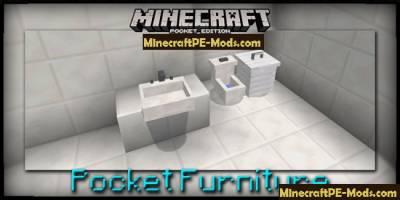
Pocket Furniture Mod For Minecraft PE 1.12.0, 1.11.1, 1.10.0
Pocket Furniture mod adds in the world Minecraft PE 9 types of furniture that you can place as decoration. Pocket Furniture adds to the game two types of tables, toasters, sinks, trash and other interesting decorative elements.How to get furniture?The only way to get furniture is to use other, third-party modification, for example X-Commands. If you are using mod X-Commands, then to elements, you can use the following command — /give "id" "amount". All the necessary furniture id written below.The furniture is of the essence, with the result that you will be able to hear from furniture published various sounds. If you quit world, but then again it will drop, you will see that the furniture came to life.So your eyes can run: toasters, toilets as mobs — a bit annoying each time. But I hope that in a future update of this mod, a nuisance to fix.Pocket Furniture Mod For Minecraft PE 1.12.0, 1.11.1, 1.10.0Pocket Furniture Mod For Minecraft PE 1.12.0, 1.11.1, 1.10.0Wrench [Key] (id - 623) can be used to rotate the furniture. This will create a boat that will unwrap the furniture. You will need to sit the boat and turn it in the direction you want to look furniture.Leave the boat and then destroy it to fix and maintain the position of the furniture.Trashcan (id 601)Shell (id 602)Toaster (id - 603)Bedside table (id 604)Bedside table (id - 605)Black bar chair (id - 606)Blue bar chair (id - 607)Brown bar chair (id - 608)Blue bar chair (id - 609)Grey bar chair (id - 610)Green bar chair (id - 611)Light blue bar stool (id - 612)Light gray bar chair (id - 613)Lime bar stool (id - 614)Purple bar chair (id 615)Orange bar chair (id - 616)Pink bar chair (id 617)Purple bar stool (id - 618)Red bar chair (id - 619)Yellow bar chair (id - 620)Curtains (id 621)Toilet (id - 622)Wrench (id - 623)How to install Pocket FurnitureAddons for BlockLauncher Pro - these mods are more progressive scripts that have ".Zip", ".JS" and ".Modpkg" extension. It also has full integration with all the functionality up to Minecraft PE 1.12.2 version (Temporarily). Mainly used Java features for iOS and Android.To get started, you will need BlockLauncher, which is an application for Android or iOS. Please note that the application version may have functionality for an incompatible Java version inside the game. For each version of the game, a separate BlockLauncher application was developed.Download and install BlockLauncher Pro apk, then use FX File Explorer, ES File Explorer or other file managers to find the apk file in the Downloads folder.After installation, use Blocklauncher Pro to launch the game.After starting the game, you should see the wrench icon at the top of the screen. It also serves as a guideline that you did everything right.Click on "Startup Options".Next, scroll down the list and click on "Manage Scripts".In this menu, you can manage the installed scripts and import them. Here you can also specify the path to the downloaded script.It is worth noting that some modifications have both script and texture packs. You will need to import this separately. In newer versions, BlockLauncher has a feature to recognize a folder with texture packs and a folder with scripts inside a zip archive, which slightly simplifies the import process.This has some pros but also cons because mods work for all single and multiplayer (which work on the client side) game worlds automatically. You can activate or deactivate this in the scripts settings menu.Launch one of the game worlds and check if everything is working correctly. It is also worth noting that this has an extremely low chance of conflict with other scripts, the exception is the same names of items or mobs.Done! Enjoy the new gameplay.
 .modpkg
Dan's Furniture Minecraft PE Mod - Addon 1.12.0, 1.11.1, 1.10.0
If you decide to set up your home and make a summer platform, then fashion furniture Dan's Furniture Mod for Minecraft PE this is what you need. In this modification there are about ten different types of furniture that you can use for decorating bedroom, kitchen, work area etc. All furniture has a great texture and almost exactly copies the appearance of real furniture. With Dan's Furniture mod in Minecraft PE you will have even more opportunities for your creativity and create the perfect home.Updated: modification now combines with version 1.11.xWhat add modThe trashThe fireStoolIron fenceA small fountainLanternComputerFridgeBlock out of the Board inside the glassQuartz tableSofaDan's Furniture Minecraft PE Mod - Addon 1.12.0, 1.11.1, 1.10.0Dan's Furniture Minecraft PE Mod - Addon 1.12.0, 1.11.1, 1.10.0Dan's Furniture Minecraft PE Mod - Addon 1.12.0, 1.11.1, 1.10.0Dan's Furniture Minecraft PE Mod - Addon 1.12.0, 1.11.1, 1.10.0Besides being a mod furniture Dan's Furniture for Pocket Edition will add a variety of accessories for the home, as there are quite useful things that will allow you to make a deck or summer terrace with a fountain, and the whole thing will be fenced with decorative fence.ReviewHow to install Dan's FurnitureAddons for BlockLauncher Pro - these mods are more progressive scripts that have ".Zip", ".JS" and ".Modpkg" extension. It also has full integration with all the functionality up to Minecraft PE 1.12.2 version (Temporarily). Mainly used Java features for iOS and Android.To get started, you will need BlockLauncher, which is an application for Android or iOS. Please note that the application version may have functionality for an incompatible Java version inside the game. For each version of the game, a separate BlockLauncher application was developed.Download and install BlockLauncher Pro apk, then use FX File Explorer, ES File Explorer or other file managers to find the apk file in the Downloads folder.After installation, use Blocklauncher Pro to launch the game.After starting the game, you should see the wrench icon at the top of the screen. It also serves as a guideline that you did everything right.Click on "Startup Options".Next, scroll down the list and click on "Manage Scripts".In this menu, you can manage the installed scripts and import them. Here you can also specify the path to the downloaded script.It is worth noting that some modifications have both script and texture packs. You will need to import this separately. In newer versions, BlockLauncher has a feature to recognize a folder with texture packs and a folder with scripts inside a zip archive, which slightly simplifies the import process.This has some pros but also cons because mods work for all single and multiplayer (which work on the client side) game worlds automatically. You can activate or deactivate this in the scripts settings menu.Launch one of the game worlds and check if everything is working correctly. It is also worth noting that this has an extremely low chance of conflict with other scripts, the exception is the same names of items or mobs.Done! Enjoy the new gameplay.
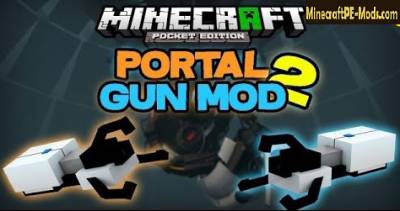 .modpkg
Portal Gun 2 Mod For Minecraft PE 1.12.0, 1.11.1, 1.10.0
Mod Portal Gun 2 adds to the gameplay Minecraft Pocket Edition a lot of new guns to teleport through space. With these guns you can create two different portal for different parts of the world and navigate between these open portals without any hurdles and efforts.There are several different types of Portal Guns, which each of them is special. Except for the portal guns there are other very interesting and useful features. For example the ability to create turrets that will protect you and who have preferences because it's robots.There is also a portal radio, you can listen to - very cool!Features A Portal Gun 2:When you enter the world you will hear a system message that will speak on behalf ofPortal Gun 2.The game has more than 5 different types of portal guns.The game has a radio and there is a jumper block.The mod has object, with which you can view information about mod without leaving the game.How to use?Do yourself any Portal-Gun, all the crafting recipes in can be seen below. Then take it in your hand and you will see in the middle of the oval sight screen, which consists of two colors and the left and right sides of the screen were two buttons.Blue button is responsible for the creation of the blue portal and the other orange button is responsible for creating an orange portal. Sight point at a desired place gently to make the portal and press a button (example in screenshot):Portal Gun 2 Mod For Minecraft PE 1.12.0, 1.11.1, 1.10.0Now that we can move between the teleports we need to enter one of the two teleporters:Portal Gun 2 Mod For Minecraft PE 1.12.0, 1.11.1, 1.10.0Then we will be on the second side of the other teleport:Portal Gun 2 Mod For Minecraft PE 1.12.0, 1.11.1, 1.10.0Teleporting at a great distance:Pick up the Portal Gun and shoot a portal in a place convenient for you.Portal Gun 2 Mod For Minecraft PE 1.12.0, 1.11.1, 1.10.0Then shoot the second portal in a different place, and no matter what the distance between them. Consider the example in a little long distance:Portal Gun 2 Mod For Minecraft PE 1.12.0, 1.11.1, 1.10.0For example, we've installed portals at distances of more than 50 units.Portal Gun 2 Mod For Minecraft PE 1.12.0, 1.11.1, 1.10.0Now, let's go to the blue portal and enter it:Portal Gun 2 Mod For Minecraft PE 1.12.0, 1.11.1, 1.10.0And we find ourselves on the other side of the portal:Portal Gun 2 Mod For Minecraft PE 1.12.0, 1.11.1, 1.10.0How to install Portal Gun 2Addons for BlockLauncher Pro - these mods are more progressive scripts that have ".Zip", ".JS" and ".Modpkg" extension. It also has full integration with all the functionality up to Minecraft PE 1.12.2 version (Temporarily). Mainly used Java features for iOS and Android.To get started, you will need BlockLauncher, which is an application for Android or iOS. Please note that the application version may have functionality for an incompatible Java version inside the game. For each version of the game, a separate BlockLauncher application was developed.Download and install BlockLauncher Pro apk, then use FX File Explorer, ES File Explorer or other file managers to find the apk file in the Downloads folder.After installation, use Blocklauncher Pro to launch the game.After starting the game, you should see the wrench icon at the top of the screen. It also serves as a guideline that you did everything right.Click on "Startup Options".Next, scroll down the list and click on "Manage Scripts".In this menu, you can manage the installed scripts and import them. Here you can also specify the path to the downloaded script.It is worth noting that some modifications have both script and texture packs. You will need to import this separately. In newer versions, BlockLauncher has a feature to recognize a folder with texture packs and a folder with scripts inside a zip archive, which slightly simplifies the import process.This has some pros but also cons because mods work for all single and multiplayer (which work on the client side) game worlds automatically. You can activate or deactivate this in the scripts settings menu.Launch one of the game worlds and check if everything is working correctly. It is also worth noting that this has an extremely low chance of conflict with other scripts, the exception is the same names of items or mobs.Done! Enjoy the new gameplay.
 .modpkg
Simplistic 2 Hands Minecraft PE Mod 1.11, 1.10, 1.9.0
How does it Work?After installing the modification, you will be able to actively use the second hand, but some restrictions still remain. For example, to place the block in the second active slot will not work.In any case, this addon is the first step to the simultaneous use of two items, and we hope that the developers will implement this idea in one of future updates.How to install Simplistic 2 HandsAddons for BlockLauncher Pro - these mods are more progressive scripts that have ".Zip", ".JS" and ".Modpkg" extension. It also has full integration with all the functionality up to Minecraft PE 1.12.2 version (Temporarily). Mainly used Java features for iOS and Android.To get started, you will need BlockLauncher, which is an application for Android or iOS. Please note that the application version may have functionality for an incompatible Java version inside the game. For each version of the game, a separate BlockLauncher application was developed.Download and install BlockLauncher Pro apk, then use FX File Explorer, ES File Explorer or other file managers to find the apk file in the Downloads folder.After installation, use Blocklauncher Pro to launch the game.After starting the game, you should see the wrench icon at the top of the screen. It also serves as a guideline that you did everything right.Click on "Startup Options".Next, scroll down the list and click on "Manage Scripts".In this menu, you can manage the installed scripts and import them. Here you can also specify the path to the downloaded script.It is worth noting that some modifications have both script and texture packs. You will need to import this separately. In newer versions, BlockLauncher has a feature to recognize a folder with texture packs and a folder with scripts inside a zip archive, which slightly simplifies the import process.This has some pros but also cons because mods work for all single and multiplayer (which work on the client side) game worlds automatically. You can activate or deactivate this in the scripts settings menu.Launch one of the game worlds and check if everything is working correctly. It is also worth noting that this has an extremely low chance of conflict with other scripts, the exception is the same names of items or mobs.Done! Enjoy the new gameplay.