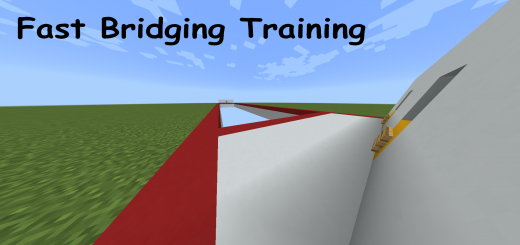
Pack Specifications
| Category | Maps → CUSTOM TERRAIN |
|---|---|
| File Format | .MCWORLD |
| Supported Devices | iPhone, iPad (iOS), Android, Windows 10/11 |
| Minecraft Version | Bedrock / Pocket Edition 1.20 – 1.21+ |
How to Install Fast Bridging Training
- Download the .MCWORLD map archive to your iOS Files app, Android Downloads, or Windows PC.
- Tap or double-click the
.mcworldfile and select Open in Minecraft. - Minecraft will automatically import the world — find it inside your Play → Worlds list.
Fast Bridging Training
Ready for iPhone, iPad, Android & Windows Bedrock. Instant direct download + unlimited access to our AI Skin & Addon Studio.
Customize Similar in AI Studio- Verified .MCWORLD direct file download
- Unlock every mod, skin, map & AI generator
- 3-day free trial · Cancel anytime in 1 click
Frequently Asked Questions
Is Fast Bridging Training compatible with iPhone, iPad, and Android MCPE?
Yes. Fast Bridging Training is packaged in .MCWORLD format for Minecraft Bedrock / Pocket Edition across iOS (iPhone & iPad), Android, and Windows 10/11.
How do I install Fast Bridging Training in Minecraft?
Download the .MCWORLD file, tap it in Files (iOS) or Downloads (Android), choose Open in Minecraft, and enable the pack in your World Settings.
Can I customize Fast Bridging Training or create similar designs?
Yes. Use our AI Skin & Addon Studio to generate matching custom skins, bosses, or weapons inspired by Fast Bridging Training in seconds.
More CUSTOM TERRAIN Maps
View all → .mcworld
Quest Map Part 2
Welcome to the Quest map. One of many maps of this type. There are 6 rooms with unusual quests. Can you go to the end? Yes, you can. What is Quest map?Quest map this is a map on which you pass several different tests. As mentioned earlier, there are 4 quests. But in order not to spoil them, we will not publish all. There are rooms such as:~ Parkour on the fences~ Survival~ Lava maze~ And a few more
 .mcworld
Mini Castle
An ordinary lock that can help you defend against someone. It also has a fountain with benches. It has: warehouse, tower, side parts and window. You can use this building to compete against other people during mini-games. You can also use it to build various ancient cities and zombie apocalypse maps.
 .mcworld
Cosmodrome
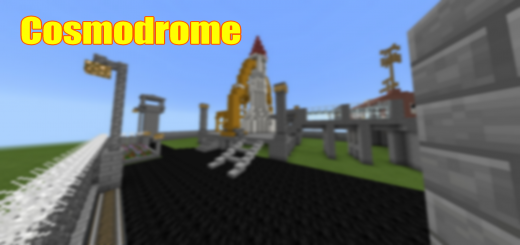
The Cosmodrome is a map on which the Cosmodrome is built. This can help you complete the world in city maps. This map has a small spaceport on which there is a rocket. You can use this structure to build cities. The spaceport is small but built in great detail. You can also survive in the tower as in the house.Gallery:Landing pad. Rockets are usually launched from here. Control center. From here they control the launch of the rocket. Fence with security towers. It protects the territory from the intrusion of illegals. Check point with the inscription. People are checked here for illegal things. Transition to landing. Astronauts pass through it to get into the rocket. Survival in the tower. It is possible to survive here. Good construction.
 .mcworld
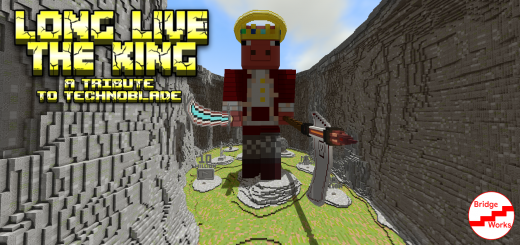
Long Live The King [Technoblade Statue Tribute] (Creation)
As he was an icon to all of us, I created this statue as tribute to the man who made me want to do content creation in the first place, that touched the hearts and lives of many people. This statue is made in remembrance of Alex, aka Technoblade, the King of MinecraftEach of the little stone platforms has a trophy based around something he accomplished in his life, From getting world records, to beating Minecraft hardcore with a steering wheel.Feel free to share this map with others, This map is for everyone to enjoy. Let me know what you think down below! Everything was custom built either by hand or thru command blocks.This map took me roughly 8 hours and a bunch of command blocks to complete, and is a tribute to the KingThis map features trophies of various achievements of his, custom terrain, a fully 5 block:1 Pixel scale model of Technoblade's skin, holding the Kings Sword and the Reapers Scythe (Meant to signify his PvP skill and his Potato War)I consider this the largest technoblade statue probably ever in Minecraft, as it stands almost 165 blocks tall, and almost 50 blocks long (with the sword and scythe included) This statue is MASSIVE, as the title of the stream does say