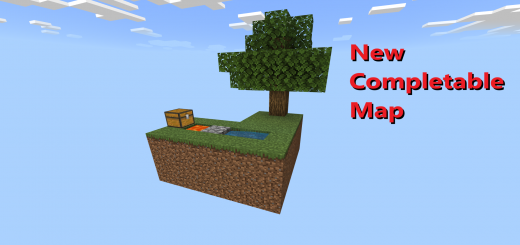
Pack Specifications
| Category | Maps → MCTEMPLATE |
|---|---|
| File Format | .MCWORLD |
| Supported Devices | iPhone, iPad (iOS), Android, Windows 10/11 |
| Minecraft Version | Bedrock / Pocket Edition 1.20 – 1.21+ |
How to Install VesperUnicorn57´s Custom Skyblock
- Download the .MCWORLD map archive to your iOS Files app, Android Downloads, or Windows PC.
- Tap or double-click the
.mcworldfile and select Open in Minecraft. - Minecraft will automatically import the world — find it inside your Play → Worlds list.
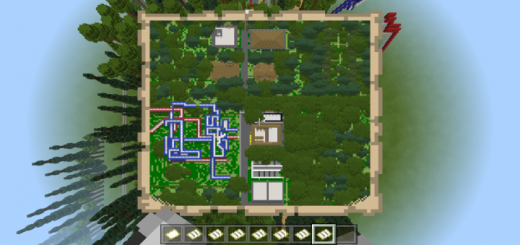
VesperUnicorn57´s Custom Skyblock
Ready for iPhone, iPad, Android & Windows Bedrock. Instant direct download + unlimited access to our AI Skin & Addon Studio.
Customize Similar in AI Studio- Verified .MCWORLD direct file download
- Unlock every mod, skin, map & AI generator
- 3-day free trial · Cancel anytime in 1 click
Frequently Asked Questions
Is VesperUnicorn57´s Custom Skyblock compatible with iPhone, iPad, and Android MCPE?
Yes. VesperUnicorn57´s Custom Skyblock is packaged in .MCWORLD format for Minecraft Bedrock / Pocket Edition across iOS (iPhone & iPad), Android, and Windows 10/11.
How do I install VesperUnicorn57´s Custom Skyblock in Minecraft?
Download the .MCWORLD file, tap it in Files (iOS) or Downloads (Android), choose Open in Minecraft, and enable the pack in your World Settings.
Can I customize VesperUnicorn57´s Custom Skyblock or create similar designs?
Yes. Use our AI Skin & Addon Studio to generate matching custom skins, bosses, or weapons inspired by VesperUnicorn57´s Custom Skyblock in seconds.
More MCTEMPLATE Maps
View all →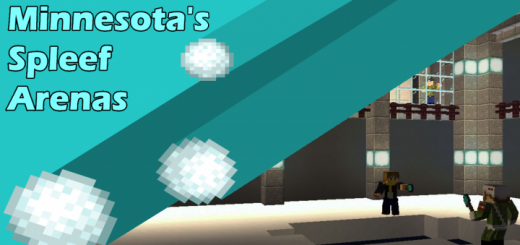 .mctemplate
Minnesota's Spleef Arenas (2-4 Player)
In the mood to play some Spleef with a space theme? Well here is the map you're looking for! This map has 3 different arenas that are chosen randomly when you start a game of Spleef! CreditFuniverse Minnesota / MinnesotaMarine: Map Creator and Designer / Texture CreatorSir Chaton: Redstone & Command Builder / Spleef Arena 2 BuilderKickbuttcam: Shuttle Builder / Build HelperThe MapSpawn4 RoomsInfo Room: CreditAirlock: Gives you access to a shuttle to exploreTransporter: SpawnpointDrop Pods: Player ready-up areaThe Arenas (2-4 Players)Spleef Arena 1: The classic square shaped arena.Spleef Arena 2: A circular shaped arena.Spleef Arena 3: A square shaped arena with 4 walls dividing the center area.
 .mctemplate
Void Template
Just void, and a block of grass, perfect to do experiments with explosions, commands, and a lot more that I can't think right now but you'll find a good use
 .mctemplate
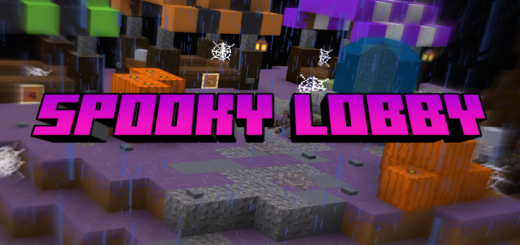
Spooky Lobby
A spooky lobby made by Endercraft Studios for the Endercraft Spooky Realm Update. A great map for setting up a Creepy/Halloween themed Server or Realm! Features many islands with different purposes! This is a Lobby Map only no Minigames, or Features are included, it’s meant as a Template for people to set up their own Servers/Realms! Credit to the Bare Bones Texture Pack being used in the Above Images.
 .mcworld
Modern Estates
Modern Estates is a massive W.I.P. map that my sister and I have been developing for months. So far there are about 50+ houses, a couple of apartments and townhouses, two cities with city centers, several strip malls, a multitude of stores, rollercoasters, name-brand fast-food restaurants, theaters, and much more. Modern Estates is a massive W.I.P city that has a multitude of attractions such as 50+ heavily detailed houses of all types, apartments, townhouses, city centers with lots of places to theoretically "go shopping" at, rollercoasters, name-brand fast-food restaurants, cafes and restaurants, schools, and much more. It is important to know that this is NOT A COMPLETE WORLD so there is tons of room for my sister and me to improve and add on to it. We aren't the most experienced builders so please give us patience while we improve on our building skills. Updates should come a couple of times a month if possible.