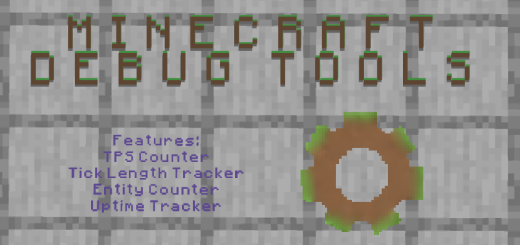
Pack Specifications
| Category | Mods → Scripts |
|---|---|
| File Format | .MCPACK |
| Supported Devices | iPhone, iPad (iOS), Android, Windows 10/11 |
| Minecraft Version | Bedrock / Pocket Edition 1.20 – 1.21+ |
How to Install Debug Tools - QOL Additions
- Download the .MCPACK pack file directly onto your iPhone, iPad, Android, or Windows device.
- Tap the downloaded file and choose Open in Minecraft (on iOS, use the built-in Files app).
- Create or edit a world and activate both the Behavior Pack and Resource Pack in World Settings.
Debug Tools - QOL Additions
Ready for iPhone, iPad, Android & Windows Bedrock. Instant direct download + unlimited access to our AI Skin & Addon Studio.
Customize Similar in AI Studio- Verified .MCPACK direct file download
- Unlock every mod, skin, map & AI generator
- 3-day free trial · Cancel anytime in 1 click
Frequently Asked Questions
Is Debug Tools - QOL Additions compatible with iPhone, iPad, and Android MCPE?
Yes. Debug Tools - QOL Additions is packaged in .MCPACK format for Minecraft Bedrock / Pocket Edition across iOS (iPhone & iPad), Android, and Windows 10/11.
How do I install Debug Tools - QOL Additions in Minecraft?
Download the .MCPACK file, tap it in Files (iOS) or Downloads (Android), choose Open in Minecraft, and enable the pack in your World Settings.
Can I customize Debug Tools - QOL Additions or create similar designs?
Yes. Use our AI Skin & Addon Studio to generate matching custom skins, bosses, or weapons inspired by Debug Tools - QOL Additions in seconds.
More Scripts Mods
View all →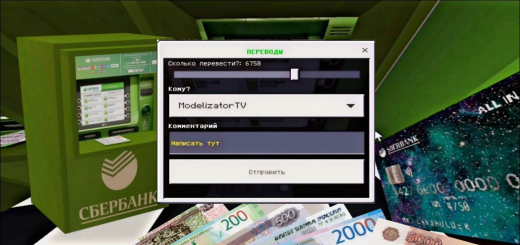 .mcaddon
Addon for ATM Money
An ATM is an electronic telecommunications device that allows children to carry out financial transactions, such as cash withdrawals, deposits, money transfers, balance requests or account information, at any time and without the need for direct involvement with bank employees.I created an addon for an ATM, the program of which was written in scripts.There are also banknotes in fashion, so far only Russian, but soon there will be dollars, euros and so on.There is also a special card with the help of which you need to interact with an ATM.The ATM has the main functions:1) PUT2) TRANSLATE3) CASH OUTAs I have already said, in order to start interacting with an ATM, you need to hold a card in your hands, the "Menu" button will come out when you press the button, a window will appear in which there will be functions that I have listed.
 .mcaddon
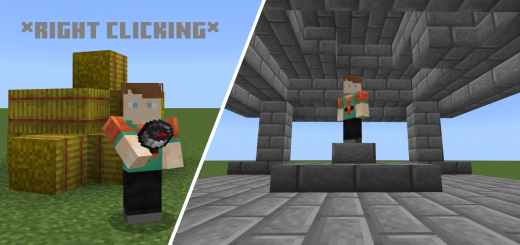
[1.19.40] Run Command on Item Use
With RCoTu (Run Command on Item use) you can run ANY Command if a Player use (right click/hold down/...) a specific Item.Example:If a Player uses a Compass then the Player is teleported to the Spawn.With RCoTu (Run Command on Item use) you can run ANY Command if a Player use (right click/hold down/...) a specific Item. It works also with Items from other Addons.How it works:For example if you want to teleport someone who used a compass, you just need to do one of this Commands:tp @a[tag="itemUse:minecraft:compass"] 0 0 0tp @a[tag="itemUse:minecraft:compass", tag="itemUseName:Spawn"] 0 0 0tp @a[tag="itemUseOn:minecraft:compass"] 0 0 0tp @a[tag="itemUseOn:minecraft:compass", tag="itemUseName:Spawn"] 0 0 0NOTE:You need to activate Beta API in the Experimental Settings!
 .mcaddon
StarBridge
This addon allows you to connect your Minecraft bedrock edition dedicated server's chat to one of the channels in your discord server(hence the "Bridge") and it does this without needing any external server or any modifications to the server software itself!• This addon can only be used on a Bedrock Dedicated Server or BDS in short so you definitely need one of those.• You need to have "Beta APIs" experiment enabled to use this addon.
 .mcpack
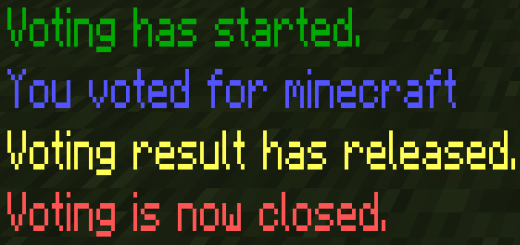
Vote Addon - 投票アドオン
日本語説明は下にあります。This addon enable us to correct players opinion and make your server more comfortable, but it is using JavaScript and you should turn on the "BetaAPI" and you can't apply on Server and Realms.First of all, you have to add "admin" tag to you to manage voting.This addon adds some "!" command. Description of each commands are below.!vote startYou can use "!vote start" command to setup voting. "!v start" is same command.!vote stopYou can use "!vote stop" command tostop voting and open result. "!v stop" is same command.!vote finYou can use "!vote fin" command to finish voting. "!v fin" is same command.!vote to <player name>You can use "!vote to <player name>" command to vote for another player. "!v to" is same command.