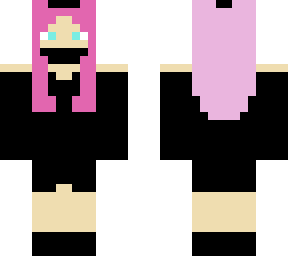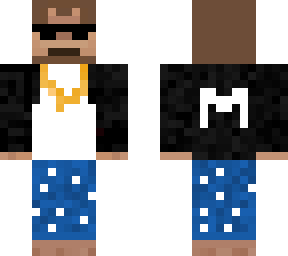
Girls:Driped Out Gangster Monke
Pack Specifications
| Category | Skins → Girls |
|---|---|
| File Format | .PNG |
| Supported Devices | iPhone, iPad (iOS), Android, Windows 10/11 |
| Minecraft Version | Bedrock / Pocket Edition 1.20 – 1.21+ |
How to Install Driped Out Gangster Monke
- Download the .PNG skin file directly from this page to your iPhone, iPad, Android, or PC.
- Open Minecraft Bedrock / Pocket Edition and go to Dressing Room → Classic Skins.
- Tap Choose New Skin and select the downloaded
.pngimage from Photos or Files.
Skins · Girls
.PNG
Driped Out Gangster Monke
Ready for iPhone, iPad, Android & Windows Bedrock. Instant direct download + unlimited access to our AI Skin & Addon Studio.
Customize Similar in AI Studio- Verified .PNG direct file download
- Unlock every mod, skin, map & AI generator
- 3-day free trial · Cancel anytime in 1 click
Frequently Asked Questions
Is Driped Out Gangster Monke compatible with iPhone, iPad, and Android MCPE?
Yes. Driped Out Gangster Monke is packaged in .PNG format for Minecraft Bedrock / Pocket Edition across iOS (iPhone & iPad), Android, and Windows 10/11.
How do I install Driped Out Gangster Monke in Minecraft?
Download the .PNG file, open Minecraft -> Dressing Room -> Classic Skins -> Choose New Skin, and pick the downloaded file.
Can I customize Driped Out Gangster Monke or create similar designs?
Yes. Use our AI Skin & Addon Studio to generate matching custom skins, bosses, or weapons inspired by Driped Out Gangster Monke in seconds.