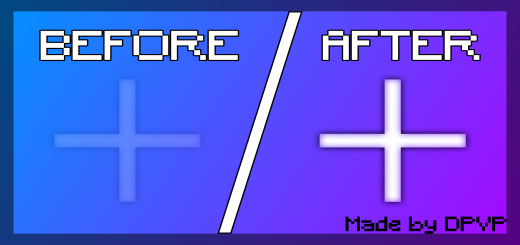
Pack Specifications
| Category | Textures → 128x128 |
|---|---|
| File Format | .MCPACK |
| Supported Devices | iPhone, iPad (iOS), Android, Windows 10/11 |
| Minecraft Version | Bedrock / Pocket Edition 1.20 – 1.21+ |
How to Install Crosshair+ (Fully visible Crosshair)
- Download the .MCPACK pack file directly onto your iPhone, iPad, Android, or Windows device.
- Tap the downloaded file and choose Open in Minecraft (on iOS, use the built-in Files app).
- Create or edit a world and activate both the Behavior Pack and Resource Pack in World Settings.
Crosshair+ (Fully visible Crosshair)
Ready for iPhone, iPad, Android & Windows Bedrock. Instant direct download + unlimited access to our AI Skin & Addon Studio.
Customize Similar in AI Studio- Verified .MCPACK direct file download
- Unlock every mod, skin, map & AI generator
- 3-day free trial · Cancel anytime in 1 click
Frequently Asked Questions
Is Crosshair+ (Fully visible Crosshair) compatible with iPhone, iPad, and Android MCPE?
Yes. Crosshair+ (Fully visible Crosshair) is packaged in .MCPACK format for Minecraft Bedrock / Pocket Edition across iOS (iPhone & iPad), Android, and Windows 10/11.
How do I install Crosshair+ (Fully visible Crosshair) in Minecraft?
Download the .MCPACK file, tap it in Files (iOS) or Downloads (Android), choose Open in Minecraft, and enable the pack in your World Settings.
Can I customize Crosshair+ (Fully visible Crosshair) or create similar designs?
Yes. Use our AI Skin & Addon Studio to generate matching custom skins, bosses, or weapons inspired by Crosshair+ (Fully visible Crosshair) in seconds.
More 128x128 Textures
View all →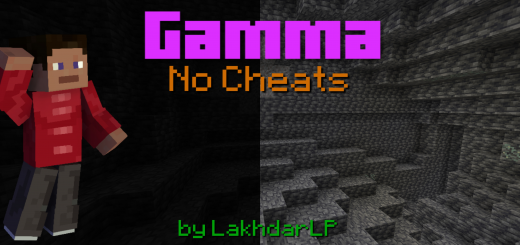 .mcpack
Gamma Brightness (Night Vision Texture Pack)
Light is needed in every Minecraft world. That's obvious, because you have to see the mobs and the blocks. But sometimes, you don't have the time for placing torches or building lanterns. No problem. Just download this Resource Pack and you will never unsee diamonds in caves or ancient debris in the nether.Gamma BrightnessMore light = More fun!This texture pack makes your world a little bit brighter, so you can see better in caves or at night. You can use the texture pack on servers an realms!This pack is compatible with Render Dragon! You can use this texture pack with Minecraft Version 1.19 or higher. If this pack doesn't work, open Minecraft's settings and try to raise your Hud Opacity and your Game Brightness.
 .mcpack
SniperGlass
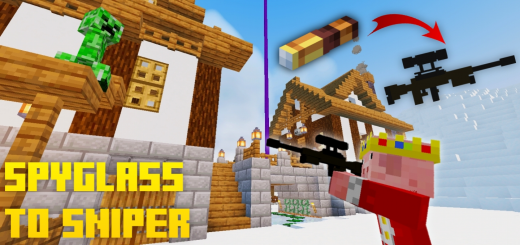
Have you just updated to the latest version of minecraft 1.17 and would like to test the spyglass? It's components are the ability to help the player zoom in at a point from a far away distance. This pack turns the spyglass into a sniper model!As you can see, the spyglass model has been changed to a 3D sniper model you can see from first person and third person perspective. Zooming in by right clicking (or long pressing on mobile), you will see the scope overlay has also been changed into a sniper rifle scope. The gun is placed on your right hand, with the left hand supporting it. Since this is a resource pack, this is compatible for mutiplayer assuming the server you join has spyglasses to give. Of course, only you will see it as a sniper but not others.
 .mcpack
EDBE Shader 1.7
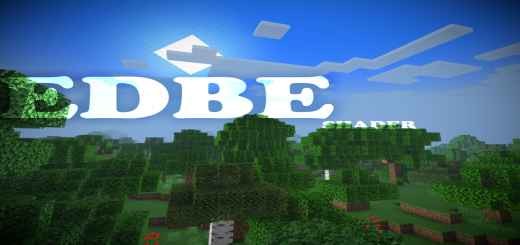
EDBE Shader is a shader that enhances your default Minecraft look. This shader has many features but it's vanilla+ theme. It has Enhanced vanilla clouds, Enhanced lighting, Glowing ores, Waving leaves and water. This shader works on Android, IOS, and win10 users. But sadly, it doesn't work on renderdragon. This shader is also lightweight and easy to run on low-end devices. NOTE:The mobile Version might look different from the screenshots you'll see because I'm not good at glsl coding, only hlsl. Supported DevicesAndroidIOSWindows10Btw this shader does'nt work on renderdragon Features :Enhanced coloring/lightingEnhanced cloudsGlowing oresWater waveUnderwater waveEnhanced fog Option:You can turn off glowing ores if you want to because it can glitch on some texture packs
 .mcpack
LiNet Vanilla 1.19 v.1.0 Official By Kenetavo
Linet Vanilla 1.19 is a Semi 3D texture that simulates the RTX look of Windows 10. This simple texture pack will give a beautiful look to your worlds.In this version you have the support of the AtNet shader, it adds more color to the worlds as well as the color of the water. Those are the main caveats, now if you can see everything LiNet 1.19 brings. In this NEW version of LiNet, new textures were added and some textures that did not match the main concept of LiNet were mainly corrected.