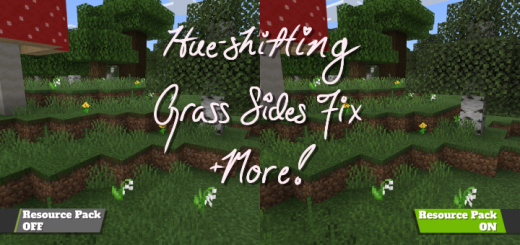
Pack Specifications
| Category | Textures → 16x16 |
|---|---|
| File Format | .MCPACK |
| Supported Devices | iPhone, iPad (iOS), Android, Windows 10/11 |
| Minecraft Version | Bedrock / Pocket Edition 1.20 – 1.21+ |
How to Install Slightly Better Foliage Colors
- Download the .MCPACK pack file directly onto your iPhone, iPad, Android, or Windows device.
- Tap the downloaded file and choose Open in Minecraft (on iOS, use the built-in Files app).
- Create or edit a world and activate both the Behavior Pack and Resource Pack in World Settings.
Slightly Better Foliage Colors
Ready for iPhone, iPad, Android & Windows Bedrock. Instant direct download + unlimited access to our AI Skin & Addon Studio.
Customize Similar in AI Studio- Verified .MCPACK direct file download
- Unlock every mod, skin, map & AI generator
- 3-day free trial · Cancel anytime in 1 click
Frequently Asked Questions
Is Slightly Better Foliage Colors compatible with iPhone, iPad, and Android MCPE?
Yes. Slightly Better Foliage Colors is packaged in .MCPACK format for Minecraft Bedrock / Pocket Edition across iOS (iPhone & iPad), Android, and Windows 10/11.
How do I install Slightly Better Foliage Colors in Minecraft?
Download the .MCPACK file, tap it in Files (iOS) or Downloads (Android), choose Open in Minecraft, and enable the pack in your World Settings.
Can I customize Slightly Better Foliage Colors or create similar designs?
Yes. Use our AI Skin & Addon Studio to generate matching custom skins, bosses, or weapons inspired by Slightly Better Foliage Colors in seconds.
More 16x16 Textures
View all →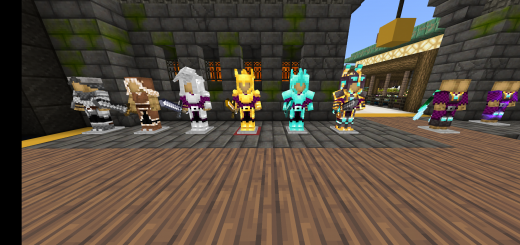 .mcpack
Fantasy Knight 3D Armor and Helmets!
A 3D armor & helmets texture pack!This Texture pack makes every piece of armor and helmet 3D! Give Minecraft a breath of fresh air with this new 3D pack! Changes every piece of armor (helmet, chestplate, leggings and boots) with a unique 3d design for each one.This also includes netherite tools with matching colors for the armor pieces.
 .mcpack
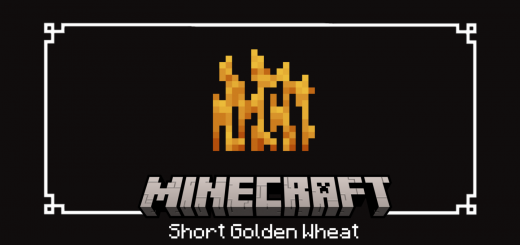
Short Golden Wheat
Hello, and welcome to another pack that I ported! This pack, named "Short Golden Wheat," was originally created by PixalThePIxeled for Java Edition and was ported by me to Bedrock Edition. This pack changes the hayblock, wheat item, and wheat's last growth stage to have a golden texture.
 .mcpack
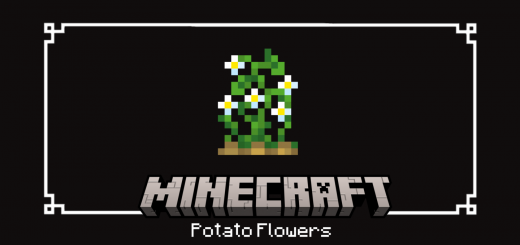
Potato Flowers
Hello, and welcome to another pack that I made! This pack, named "Potato Flowers," was originally created by PixalThePIxeled for Java Edition and was ported by me to Bedrock Edition. This texture pack changes the last stage of potato growth to have flowers, adding more realism and making it less similar to the carrot plant.
 .mcpack
Colorblind Compensation
What is Colorblind Compensation?Colorblind Compensation makes certain items and blocks that are hard to distinguish between for people with colorblindness (such as ores) more distinguishable by either changing the color or in certain instances changing the texture completelyVanilla