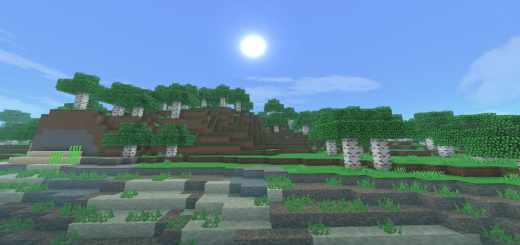
Pack Specifications
| Category | Textures → 32x32 |
|---|---|
| File Format | .MCPACK |
| Supported Devices | iPhone, iPad (iOS), Android, Windows 10/11 |
| Minecraft Version | Bedrock / Pocket Edition 1.20 – 1.21+ |
How to Install Yummysheep Shader (New Updates!)
- Download the .MCPACK pack file directly onto your iPhone, iPad, Android, or Windows device.
- Tap the downloaded file and choose Open in Minecraft (on iOS, use the built-in Files app).
- Create or edit a world and activate both the Behavior Pack and Resource Pack in World Settings.
Yummysheep Shader (New Updates!)
Ready for iPhone, iPad, Android & Windows Bedrock. Instant direct download + unlimited access to our AI Skin & Addon Studio.
Customize Similar in AI Studio- Verified .MCPACK direct file download
- Unlock every mod, skin, map & AI generator
- 3-day free trial · Cancel anytime in 1 click
Frequently Asked Questions
Is Yummysheep Shader (New Updates!) compatible with iPhone, iPad, and Android MCPE?
Yes. Yummysheep Shader (New Updates!) is packaged in .MCPACK format for Minecraft Bedrock / Pocket Edition across iOS (iPhone & iPad), Android, and Windows 10/11.
How do I install Yummysheep Shader (New Updates!) in Minecraft?
Download the .MCPACK file, tap it in Files (iOS) or Downloads (Android), choose Open in Minecraft, and enable the pack in your World Settings.
Can I customize Yummysheep Shader (New Updates!) or create similar designs?
Yes. Use our AI Skin & Addon Studio to generate matching custom skins, bosses, or weapons inspired by Yummysheep Shader (New Updates!) in seconds.
More 32x32 Textures
View all →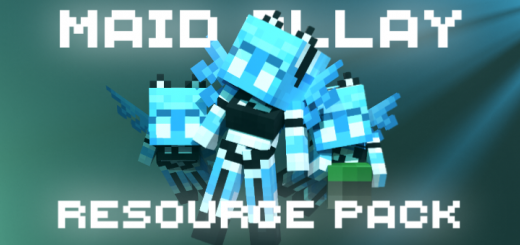 .mcpack
Maid Allay
Probably you are already tired of the old image of Allay, so I present a small resource pack that changes the texture, model and animations of Allay, turning him into a maid with cute cat ears :3If you, like me, are already tired of the old image of Allay, then I think you might like this resource pack.
 .mcpack
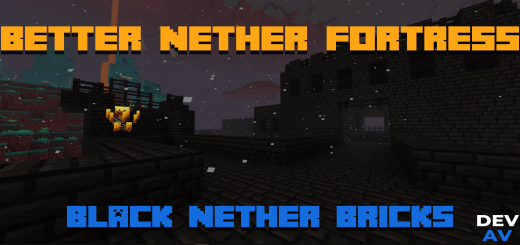
Better Nether Fortress (Black Nether Bricks)
Better Nether Fortress is a texture pack that updates all Nether Bricks to a new texture to give a touch of fresh air to the nether when finding a Nether Fortress.A texture pack or addon as you like to tell where the color is changed from that reddish to a black or dark color for a facelift to the Nether Fortress and so change the Nether now you can see an attenuation and later so you can see how it looks :)This Texture Pack is tested on Android and iOS phones also on Windows 10 and 11 and because of how Minecraft Bedrock works it should work on all versions of the on different platforms it works with all addons and texture packs you don't need to activate the experimental features.
 .mcpack
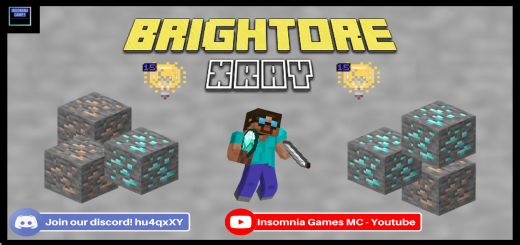
Brightore X-Ray | See Everything
Brightore X-Ray is specially designed to work without night vision. All ore textures now emit a brightness level of 15 that makes them easy to see, giving you an edge over other X-Ray texture packs. How does Brightore work?Brightore manipulates how objects are rendered in Minecraft. Remember how blocks like ice, lava, and lanterns can be seen regardless of light level? Well, that's because they are light emitters. In a nutshell, Brightore modifies the textures of each ore block to emit a light level. Using client-side JS, this can be done. Of course, we're not going to tell you how we do that. Are there any conditions? Yes. Even though these ores emit light, they can break if you have any of the following:An operating system that isn't windows 10Any hack clients installed, (it overwrites the client code) Smooth lighting enabled (it must be disabled) Every time there's a Minecraft update (code must be updated to the new version)There cannot be any other texture packs enabledIt's based on your chunk-rendering distance (max is 12, in the image it's 4) How can I know if this works?Well, dear reader, look for yourself. Some blocks may appear to be dark, that's because they are out of your loading distance and don't emit light. (The game assumes they are behind enough blocks and there's no point in making it bright anymore)It's guaranteed to work in the nether because the ambient light level is high.
 .mcpack
Bamboo Raft
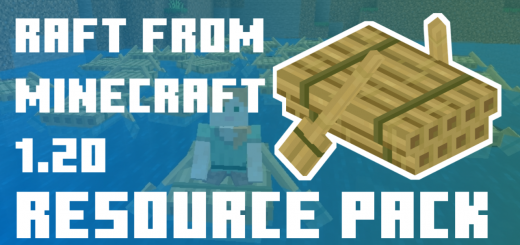
Recently passed Minecraft Live, which showed several innovations. I decided to add one of them as a resource pack for Minecraft Bedrock. You can swim on a bamboo raft now!This resource pack replaces the texture and model of an ordinary boat with a bamboo raft from the upcoming update 1.20.The raft itself does not look usual for Minecraft, but at the same time it is very beautiful as for me.