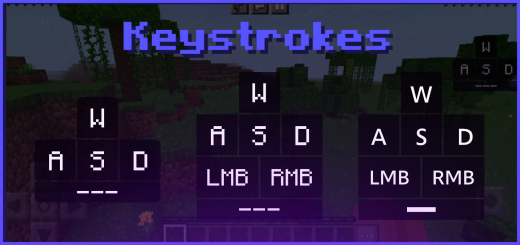
Pack Specifications
| Category | Textures → 64x64 |
|---|---|
| File Format | .MCPACK |
| Supported Devices | iPhone, iPad (iOS), Android, Windows 10/11 |
| Minecraft Version | Bedrock / Pocket Edition 1.20 – 1.21+ |
How to Install Keystrokes v2 (Many Styles - Feather, Salwyrr and Lunar Client)
- Download the .MCPACK pack file directly onto your iPhone, iPad, Android, or Windows device.
- Tap the downloaded file and choose Open in Minecraft (on iOS, use the built-in Files app).
- Create or edit a world and activate both the Behavior Pack and Resource Pack in World Settings.
Keystrokes v2 (Many Styles - Feather, Salwyrr and Lunar Client)
Ready for iPhone, iPad, Android & Windows Bedrock. Instant direct download + unlimited access to our AI Skin & Addon Studio.
Customize Similar in AI Studio- Verified .MCPACK direct file download
- Unlock every mod, skin, map & AI generator
- 3-day free trial · Cancel anytime in 1 click
Frequently Asked Questions
Is Keystrokes v2 (Many Styles - Feather, Salwyrr and Lunar Client) compatible with iPhone, iPad, and Android MCPE?
Yes. Keystrokes v2 (Many Styles - Feather, Salwyrr and Lunar Client) is packaged in .MCPACK format for Minecraft Bedrock / Pocket Edition across iOS (iPhone & iPad), Android, and Windows 10/11.
How do I install Keystrokes v2 (Many Styles - Feather, Salwyrr and Lunar Client) in Minecraft?
Download the .MCPACK file, tap it in Files (iOS) or Downloads (Android), choose Open in Minecraft, and enable the pack in your World Settings.
Can I customize Keystrokes v2 (Many Styles - Feather, Salwyrr and Lunar Client) or create similar designs?
Yes. Use our AI Skin & Addon Studio to generate matching custom skins, bosses, or weapons inspired by Keystrokes v2 (Many Styles - Feather, Salwyrr and Lunar Client) in seconds.
More 64x64 Textures
View all →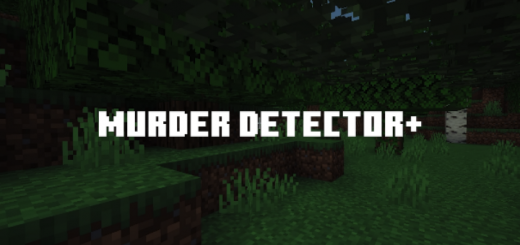 .mcpack
Murder Detector+
Murder Detector+ is texture pack which finds murderers and sheriffs by rendering icons above their head. This pack is dedicated to Murder Mystery server games and its not recommended because you could be banned for unfair advantage.
 .mcpack
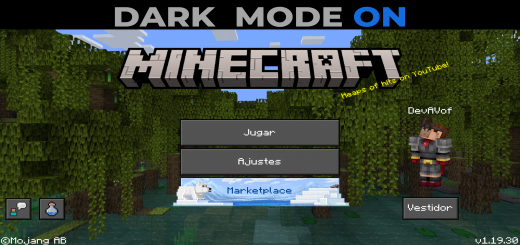
Dark Mode Minecraft UI
The dark mode for Minecraft bedrock is missing a dark mode for the game, whether you like to have all the apps or programs in dark mode or at night, you don't want the Minecraft interface to burn your eyes, you whichever this texture pack or addon you will like.Dark mode awaits youEverything absolutely everything is in dark modeThis Texture Pack is tested on Android and iOS phones also on Windows 10 and 11 and because of how Minecraft Bedrock works it should work on all versions of the on different platforms it works with all addons and texture packs you don't need to activate the experimental features.
 .mcpack
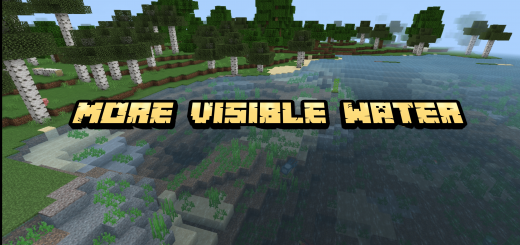
More Visible Water
The opaque water sometimes makes it difficult for us to look for one inside it, this package will make the water a little clearer to see better when we sail in our boat or fly across.Clearer than before, you can see everything that was previously difficult to see.
 .mcpack
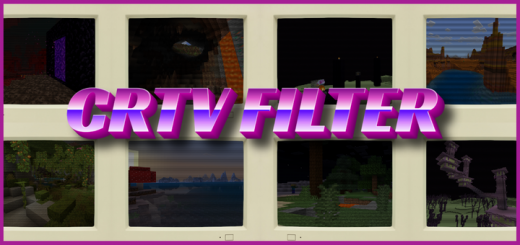
CRTV FILTERS [filtered screen resource pack]
Don't you wish Minecraft felt more classic, felt more 90s. Well with this texture pack you can. when playing, you will have a scanlines on your screen, feeling like an old tv. this pack can makes caves darker, everyone a little blurry, and give the game a little nostalgia for those older folks.This texture pack will work in realms and multiplayer. Additionally it has been tested on both phones and pc but not consoles. This texture pack dose not change any textures, all it dose is just add an overlay over your screen. It is a simple resource pack but can be a really fun experience to look around your world and see what it would have looked like from a old crtv. this can also work on servers such as the hive and mineplex. There isn't really much more to say about this resource pack other than what i will show you below, go have fun.