Pack Specifications
| Category | Textures → SHADERS |
|---|---|
| File Format | .MCPACK |
| Supported Devices | iPhone, iPad (iOS), Android, Windows 10/11 |
| Minecraft Version | Bedrock / Pocket Edition 1.20 – 1.21+ |
How to Install 1.12 UI
- Download the .MCPACK pack file directly onto your iPhone, iPad, Android, or Windows device.
- Tap the downloaded file and choose Open in Minecraft (on iOS, use the built-in Files app).
- Create or edit a world and activate both the Behavior Pack and Resource Pack in World Settings.
1.12 UI
Ready for iPhone, iPad, Android & Windows Bedrock. Instant direct download + unlimited access to our AI Skin & Addon Studio.
Customize Similar in AI Studio- Verified .MCPACK direct file download
- Unlock every mod, skin, map & AI generator
- 3-day free trial · Cancel anytime in 1 click
Frequently Asked Questions
Is 1.12 UI compatible with iPhone, iPad, and Android MCPE?
Yes. 1.12 UI is packaged in .MCPACK format for Minecraft Bedrock / Pocket Edition across iOS (iPhone & iPad), Android, and Windows 10/11.
How do I install 1.12 UI in Minecraft?
Download the .MCPACK file, tap it in Files (iOS) or Downloads (Android), choose Open in Minecraft, and enable the pack in your World Settings.
Can I customize 1.12 UI or create similar designs?
Yes. Use our AI Skin & Addon Studio to generate matching custom skins, bosses, or weapons inspired by 1.12 UI in seconds.
More SHADERS Textures
View all →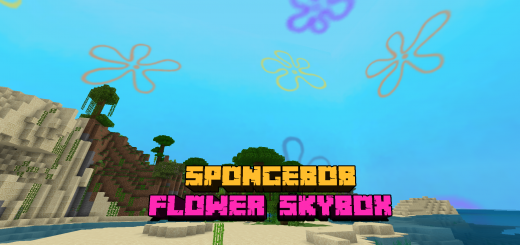 .mcpack
Spongebob: Flower SkyBox TexturePack
This TexturePack will replace the Minecraft sky with the flowery sky as seen in the SpongeBob animated series to give you a new atmosphere in the game and make it look like you are in a bikini bottom.TexturePack created by ArathNido (Twitter) (Youtube)You can install the TexturePack from the start menu or add it to your Minecraft world, it is important that you remove the clouds from Minecraft Vanilla to make the flowers more visible.
 .mcpack
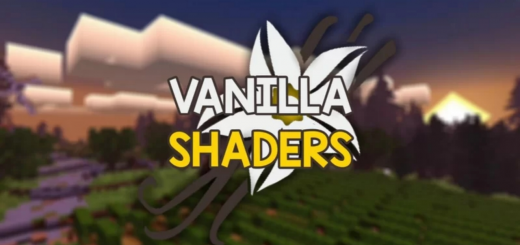
Vanilla Shaders
Vanilla Shaders the default graphics with changes and lightness combined with hot and cold themes.Shaders MCPE 1.17 - 1.18 for Android & iOS.NOTE: This shaders does not support Win10.FEATURES:- World Color- Smooth Shadow- Leaves Color- Waving Plant,Water and Unwater- Simple Wet Effect- Fog- Water Color- Sky Color- Stars Color- Cloud 3D- Simple Sun Reflection On Water- Overworld Color- Underwater- Sun & Moon Rotate- Simple Water Wave- Banner Color- Entity Color
 .mcpack
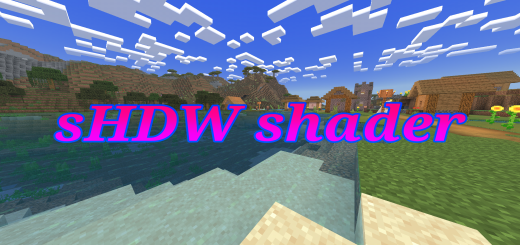
sHDW Shader
English:Are you looking for a simple but beautiful and smooth shader? I created this shader just for that, it has soft orange lighting, and colors a little more saturated. You can also easily see inside the caves, I hope you enjoy!------------------------------------------------Português:Está procurando por uma shader simples mas bonita e suave? Eu criei essa shader justamente para isso, com uma iluminação alaranjada suave e cores um pouco mais saturadas. Você também pode enxergar facilmente dentro das cavernas, espero que gostem! Features:English:-simple and lite-Smooth shadow-more saturated colors-Soft lighting-Glow ores-Small changes in the sun, moon and clouds-Transparent water surface-good visibility underwater -Beautiful sky color-Better visibility at night and in caves-ores also glow when held in hand-glass is 25% more transparent-small fog------------------------------------------------Português:-simples e leve-sombra suave-cores mais saturadas-iluminação suave-minérios brilhantes-pequenas mudanças no sol, lua e nuvens-superfície da água transparente-boa visibilidade dentro da água-cor do céu bonita-melhor visibilidade na noite e em cavernas-minérios também brilham quando estão sendo segurados-vidros estão 25% mais transparentes -pequena neblina
 .mcpack
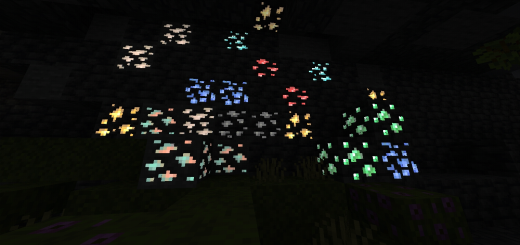
New Glowing Ore MCPE v2
Are you having trouble finding ore in the dark? This Texture Pack will make it easier for you to find ore in a dark place, with the glowing ore feature you can clearly see any ore in a dark place Glowing ore texture list OVERWORLDDeepslate iron & iron oreDeepslate diamond & diamond oreDeepslate redstone & redstone oreDeepslate gold & gold oreDeepslate emerald & emerald oreDeepslate lazuli & lazuli oreDeepslate coal & coal ore Deepslate copper & copper ore NETHERCrimson fungus Weeping vines 『New』Warped stem 『New』Crimson stem 『New』Quartz oreNether gold oreAncient debris