Best Mods for Minecraft PE & Bedrock
Browse and download Mods for Minecraft Pocket Edition & Bedrock on iOS, Android, and PC, or customize with MCPE Studio.
 .modpkg
RPG Damage Indicator Minecraft PE Bedrock Mod 1.11, 1.10
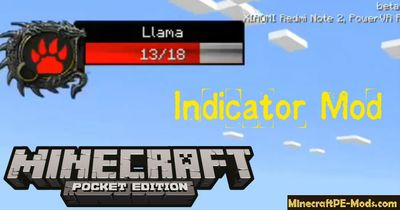
Always wondered how many lives remain in the mob? RPG Indicator Android Minecraft PE Mod will turn your dreams into reality. Now you will choose the Indicator from WoW, Diablo, PoE and other RPG games.How to Use?To start, you need to select in settings one of the 4 designs for the indicator. Next, find or spawn any mob and apply damage. Just enough to place the crosshair on the mob and you will be immediately shown his stock of lives and a beautiful display.If you don't like the text version, which is installed on most servers, then the graphics option would be a great replacement. As you might guess, the mod works on multiplayer servers Minecraft PE.Install RPG Damage Indicator modDownload a modStart BlockLauncher ProClick on the wrench keyGo to "ModPE Script"Enable mods and click "Add"Now you need to find the downloaded mod in the file system of your device and click on itMod installed, enjoy the game!
 .modpkg
Dungeon Structures Minecraft PE Mod 1.11.0.3, 1.10.0.4, 1.9.0
Real fans of dungeons in Minecraft PE will be able to appreciate Dungeon Structures Pack mod, because it collected most of the buildings available in the game world.How does it Work?As you know, some buildings in Minecraft PE can be built only in certain biomes, so do not be surprised that the model includes so many different landscapes. Each dungeon is randomly generated and protected by the mobs, so to start adventures without good armor is a bad idea.Dungeon Structures Minecraft PE Mod 1.11.0.3, 1.10.0.4, 1.9.0SettingsNow a little about the settings. Some buildings appear in the game too often, you can disable them spawn in the mod options. Unfortunately, it only works with the Android version, you also have to install BlockLauncher if you do not already have it.Dungeon Structures Minecraft PE Mod 1.11.0.3, 1.10.0.4, 1.9.0How to install Dungeon StructuresAddons for BlockLauncher Pro - these mods are more progressive scripts that have ".Zip", ".JS" and ".Modpkg" extension. It also has full integration with all the functionality up to Minecraft PE 1.12.2 version (Temporarily). Mainly used Java features for iOS and Android.To get started, you will need BlockLauncher, which is an application for Android or iOS. Please note that the application version may have functionality for an incompatible Java version inside the game. For each version of the game, a separate BlockLauncher application was developed.Download and install BlockLauncher Pro apk, then use FX File Explorer, ES File Explorer or other file managers to find the apk file in the Downloads folder.After installation, use Blocklauncher Pro to launch the game.After starting the game, you should see the wrench icon at the top of the screen. It also serves as a guideline that you did everything right.Click on "Startup Options".Next, scroll down the list and click on "Manage Scripts".In this menu, you can manage the installed scripts and import them. Here you can also specify the path to the downloaded script.It is worth noting that some modifications have both script and texture packs. You will need to import this separately. In newer versions, BlockLauncher has a feature to recognize a folder with texture packs and a folder with scripts inside a zip archive, which slightly simplifies the import process.This has some pros but also cons because mods work for all single and multiplayer (which work on the client side) game worlds automatically. You can activate or deactivate this in the scripts settings menu.Launch one of the game worlds and check if everything is working correctly. It is also worth noting that this has an extremely low chance of conflict with other scripts, the exception is the same names of items or mobs.Done! Enjoy the new gameplay.
 .modpkg
Pocket Decoration Minecraft PE Mod 1.12.0, 1.11.1.2, 1.10.0
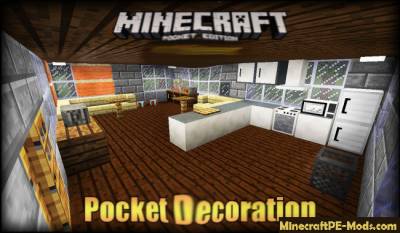
Mod Pocket Decoration adds more than twenty types of decorative items in Minecraft PE with which you will be able decorate every corner of your house and room unique decorations that will make your home more natural. For a full set of mod, there are 16 kinds of colorful stained glass, as well as 17 types of scenery.UPD: Added compatibility with 1.11 & 1.10.0.7 versions.Pocket Decoration adds kitchen furniture, laptop, TV, rug and more. All the decorative elements have a very pleasant texture, which gives comfort, when each thing is distributed according to the destinationHow to get decorative blocks?If you play in survival mode, you can enter the chat command /furnitures to get at once all the decorative elements. As you can all of these decorative items to make for yourself, with the help of crafting recipes (crafting recipes you can see below).If you're playing in creative mode, then you will find all the decorative elements in the inventory.Pocket Decoration Minecraft PE Mod 1.12.0, 1.11.1.2, 1.10.0Pocket Decoration Minecraft PE Mod 1.12.0, 1.11.1.2, 1.10.0The TV can be turned on with a lever or other Redstone mechanism.Pocket Decoration Minecraft PE Mod 1.12.0, 1.11.1.2, 1.10.0How to get colored glass?At the moment, there are not possible to independently develop a workbench in colored glass. Perhaps in the future, we will see the crafting recipes to create them. At the moment they can get in the inventory of creative mode, but if you play in survival mode, it is possible to get coloured glass you can put in the command prompt /furnitures.mod Pocket Decoration 0.14.0Pocket Decoration Minecraft PE Mod 1.12.0, 1.11.1.2, 1.10.0ID of colored glass:White stained glass (id - 223)Orange stained glass (id - 224)Magenta stained glass (id - 225)Blue stained glass (id - 226)Yellow stained glass (id - 227)Lime-color stained glass (id - 228)Pink stained glass (id - 229)Gray stained glass (id - 230)Light gray stained glass (id - 231)Blue stained glass (id - 232)Purple stained glass (id - 233)Blue stained glass (id - 234)Brown stained glass (id - 235)Green stained glass (id - 236)Red stained glass (id - 237)Black stained glass (id - 238)How to install Pocket DecorationAddons for BlockLauncher Pro - these mods are more progressive scripts that have ".Zip", ".JS" and ".Modpkg" extension. It also has full integration with all the functionality up to Minecraft PE 1.12.2 version (Temporarily). Mainly used Java features for iOS and Android.To get started, you will need BlockLauncher, which is an application for Android or iOS. Please note that the application version may have functionality for an incompatible Java version inside the game. For each version of the game, a separate BlockLauncher application was developed.Download and install BlockLauncher Pro apk, then use FX File Explorer, ES File Explorer or other file managers to find the apk file in the Downloads folder.After installation, use Blocklauncher Pro to launch the game.After starting the game, you should see the wrench icon at the top of the screen. It also serves as a guideline that you did everything right.Click on "Startup Options".Next, scroll down the list and click on "Manage Scripts".In this menu, you can manage the installed scripts and import them. Here you can also specify the path to the downloaded script.It is worth noting that some modifications have both script and texture packs. You will need to import this separately. In newer versions, BlockLauncher has a feature to recognize a folder with texture packs and a folder with scripts inside a zip archive, which slightly simplifies the import process.This has some pros but also cons because mods work for all single and multiplayer (which work on the client side) game worlds automatically. You can activate or deactivate this in the scripts settings menu.Launch one of the game worlds and check if everything is working correctly. It is also worth noting that this has an extremely low chance of conflict with other scripts, the exception is the same names of items or mobs.Done! Enjoy the new gameplay.
 .modpkg
Desno Guns - New 3D Guns Minecraft PE Mod 1.12.1.1, 1.12.0.28
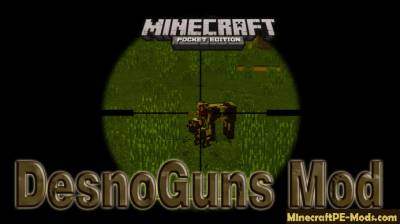
DesnoGuns mod adds in the world Minecraft Pocket Edition huge Arsenal of weapons of different types.With these arsenals of weapons can get a huge army base which is several dozen different types of weapons. DesnoGuns mod basically adds weapons, as weapons in the game more than 50 species, but also the modification adds in the world Minecraft PE a very cool military armor, Molotov Cocktails, grenades: regular and shrapnel, parachutes and lots of other very cool military buns.All weapons you can do yourself in survival mode, all crafting recipes are shown below. But you can find dozens of weapons in the creative mode inventory, but not in full.I want to note that now the game has two weapons: AA-12, MSR and rocket launcher that can only be used in cases when you use the Pro version of the mod.Features:Added A Knife.Added The Parachute.Added First Aid Kit.Added GrenadesAdded Molotov Cocktail.Added Military armor.More than 51 weapons!AA-12Rocket launcher44 MagnumAK-47AK74AT4AugBarrett ExplosiveBarrettBisonDesert EagleDesert Eagle GoldDragunovFlamethrowerFNSCARG3G36GL1GL6GlockL86L96M9M14M16A4M21M40A3 iceM40A3M60E4M72LAWM249M1014M1887MakarovThe Explosive MinigunMinigunMini-UZIMP5MTARP90R700Remington 870RPORPGThe PKKSG550SIGP226ScorpioSpas-12USPW1200WinterWinter SniperScreenshots:Desno Guns Minecraft PE Mod 1.2.7, 1.2.6, 1.1.5, 1.1.0, 0.16.0Desno Guns Minecraft PE Mod 1.2.7, 1.2.6, 1.1.5, 1.1.0, 0.16.0Desno Guns Minecraft PE Mod 1.2.7, 1.2.6, 1.1.5, 1.1.0, 0.16.0Desno Guns Mod For Minecraft PE 1.1.0, 1.0.8, 1.0.7, 1.0.6, 0.16.0Desno Guns Mod For Minecraft PE 1.1.0, 1.0.8, 1.0.7, 1.0.6, 0.16.0Desno Guns Mod For Minecraft PE 1.1.0, 1.0.8, 1.0.7, 1.0.6, 0.16.0Desno Guns Mod For Minecraft PE 1.1.0, 1.0.8, 1.0.7, 1.0.6, 0.16.0Desno Guns Mod For Minecraft PE 1.1.0, 1.0.8, 1.0.7, 1.0.6, 0.16.0Desno Guns Mod For Minecraft PE 1.1.0, 1.0.8, 1.0.7, 1.0.6, 0.16.0Review:How to install Desno GunsAddons for BlockLauncher Pro - these mods are more progressive scripts that have ".Zip", ".JS" and ".Modpkg" extension. It also has full integration with all the functionality up to Minecraft PE 1.12.2 version (Temporarily). Mainly used Java features for iOS and Android.To get started, you will need BlockLauncher, which is an application for Android or iOS. Please note that the application version may have functionality for an incompatible Java version inside the game. For each version of the game, a separate BlockLauncher application was developed.Download and install BlockLauncher Pro apk, then use FX File Explorer, ES File Explorer or other file managers to find the apk file in the Downloads folder.After installation, use Blocklauncher Pro to launch the game.After starting the game, you should see the wrench icon at the top of the screen. It also serves as a guideline that you did everything right.Click on "Startup Options".Next, scroll down the list and click on "Manage Scripts".In this menu, you can manage the installed scripts and import them. Here you can also specify the path to the downloaded script.It is worth noting that some modifications have both script and texture packs. You will need to import this separately. In newer versions, BlockLauncher has a feature to recognize a folder with texture packs and a folder with scripts inside a zip archive, which slightly simplifies the import process.This has some pros but also cons because mods work for all single and multiplayer (which work on the client side) game worlds automatically. You can activate or deactivate this in the scripts settings menu.Launch one of the game worlds and check if everything is working correctly. It is also worth noting that this has an extremely low chance of conflict with other scripts, the exception is the same names of items or mobs.Done! Enjoy the new gameplay.
 .modpkg
Backpacks Mod For Minecraft PE 1.11.0.9, 1.10, 1.9.0
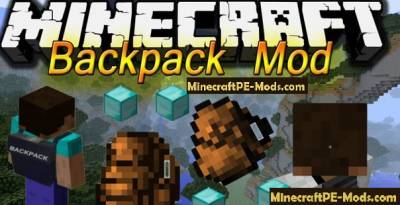
Backpacks mod — this mod will allow you craft in the world of Minecraft Pocket Edition new items to hold Your stuff backpacks. With the advent of backpacks in Minecraft Pocket Edition you will be able to carry much more needed things.There are two types of backpacks, which are divided into 8 species each. Each of the backpacks has its own unique color and a capacity of 27 and 54 of the slot. Just as the chests. Really chest you can't go anywhere, but the backpack will take.You can, for example, to create five large backpacks, the capacity of which will be 54 slots. That means in your inventory will be occupied 5 slots that can hold 54 slots each that means in your inventory diminished 5 slots, and thereby adding 270 more slots. Really cool?! Like mod — Like and download below!How to make a portfolio?Overstate to start the workbench in which you would be able to handle the extracted skin.Backpacks Mod For Minecraft PE 1.11.0.9, 1.10, 1.9.0Next, open the GUI of the workbench — click on it with the hand. Next, make the related skin. The associated skin is used to create large backpacks. To make a little backpack — just take dye and 8 pieces of normal skin. To make a big backpack — you will need to use a bit more leather and ropes.Backpacks Mod For Minecraft PE 1.11.0.9, 1.10, 1.9.0Next, we will need a stove to make associated with leather — sheepskin.Backpacks Mod For Minecraft PE 1.11.0.9, 1.10, 1.9.0To do this, open the graphical interface of the stove and treat associated skin coal.Backpacks Mod For Minecraft PE 1.11.0.9, 1.10, 1.9.0Then again go to the interface of the workbench, look what we still need to create a large backpack. As we can see we have processed 1 skin, and have 9 i.e., we have to handle 8 of these associated skin, which we will turn in coats. It's a pretty laborious process, but it's worth it.Backpacks Mod For Minecraft PE 1.11.0.9, 1.10, 1.9.0How to use?In our example we took two of backpack, which have different capacity. The first backpack that we consider it normal backpack. In the normal backpack capacity 27 slots. To open the interface of conventional backpack — hit the backpack on the ground.Backpacks Mod For Minecraft PE 1.11.0.9, 1.10, 1.9.0Backpacks Mod For Minecraft PE 1.11.0.9, 1.10, 1.9.0If you take a big backpack, the capacity is much more, but if just the 2 times. Large capacity backpack 54 slot. To open the interface big backpack — big backpack hit the ground.Backpacks Mod For Minecraft PE 1.11.0.9, 1.10, 1.9.0Backpacks Mod For Minecraft PE 1.11.0.9, 1.10, 1.9.0Updated: modification compatible with 1.11.x & 1.10.x versionsHow to install BackpacksAddons for BlockLauncher Pro - these mods are more progressive scripts that have ".Zip", ".JS" and ".Modpkg" extension. It also has full integration with all the functionality up to Minecraft PE 1.12.2 version (Temporarily). Mainly used Java features for iOS and Android.To get started, you will need BlockLauncher, which is an application for Android or iOS. Please note that the application version may have functionality for an incompatible Java version inside the game. For each version of the game, a separate BlockLauncher application was developed.Download and install BlockLauncher Pro apk, then use FX File Explorer, ES File Explorer or other file managers to find the apk file in the Downloads folder.After installation, use Blocklauncher Pro to launch the game.After starting the game, you should see the wrench icon at the top of the screen. It also serves as a guideline that you did everything right.Click on "Startup Options".Next, scroll down the list and click on "Manage Scripts".In this menu, you can manage the installed scripts and import them. Here you can also specify the path to the downloaded script.It is worth noting that some modifications have both script and texture packs. You will need to import this separately. In newer versions, BlockLauncher has a feature to recognize a folder with texture packs and a folder with scripts inside a zip archive, which slightly simplifies the import process.This has some pros but also cons because mods work for all single and multiplayer (which work on the client side) game worlds automatically. You can activate or deactivate this in the scripts settings menu.Launch one of the game worlds and check if everything is working correctly. It is also worth noting that this has an extremely low chance of conflict with other scripts, the exception is the same names of items or mobs.Done! Enjoy the new gameplay.
 .modpkg
Project Super Hero Minecraft PE Bedrock Mod 1.11.0.9, 1.10, 1.9.0
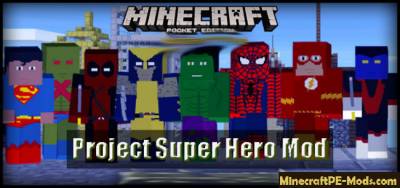
Mod Project Super Hero — this modification adds in Minecraft Pocket Edition world a 8 famous superheroes. One of which is on our screens have appeared from recent time is Deadpool. Project Super Hero will allow You to turn into each of the available super heroes by purchasing its super capabilities, super strength — the ability of all other (selected) super hero! On the list of superheroes is the previously mentioned Deadpool, SpiderMan, Superman, Flash and others.Project Super Hero Minecraft PE Bedrock Mod 1.11.0.9, 1.10, 1.9.0Updated: modification compatible with 1.11.x & 1.10.x versionsHow to become a superhero?All things superhero can be obtained in the inventory of creative mode because of the crafting recipes in this mod is not supported (maybe in the future the crafting recipes will be added). If you want to get the items in survival mode, then use the mod Toolbox, or Simple Commands. If you use the mod Simple Commands, it is possible to get things possible through the command /give"Nocturnal slacker" is kind of a mutant. He has some amazing abilities, such as stunning dexterity and skill of teleportation and more. He looks like a Ninja (but not a turtle!).This hero has two elements which you can use. To use the teleportation device — click on the button "lr" on the right side of the screen. So the hero has a stunning than not scared to go to the battlefield.Project Super Hero Minecraft PE Bedrock Mod 1.11.0.9, 1.10, 1.9.0"Nocturnal slacker" — teleport-device (id - 1009)"Nocturnal slacker" — sword (id 1010)"Nocturnal slacker" — mask (id - 1005)"Nocturnal slacker" — bib (id - 1006)"Nocturnal slacker" — pants (id - 1007)"The night idler" — the shoes (id - 1008)"Martian hunter" — this character has acquired all the necessary skills to become a really good investigator or detective. Strength, speed and resistance - these are just some of his biological advantages.Martian hunter has a device that will allow him to pass through walls (During the passage through the wall — You skin will be black). The Martian also there is a lethal machine.Project Super Hero Minecraft PE Bedrock Mod 1.11.0.9, 1.10, 1.9.0"Martian hunter" — a simple device (ON) (id - 1015)"Martian hunter" — a simple device (OFF) (id - 1016)"Martian hunter" — lethal device (id - 1017)"Martian hunter" mask (id 1011)"Martian hunter" — the bib (id - 1012)"Martian hunter" — pants (id - 1013)"Martian hunter" — the shoes (id - 1014)"Wolverine" is known all over the hero. This hero is a mutant who possesses amazing strength. Wolverine has the ability of instant regeneration and an amazing claws to tear Your enemies to pieces.Project Super Hero Minecraft PE Bedrock Mod 1.11.0.9, 1.10, 1.9.0"Wolverine" claws (id - 1022)"Wolverine" mask (id - 1018)"Wolverine" — bib (id - 1019)"Wolverine" — pants (id - 1020)"Wolverine" — boots (id - 1021)"Spider-man" — this superhero is not just what the speed and agility of a spider. Ego special tool is its web, which is used in cases, when you click upon the earth. The web can be used as traps. Since the web has a property of slowing down characters, you can permanently block the movement of your enemies, thereby winning for himself a little time.Project Super Hero Minecraft PE Bedrock Mod 1.11.0.9, 1.10, 1.9.0"Spider-man" — spider web (id - 1027)"Spider-man" mask (id - 1023)"Spider-man" — the bib (id - 1024)"Spider-man" — pants (id - 1025)"Spider-man" — the shoes (id - 1026)"Deadpool" is an extraordinary superhero. He has a black sense of humor, and heck superhero, Superman has not.This superhero has two elements: a katana and teleport. Click on ground teleport to teleport. Katana You just have to fight.Project Super Hero Minecraft PE Bedrock Mod 1.11.0.9, 1.10, 1.9.0"Deadpool" — katana (id - 1032)"Deadpool" — teleport (id 1033)"Deadpool" mask (id - 1028)"Deadpool" — bib (id - 1029)"Deadpool" — pants (id - 1030)"Deadpool" — the shoes (id - 1031)"Hulk" is green and incredibly strong character. It has two elements that you can pick up, one of whom will throw it in the sky, and the second is that explosive hand that when used will blow up all around him.Project Super Hero Minecraft PE Bedrock Mod 1.11.0.9, 1.10, 1.9.0"Hulk" — the hand (id - 1038)"Hulk" — explosives (id 1039)"Hulk" — head (id - 1034)"Hulk" — the bib (id - 1035)"Hulk" — pants (id - 1036)"Hulk" — the shoes (id 1037)Superman — this hero has almost all of the existing opportunities. To this super-abilities include the ability to fly, super-speed, incredible strength, super agility, regeneration, fire resistance and breath under water. Also Superman has a laser mechanism.Laser element Superman has two abilities. Click on the mode terrestrial activity — it will deactivate the flight mode. You can click on the button — "Laser" located on the right side of the screen, then You will begin to shoot flaming arrows.Project Super Hero Minecraft PE Bedrock Mod 1.11.0.9, 1.10, 1.9.0Project Super Hero Minecraft PE Bedrock Mod 1.11.0.9, 1.10, 1.9.0"Superman" — laser (id 1044)"Superman" — mask (id - 1040)"Superman" — the bib (id - 1041)"Superman" — pants (id 1042)"Superman" — the shoes (id 1043)"Flash" — the main feature of this hero is that he is the fastest in comparison with other super-heroes. Flash also has the ability to turn liquid into solid ice.Project Super Hero Minecraft PE Bedrock Mod 1.11.0.9, 1.10, 1.9.0"Flash" — mask (id - 1001)"Flash" — the bib (id - 1002)"Flash" — pants (id - 1003)"Flash" — the shoes (id - 1004)How to install Project Super HeroAddons for BlockLauncher Pro - these mods are more progressive scripts that have ".Zip", ".JS" and ".Modpkg" extension. It also has full integration with all the functionality up to Minecraft PE 1.12.2 version (Temporarily). Mainly used Java features for iOS and Android.To get started, you will need BlockLauncher, which is an application for Android or iOS. Please note that the application version may have functionality for an incompatible Java version inside the game. For each version of the game, a separate BlockLauncher application was developed.Download and install BlockLauncher Pro apk, then use FX File Explorer, ES File Explorer or other file managers to find the apk file in the Downloads folder.After installation, use Blocklauncher Pro to launch the game.After starting the game, you should see the wrench icon at the top of the screen. It also serves as a guideline that you did everything right.Click on "Startup Options".Next, scroll down the list and click on "Manage Scripts".In this menu, you can manage the installed scripts and import them. Here you can also specify the path to the downloaded script.It is worth noting that some modifications have both script and texture packs. You will need to import this separately. In newer versions, BlockLauncher has a feature to recognize a folder with texture packs and a folder with scripts inside a zip archive, which slightly simplifies the import process.This has some pros but also cons because mods work for all single and multiplayer (which work on the client side) game worlds automatically. You can activate or deactivate this in the scripts settings menu.Launch one of the game worlds and check if everything is working correctly. It is also worth noting that this has an extremely low chance of conflict with other scripts, the exception is the same names of items or mobs.Done! Enjoy the new gameplay.
 .mcaddon
Herobrine Mod/Addon For Minecraft PE 1.12.0, 1.11.4, 1.11.1
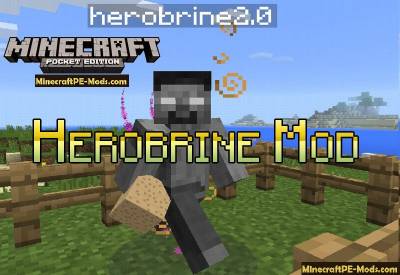
Herobrine is not a real game character. About him talk a lot, but in reality it is only a myth. But to realize the myth in life is not so difficult if you have the Herobrine mod for Minecraft PE. They all have their own specific features. Mod contains several abilities that can be called by the Herobrine to kill you, it's:Meteor showerCall the Wither SkeletonRandomly spawn TNT's blocksThe hunt for the player and attack from behindMod FeaturesThis is a very hardcore mod that is recommended only for professional playersHerobrine will appear after a lightning strike (20% chance) or when there is a thunder rain (100% chance)You must survive several powerful attacks before you kill the HerobrineBe always ready that this hostile mob is able to teleport behind youHe will always chase the player to kill him.How to kill Herobrine?Once this creature is spawn in your world (Usually after rain with thunder) you must survive the meteor shower - this is the first wave of attack of this powerful mythical mob. Next, you have to fight with his messengers of horror and minions, such as Wither Skeleton, kill them to move on to the last step to destroy the Herobrine.Herobrine Mod/Addon For Minecraft PE 1.12.0, 1.11.4, 1.11.1At the last stage, the Herobrine will haunt you and appear behind you to hit. You will have only a fraction of seconds to strike a few blows. This cycle can last a very long time and so you have to wear strong armor to fight with the Herobrine.
 .mcaddon
Elemental Swords Mod/Addon For Minecraft PE 1.20, 1.19.60
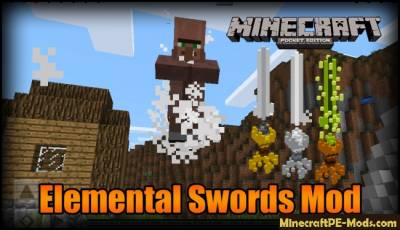
Elemental Swords mod adds 15 new swords in the world of Minecraft PE, each of which has its own special properties and abilities. Each sword has a specific power that was embedded in the sword in the time of the creation of the sword and his power is fully consistent with its composition.Update for Minecraft 1.19Elemental Swords mod adds swords that has a natural disaster - it will be completely under your control. For example, the sword of the storm is going to throw your enemies, or just animals in heaven, then they will fall to earth and die from hard hits. Also in may there are swords that will set fire to mobs within a certain radius.List of SwordsKnight SwordAir SwordJump SwordSaw Knight SwordKnight Sword UltimateInfinity Knight SwordMaster SwordGalaxy SwordReaper SwordAqua SwordEnd SwordPhantom StickLightning StickStormbreakerMod FeaturesFor activation over the potential of new swords that they have, please click on the icon in the lower right corner of the screen, and then release it. (Icons appear when you take the sword in hand)Sword of fire:Sword of fire is probably the most powerful sword in all these swords. The fire sword causes a powerful wave of fire that spreads in a radius of 15 blocks and ignites all mobs and animals that were in the area.Elemental Swords Mod/Addon For Minecraft PE 1.20, 1.19.60Air sword:When in air hit the mob with a sword, then the mob goes completely under your control. Mob will be steamed above the earth until you do not omit or will not leave. To throw the mob, You will need to raise a little higher and click on the icon of the cloud. If you want to put it on the ground then lower it as low to the ground and hit on the icon of the cloud.Elemental Swords Mod/Addon For Minecraft PE 1.20, 1.19.60Elemental Swords Mod/Addon For Minecraft PE 1.20, 1.19.60Sword of the storm:This sword gives you more power over others. With this sword you will have power that is similar to a tornado. The sword throws mobs that are in range of the sword high into the sky, then they fall to the ground and die.Elemental Swords Mod/Addon For Minecraft PE 1.20, 1.19.60Elemental Swords Mod/Addon For Minecraft PE 1.20, 1.19.60Lava sword:The sword shoots lava at mobs from the sky with a precise strike of fireballs that set fire to mobs and they die.Elemental Swords Mod/Addon For Minecraft PE 1.20, 1.19.60Elemental Swords Mod/Addon For Minecraft PE 1.20, 1.19.60Elemental Swords Mod/Addon For Minecraft PE 1.20, 1.19.60Sword of the ocean:When you click on the water icon in the lower right corner of the screen, then the sword shoots water at enemies. This sword is inferior to most of the swords in the mod Elemental Swords.Elemental Swords Mod/Addon For Minecraft PE 1.20, 1.19.60Sword of the jungle:This sword allows for a split second to toss mobs into the air to take a breath after huge crowds of mobs that attack you. Sword throws mobs that are nearby within the radius. The pop mobs in the air is not deadly.Sword of water:Adds 6% extra damage during attacks by the mobs.The sword lands:Adds extra strength to the attack.
 .apk
Structure Block Mod (Android)
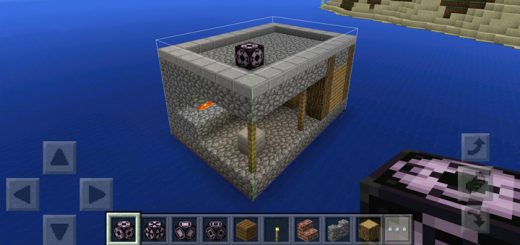
The Structure Block can be used for copying structures in your world and then pasting them somewhere else. It's a new type of block which according according to the Minecraft wiki is an existing feature in Minecraft Pocket Edition but can't yet (officially) be obtained. However, if you install this add-on you will be able to access the block and use it in-game.How does it work?To demonstrate this feature I am going to show you how to copy a structure and then paste it somewhere else.I've added one video tutorial by RageElixir and another by EckoSoldier to the bottom of the post.Place down a structure block at the lower bottom corner of the structure which you want to copy. Tap on the block and select Corner Mode and enter a name for it, e.g. "House1". Then press Accept.Find the opposite top corner of the structure and place down a second structure block. Press on the block, select Corner Mode and make sure to the same name which you used before, e.g. "House1". Then press Accept.Next, place down a third structure block and then tap on it once. Select Save Mode, name it "House1", press the Detect button and then hit Save.Go to the area where you want the structured pasted and place down another structure block. Tap on the block and select Load Mode. Enter the name for the structure "House1" and then press load.Before it actually spawns it will show an outline of the structure. This is useful in case you want to make any changes to the position of the structure. If it's all good then tap on the structure block again and press Load.
 .mcaddon
More Weapons Addon
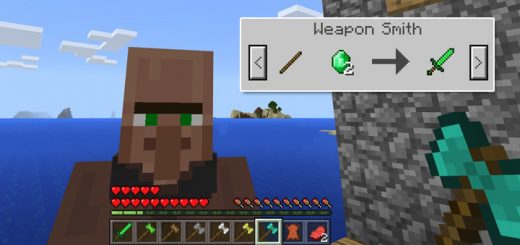
This add-on implements five new Battleaxes and one new Emerald Sword. All of the new weapons are literally add-ons as they don't replace any of the existing items in-game. They are also entirely different from ordinary Minecraft weapons as they give players new powers when using them. Upgrade your arsenal of weapons today!How to obtain the new weapons?All weapons are sold by a new merchant known as the Weapon Smith. (Transform any villager into a Weapon Smith by using an Iron Ingot to interact with a villager.) You will have to do some trading with him in order for him to unlock more trades. However, you could also use the following text command in-game to obtain the new weapons: /give @s yellow_flower 1 [1-7]There is one new sword and six new battleaxes. Each new weapon will give the player a new power while being wielded. You can find a full list of the weapon features further down on this page.The More Weapons Add-on makes fighting so much more enjoyable. All weapons have different abilities, but none of them are overpowered as they have been balanced to also include some disadvantages (such as decreased walking speed for weapons which would be heavier in real life).Weapon FeaturesEmerald SwordDamage: 5Increased speedEmerald BattleaxeDamage: 6Increased health (+3 hearts)Walks slightly slowerWooden BattleaxeDamage: 5Increased health (+1 hearts)Walks slowerStone BattleaxeDamage: 6Increased health (+2 hearts)Walks slowerIron BattleaxeDamage: 7Increased health (+3 hearts)Walks slowerGold BattleaxeDamage: 5Increased health (+2 hearts)Walks slowerDiamond BattleaxeDamage: 8Increased health (+5 hearts)Walks slower
 .mcpack
New Default [16x16]
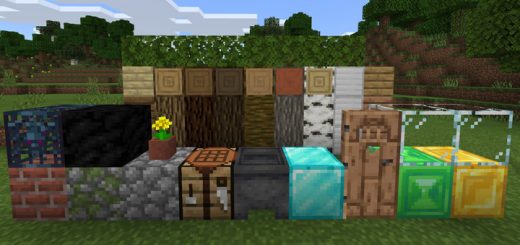
Artists at Mojang have worked on the new textures for months and today is the 2nd release for the textures to the public. It is originally made for Java Edition, but here's a version which is ported to Bedrock Edition. This means it may include unintentional bugs but hopefully one of you will submit a fix for that.
 .mcpack
SG Plushies Addon
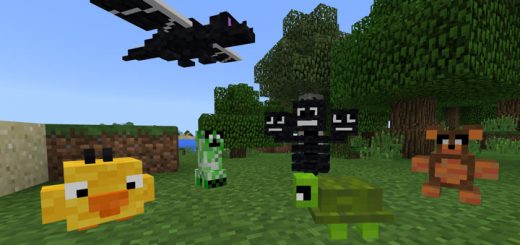
This resource pack replaces some of the skulls and heads in-game with different kinds of plushies. Currently there are five different plushies but more will likely be added in the future. All of them are actually things which you can get on the SkyGames Fan Realms. They are meant to be used as decorations, but you can also wear them like helmets.All PlushiesCreeper PlushieBear PlushieTurtle PlushieDragon PlushieWither PlushieDucky PlushieMore coming soon!
 .mcpack
Better Enchantment Names Resource Pack
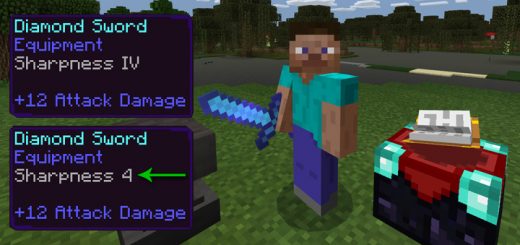
This is a resource pack which changes the Roman numbers for enchanted items with regular numbers (also known as Hindu-Arabic numerals). Here is an example: Sharpness IV = Sharpness 4 and so on. You can use this texture pack with three different languages (English (US), English (UK) and Spanish). It's a really simple addition, but could be useful for those who rather use the Hindu-Arabic numerals.How does it work?fter you've enabled the resource pack in-game you will have to access the language settings and enable the correct language selection.As soon as that's done all Roman numerals will be replaced by the Hindu-Arabic numerals.
 .mcpack
ADA Connected Glass Resource Pack [64x64]
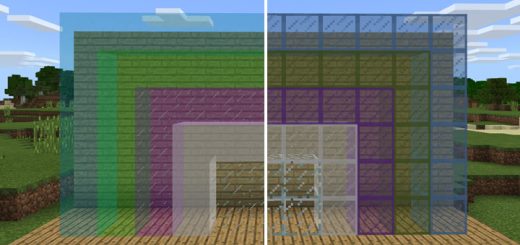
This resource pack adds high-resolution textures which remove the frame for the glass textures. The result is glass which looks as if it is connected as there are no outer borders disconnecting the blocks. It's really cool and useful if you want a more modern and simplistic design for your glass textures in-game.
 .mcaddon
BM WarStuffs Addon
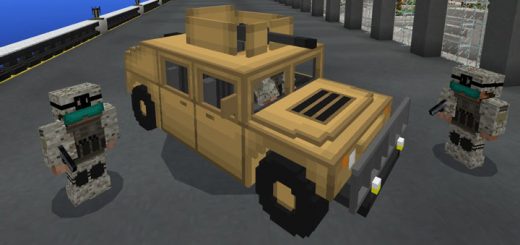
This add-on replaces some items in-game with modern weapons and a soldier armor set, and it also replaces a mob with a military vehicle. Turn Minecraft into a more realistic world with modern weapons. All weapons have been made to be as realistic as well both in terms of functionality and textures. As a whole, it's probably one of the top weapons add-ons currently available!Weapons and ArmorTactical Armor Set (Chainmail): A soldier armor set which appears to be based on the Marine Corps Combat Utility Uniform.Humvee (Stray): The Humvee is an armored, five-seated military vehicle (max 5 players). (Health: 50 hearts)Block of Dust Bomb (TNT): It's a timed explosive which got a bit longer fuse than an ordinary TNT. Besides the explosion, it causes some fire.Grenade (egg): An explosive which you can throw.M1911 Pistol (Fishing Rod): A pistol which is perfect for shooting zombies!RPG (Ender Pearl): A rocket-propelled grenade launcher. (Weight: Makes you walk slower.)M4A1 (snowball): A scoped assault rifle which is suitable for long range battles. (Weight: Makes you walk slower.)M95 (Sniper Rifle) (Bow): The M95 is a bolt-action sniper rifle which makes it perfect for eliminating your enemies. (Zoom Effect. Weight: Max - You can't walk while holding this weapon.)M249 Gun (Experience Bottle): The M249 is a light machine gun which is able to quick and efficiently take down the enemy.Knife (Iron Sword): Useful for close combat.
 .mcpack
UnDiscord 1.0 Resource Pack
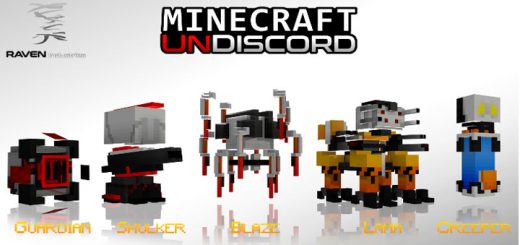
This resource pack adds 5 new entity models and a complete remake for some of the in-game block textures to add a more futuristic look and feeling to the game. There is also a short backstory to it. UnDiscord is the code name of an emergency plan from the RAVEN project which was put in place in an attempt to save humanity in case the world failed.
 .mcpack
SG Plushies 2 Pack
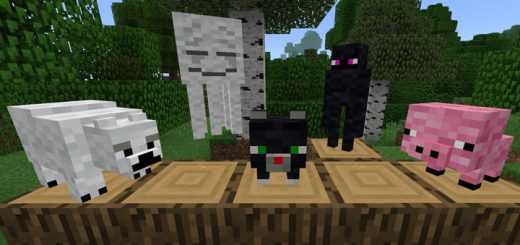
This resource pack replaces the placeable skulls and heads in-game with plushies which you can use for everything from decoration and trophies for games to wearable headgears - the choice is yours! The plushies include a polar bear, cat, pig, ghast and enderman. This is now the second Plushies Pack by SkyGames.How does it work?These plushies can be used for roleplay, decorating or even to wear on your head.Cow PlushieCat PlushiePolar Bear PlushieEnderman PlushiePig PlushieGhast Plushie
 .mcaddon
Bedrock Armor Addon
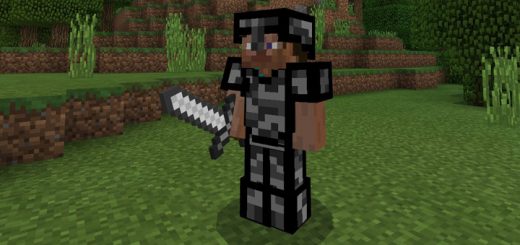
This add-on replaces the existing Chain Armor with the Bedrock Armor which is a whole lot more powerful compared to any other armor set. You'll immune to fire, explosives and much more. You will also run much faster and have more health while wearing the armor. It's definitely makes survival much more easy as you won't have to worry as much about the dangers around you.This add-on replaces the existing Chain Armor with the Bedrock Armor which is a whole lot more powerful compared to any other armor set. You'll immune to fire, explosives and much more. You will also run much faster and have more health while wearing the armor. It's definitely makes survival much more easy as you won't have to worry as much about the dangers around you.How does it work?The Chain Armor is replaced by the Bedrock Armor. It has the similar way of obtaining as the Chain Armor. You can also trade it with the Armorer villager for lots of emeralds, or kill the Wither Boss and it will drop the full armor set. Here's a list of features which are applied to a player who is wearing the armor set. Invincibility (not even the void can kill you)0.05 Speed (slightly slowed down)Immune to MagicImmune to FireImmune to Projectile DamageImmune to ExplosivesImmune to Fall DamageKnockback Resistance: 100It's impossible to change the durability of the armor, so please use Unbreaking Enchantment instead.
 .mcaddon
Mint & Cola Addon
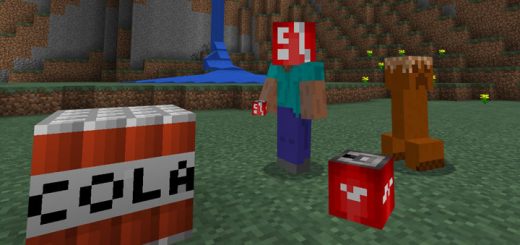
Do you like Cola? If your answer to that is yes then you have found the perfect add-on for you. This add-on replaces some thingsi n-game withblocks and mobs inspired by Cola. There are Cola Monsters, Mint Armor, Confectioner Villagers, Soda Cans and even the Nether has been replaced by The Mint Dimension! Do you like Cola? If your answer to that is yes then you have found the perfect add-on for you. This add-on replaces some thingsi n-game withblocks and mobs inspired by Cola. There are Cola Monsters, Mint Armor, Confectioner Villagers, Soda Cans and even the Nether has been replaced by The Mint Dimension! How does it work?The Colas and Cola Monster have had their behaviors slightly changed, but except for that everything except for the textures are basically the same. Cola (TNT, Minecart with TNT)Cola Monster (Creeper)Soda Can (Creeper Head)Mint Fire (Fire)Mint (Flint & Steel)Mint Armor (replaces Chain Armor)Mint Fire Resistance0.15 SpeedConfectioner Villager (replaces Fletcher)Trades Mint Armor and other Mint itemsMint Block (Gravel)Mint Pieces (Flint)Mint Monster (Blaze)Mint Powder (Blaze Powder)Mint Rod (Blaze Rod)Mint Ball / MintCharge (Fireball / Fire Charge)New particle effect when Cola explodesThe Mint Dimension (replaces The Nether)The Mint Dimension (replaces The Nether)Soda Cans (Glass Bottles)Crushed Mint Block (Netherrack)Mint Lava (Lava)Mint Cream (Magma Cream)Magma Block (Hot Mint Block)Mint Brick Block (Nether Brick Block)Mint Brick Fence (Nether Brick Fence)Mint Brick Stairs (Nether Brick Stairs)Mint Brick Slab (Nether Brick Slab)Mint Plant (Nether Wart)Greener Brick Block (Red Nether Brick)Mint Quartz Ore (Nether Quartz Ore)Mint Plant Block (Nether Wart Block)Fresh-Breath Ghast (Ghast)Mint Cube (Magma Cube)Potion Bottles (Magic Soda Cans)There are lots of cool new features added. For example, the Nether has been changed into The Mint Dimension.
 .mcaddon
WoodenFurniture Addon
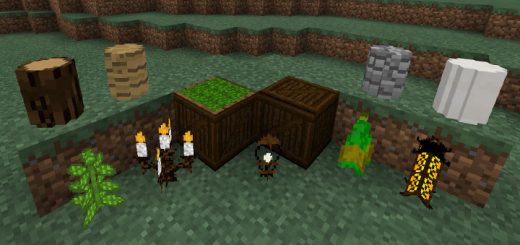
WoodenFurniture is an add-on which adds adds some blocks and replaces a couple of entities with different wooden furniture. The furniture include candle latterns, a green glass bottle, chairs and a few other objects. It's a great add-on in case you want to expand your options for decorating your worlds.BlocksSome of the block IDs might not work as intended if you are using the Update Aquatic./give @s sandstone 1 [3~14]/give @s planks 1 [7~8]/give @s stone 1 [7]/give @s red_flower 1 [9~14]Furniturechair [creeper]bench [zombie]desk [iron_golem]? [mob_head]
 .mcaddon
Handcuffs Addon
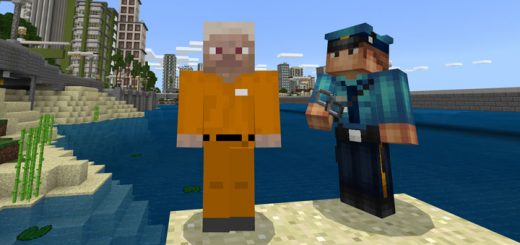
This addon is perfect for role-playing. It adds two new items: Handcuffs and Keys which can be used to catch a player and free it again. To catch a player you interact with him while holding a pair of handcuffs. The player won't be able to move or jump and can't attack you anymore. In order to free the player, you can use the key on him. He'll lose the status effects and can freely move and attack again.How does I get the new items?You won't find the new items in the creative inventory. Use the commands /give @s yellow_flower 1 1 & /give @s yellow_flower 1 2 to get them in creative instead. Skeletons now also have a chance of dropping a key or handcuffs so you can also get them in survival. Please note: The maximum time you can catch a player is two minutes. After this time, you need to use another pair of handcuffs.
 .mcpack
Down Scale Destroyer (Blurry Texture Pack Fix) Pack
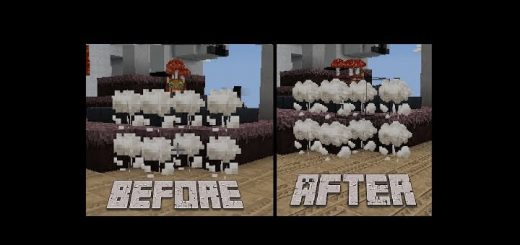
This pack allows low-end devices to use 32x32 textures. With the release of 1.1 they made it so devices without a certain amount of available memory can't use 32x32 textures. There was a small backlash on Twitter towards Mojang and pack creators (an example would be people tweeting at the people that made the Faithful for Bedrock on this site complaining that the textures are "blurry"). Not many people have spoken about this since 1.1 until the release of 1.2.20.1 which added Education Edition mode which made the textures on most phones go from 16x16 to 8x8 when enabled.How does it work?After you've enabled the resource pack in-game and restarted the game then the previously non-working texture pack(s) should be working with the right resolution.
 .mcaddon
Jetpack Addon
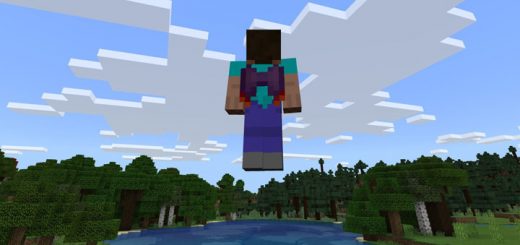
This add-on replaces one of the existing armor items in-game with a brand new jetpack! The jetpack is a smart wearable which you can use to boost yourself up into the sky. You control it by activate sneaking, so it's very easy to start using while you're playing the game. How does it work?It's the chain chestplate which has been replaced by the jetpack. To obtain it you can craft it (by using the chain chestplate recipe), find it in the creative inventory or by killing zombies or skeletons which sometimes wear a jetpack. Equip the jetpack and then press sneak to start using it. Press sneak to start flying. Disabling sneak will make you start going down. Pocket Controls: Since it's very difficult to sneak in quick succession on Pocket Devices, there's a new control type. Wear a jetpack and hold a stick to activate levitation. Once you switch to a different slot, levitation runs out.
 .mcaddon
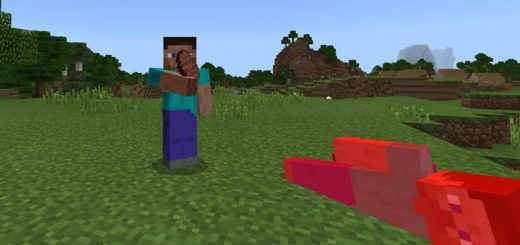
Cannibalism Addon
This add-on is probably one of the most horrific add-ons currently available. It adds a new feature for players which makes them drop things like raw beef and related items if they are killed. Other players can then pick up these loot and use it for saving themselves, e.g. eating, in case that they have run out of food.How does it work?Players and villagers will now drop items if they are killed. Here's a list of items which they will drop. The loot is increased in case that the player killed killed with an item which has the looting enchantment.1 Steve Head1 - 3 Leather (bonus 1 - 2 with looting)1 - 3 Human Flesh1 - 2 Bone (bonus 1 - 2 with looting)It's certainly quite useful and especially on multiplayer servers as it adds a new purpose for players in-game. However, you should probably only use it as a last resort in case that you run out of food and need it to survive yourself. Or maybe, you could just find some other fun use for it in-game.Cannibal (New Mob)Added a new mob. Zombie is now replaced with Cannibal. They have more health, speed, power and are slightly larger than the player. The Cannibal spawns with a stone sword. Killing it is difficult but it's worth it since Cannibals drop some Iron Nuggets. Cannibal loot is similar to villager loot but they drop Iron Ingots.