Best 64x64 Textures for Minecraft PE & Bedrock
Browse and download 64x64 Textures for Minecraft Pocket Edition & Bedrock on iOS, Android, and PC, or customize with MCPE Studio.
 .mcpack
Better Unicode Font
This pack replaces the bad-looking Unicode font with the more familiar Mojangles font, making it match more closely in-terms of looks and size. Unicode font normally appears when a special character is being typed into the Minecraft chat.Features:Mojangles Font where the typical Unicode font would be.An option to keep characters with accents on them (subpack).
 .mcpack
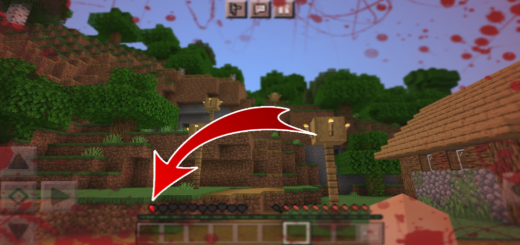
Texture Screen Effect Blood Mcpe
Texture Which adds an effect when your player's blood decreases, the less your HP bars the more blood on your screen. Blood on your screen indicates you are dying, this is more realistic.Multiple Display effects when your blood decreases.This Texture has the effect of showing blood on your screen every time your life decreases. You can use this Texture on servers and realms and without having to activate your experimental world.
 .mcpack
Bedrock Preview UI
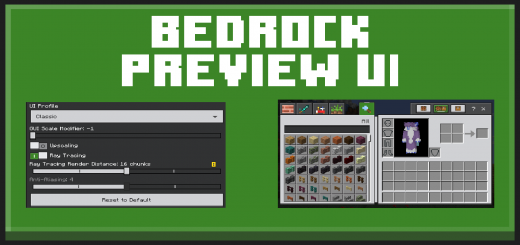
Bedrock Preview UI is a small resourcepack that makes the UI look and feel a bit more like the one shown in the latest Bedrock Previews (betas). It also changes the click sound to be the one from the Previews.Bedrock Preview UI is a small resourcepack that makes the UI look and feel a bit more like the one shown in the latest Bedrock Previews (betas). It also changes the click sound to be the one from the PreviewsAboce is an image that shows sliders, toggle switches, dropdowns, a marked slider and a disabled slider. The button click noise is now the one from the preview UI. It has more echo and has more of a “pop” sound..ServersAbove is an image that showcases tabs and buttons on the server screen. Things like tabs and the white border have a slightly more 3D look to them like the buttons in the Preview UI.InventoryAbove is an image that showcases the creative inventory. Pocket UI profile is also supported by this pack. The item slot hover no longer has a white border and is a slightly lighter green. The tabs at the top have updated icons to be more similar to the ones seen in the Preview UI New in v2 - Dark ModeTo enable or disable dark mode, enable the pack and click the gear under it. Make sure you have v2 or higher of Bedrock Preview UI.
 .mcpack
Glass Trapdoors (Windows)
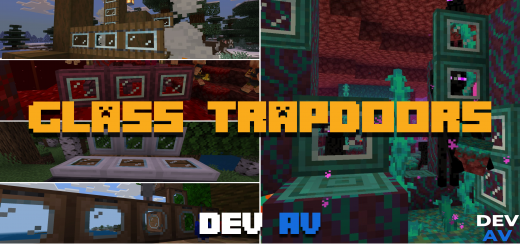
You want to give a fresh air to the boring vanilla Minecraft Trapdoors, now with this texture pack you will be able to achieve it, since it changes the textures for Trapdoors with fully functional glass windows, because you will be able to see through it and believe me it will give it a new air to your survival or the creative builds you have for everything.Everything absolutely everything was testedThis Texture Pack is tested on Android and iOS phones also on Windows 10 and 11 and because of how Minecraft Bedrock works it should work on all versions of the on different platforms it works with all addons and texture packs you don't need to activate the experimental features.
 .mcpack
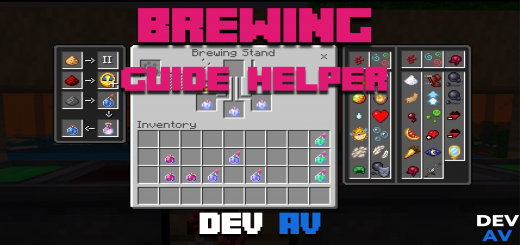
Brewing Potions Guide
The potions or Brewing Guide is missing something that we already have on the crafting table, potions guide, all the necessary ones to make our potions, increase their durability, make them throwable as you know if you are new to Minecraft or always looking for how such a potion is made in Minecraft with this texture pack that adds that information to the UI you will not need it anymore.. Everything absolutely everything was testedThis Texture Pack is tested on Android and iOS phones also on Windows 10 and 11 and because of how Minecraft Bedrock works it should work on all versions of the on different platforms it works with all addons and texture packs you don't need to activate the experimental features.
 .mcpack
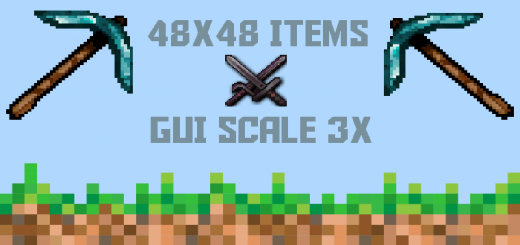
48x48 Items (GUI Scale 3X)
48x48 Items (GUI Scale 3x) is a texture pack that converts nearly all the items in Minecraft from 16x16 to 48x48 pixels. On top of this, it also makes the GUI 3x more detailed. With this texture pack, you will never get a chance to say "Look how boring these items are".
 .mcpack
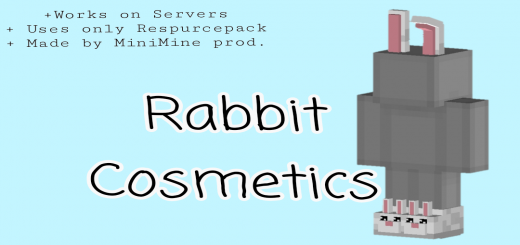
Cute Rabbit Cosmetics
Ever wanted to have Bunny Ears, Bunny Shoes and a fluffy tail (lol) ? This pack adds amazing rabbit cosmetics which are working on servers (also Hive). The Shies are inspired by LabymodWorks with every Skin !+ Works on Servers (tested on the Hive)+ shoes inspired by LabyMod + Programmed and modeled by PizKar
 .mcpack
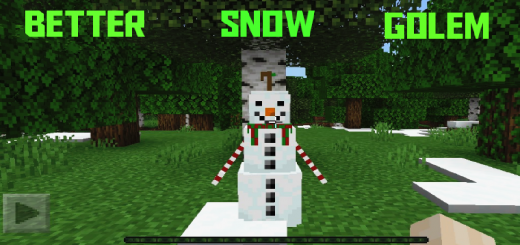
Better Snow Golem
Did you got tired by Normal Snow Golems ?Better Snow Golem makes the Snow Golems more cute, fancy and realistic. This Texture Pack adds some 3D details, Fancy Scarf and some carrots. After downloading this pack, You'll never say that "Snow Golems doesn't look good". Enjoy the Better Snowy Golem!
 .mcpack
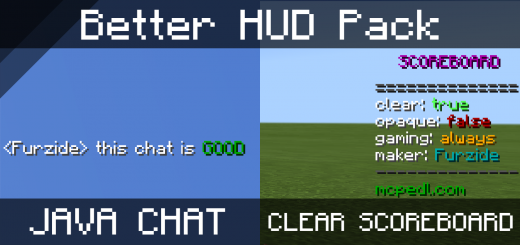
Better HUD pack
This Resource Pack aims to Improve the Look of Minecraft's HUD. It improves the general look of the interface you see in-game, and improves various things like the Chat, The Scoreboard, and Most Text elements on the display.I made this pack because I heavily dislike Bedrock Edition's vanilla HUD. With this pack I have improved a shed load of UI elements, mainly the ones that display when you are seeing on-screen at all times.I have Improved the look of chat, scoreboard, titles, subtitles, coordinates and added various quality of life fixes. Features:Lowered the Chat and Changed it's size to match java edition.Made the Chat fully transparent.Removed the numbers from the scoreboard.Made the scoreboard fully transparent.Adjusted and improved the scoreboard text padding and position, and added a text shadow.Removed the dark background from the chat screen, and added a text shadow.Adjusted the size of titles and subtitles to take up less space on the screen.Removed the profanity filter from as much elements as I could.Made the hotbar and hearts fully opaque to match java edition.Made coordinates transparent.You can now type while taking damage!
 .mcpack
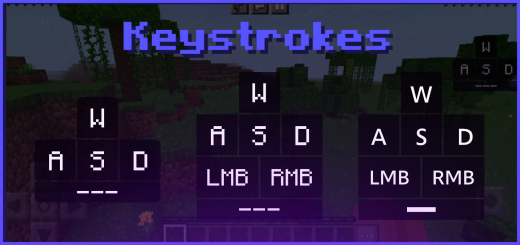
Keystrokes v2 (Many Styles - Feather, Salwyrr and Lunar Client)
Have you ever gotten tired of the old, rusty Minecraft control pad's appearance? Well with this resource pack, you are able to get fully customizable designs for it which will appear on the top right of your screen. It can be used for various amount of things, one of which is if your video viewers would like to see it more accurately and compact, they're able to by just looking at the top right hand corner of your screen. Another thing it is useful for is to see how fast you click which some people find handy for maybe viewers or if you are getting screen-shared by a staff member of a server. This method is allowed and fully supported by Mojang as all it is doing is adding another design for the control pad so there is nothing wrong about it, how great is that!• Lunar Client Keystrokes• Salwyrr Client Keystrokes• Feather Client Keystrokes