Best Scripts Mods for Minecraft PE & Bedrock
Browse and download Scripts Mods for Minecraft Pocket Edition & Bedrock on iOS, Android, and PC, or customize with MCPE Studio.
 .mcaddon
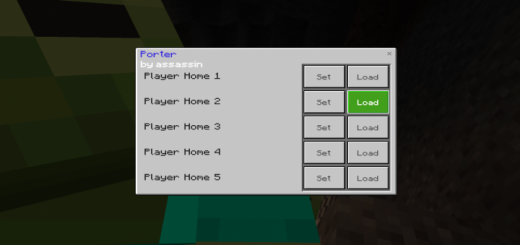
Porter (Survival Friendly) (Multi-Player Friendly) (Scripts)
This add-on lets you swiftly switch between locations in your world. You can save and load up to 5 locations, and your they'll still be saved even after you restart the game!To craft a Porter, you must first craft a Compressed Ender Pearl by putting 9 regular Ender Pearls into a crafting table in the shape of a 3x3 square. Then using two stick and the Compressed Ender Pearl, you can craft your Porter like how you'd craft a shovel in a crafting table.Important Note: Each players' Home slot is different. For example your 'Home 2' won't be the same as your friends'.To open the UI, right click on any block while holding the Porter. Here's an example of when you probably should use it:
 .mcaddon
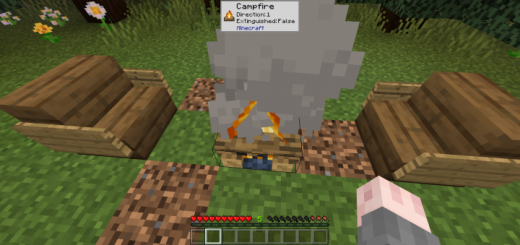
WITS - What Is That Stuff
This add-on is a recreation of a popular Java Edition mod that introduces a small window which tells you all the information on the block you are currently looking at. InfoEver wanted to see all the information about the block you are currently looking at? This add-on is for you! Whenever you point at a block, a small pop-up window will appear telling you what block it is, all of its blockstates, and what add-on it is from.For Addon CreatorsIf you want WITS to display icons of your custom blocks, you have to follow these steps:1. Add this snippet to your resource pack's manifest file: "capabilities": ["experimental_custom_ui"]2. Create a folder named experimental_ui, and inside it, create a folder named blocks.3. Take any picture you want of your block (recommended resolution: 32x32) and drop it into experimental_ui/blocks
 .mcpack
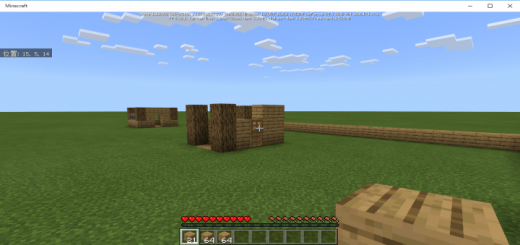
Left Stack Script
When you are laying blocks in survival, isn't it bothersome to reselect in the hot bar because it's used up?This script automatically moves the items left justified, so you can spread the blocks very smoothly!There is nothing in particular that you should be aware of after installing this script, but there is one thing that you should be aware of.This script is stocked to the left regardless of block items, so sometimes it can be difficult to use.I'm working on the problem now!
 .mcpack
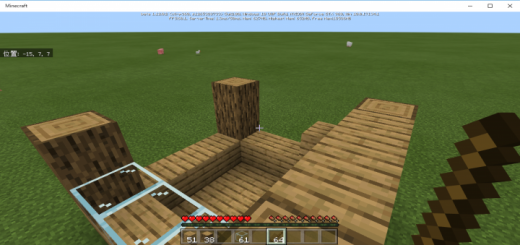
WorldEdit (Script/Addon)
This is a World Edit Script. You are no longer bothered by annoying block placement! As long as you have the necessary materials, it will be very easy to build a house and clean up!This script only works in survival mode.To start the installation, place the material block on the left end of the hot bar and tap the block you want to start installation with the Stick.Then, when you tap the block you want to finish installation, the material block is consumed and the block is installed.If the item is not a block, of course, installation fails.The log will be displayed in chat regardless of success or failure, so please read it.
 .mcaddon
Home Script (1.9.0.3+ Only)
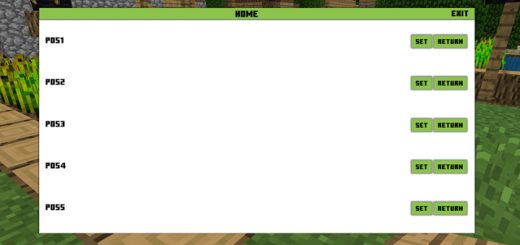
This script is useful for anyone who easily get lost or just want an easier way to return back home. By using this script you will be able to set 5 different home locations. All of it is managed through an easy to use user interface. You can set 5 different home locations and return to them at any time.How does it work?Throw a wooden plank on the ground to open the user interface. Press the SET button to save your current position. Press RETURN to teleport home to your home. You can set a maximum of 5 home locations in a world.Important note: When you leave the world, all of the home positions will be lost. This is a bug and a fix is being worked on!
 .mcpack
Kill/Death Counter Script (1.9.0.3 +)
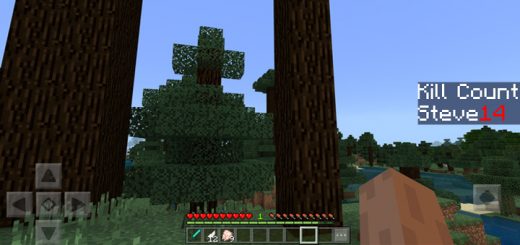
This Script will set up 2 Scoreboard Objectives. One of them is named "DeathCount" and the other is named "KillCount". The Script will automatically update them as needed.To display either of them type this into the chat:Death Counter: /scoreboard objectives setdisplay sidebar DeathCountKill Counter : /scoreboard objectives setdisplay sidebar KillCountReminder: Only one objective can be displayed at once normally. They'll still get updated even while not displayedThe Death Counter works exactly like in the Java Edition. When a player dies, the score will be raised by 1 point.The Kill Counter however, due to some limitations with the current Scripting API, is only functional when the entity is killed through melee combat.
 .mcpack
Armor Stand Clock Script (1.9.0.3+)
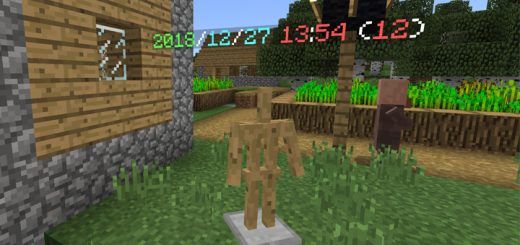
This script will turn the armor stands into a clock. It displays the time which is set on your device. The text is displayed above the armor stand. The script does not interfere with other entities except for the armor stand. Creator: momiyama, Twitter AccountHow does it work?Place down an armor stand on the ground and it will display the current time as a floating text above the armor stand. It's really useful if you want a quick and easy way to keep track of the current time in-game.
 .mcpack
Vote Addon - 投票アドオン
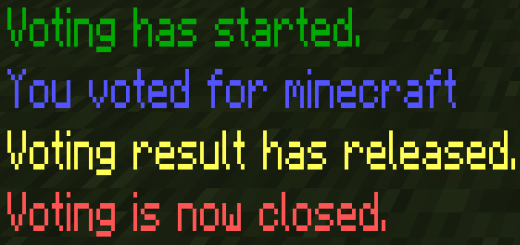
日本語説明は下にあります。This addon enable us to correct players opinion and make your server more comfortable, but it is using JavaScript and you should turn on the "BetaAPI" and you can't apply on Server and Realms.First of all, you have to add "admin" tag to you to manage voting.This addon adds some "!" command. Description of each commands are below.!vote startYou can use "!vote start" command to setup voting. "!v start" is same command.!vote stopYou can use "!vote stop" command tostop voting and open result. "!v stop" is same command.!vote finYou can use "!vote fin" command to finish voting. "!v fin" is same command.!vote to <player name>You can use "!vote to <player name>" command to vote for another player. "!v to" is same command.
 .mcaddon
StarBridge
This addon allows you to connect your Minecraft bedrock edition dedicated server's chat to one of the channels in your discord server(hence the "Bridge") and it does this without needing any external server or any modifications to the server software itself!• This addon can only be used on a Bedrock Dedicated Server or BDS in short so you definitely need one of those.• You need to have "Beta APIs" experiment enabled to use this addon.
 .mcpack
Debug Tools - QOL Additions
Are you tired of spending hours trying to track down bugs and performance issues in your Minecraft: Bedrock Edition worlds? Look no further! The Debug Tools add-on is here with a variety of powerful debugging tools and features, including script and function reload indication, a TPS counter, and quick gamemode change commands. It is the ultimate solution for creators looking to streamline their debugging process and create the best possible experiences for their players. All the features of the Debug Tools pack can be easily toggled on and off, and the add-on also includes configurable settings, so you can customize it to your specific needs.The Debug Tools for Minecraft is designed to assist creators in debugging their worlds and creations by providing a variety of useful tools and features. Some main features of the Debug Tools pack are the TPS features.To monitor TPS performance, the Debug Tools include a TPS counter, which can be used to monitor the performance of your world and identify any potential lag spikes. Additionally, the add-on tracks the longest tick during a lag spike, allowing you to see how much performance was affected. The Debug Tools pack also includes an entity counter, which can be used to track the number of entities in your world and identify any potential issues they may cause. For scripts and function packs, you can track the uptime of your script and function packs, allowing you to see how long they have been running. It also has a feature to indication when packs are “/reload”ed, which can be helpful for differentiating between reloads in the console log.In addition to these core debugging features, the Debug Tools pack also includes a number of quick gamemode change commands (.gms, .gma, .gmc, .gmsp) for easy switching between survival, creative, and other gamemodes. These commands can be extremely useful for testing and debugging your creations.All the features of the Debug Tools can be easily toggled on and off in game using a compass. The add-on also includes a config file, so you can change which modules are enabled by default. The config file also has other customization options for the pack, such as changing the item to pull up the menu and the prefix for the custom commands.